
 Stayntouch PMS
 STR Segmentation Reporting
Hotels that use STR and need market segmentation data can request to activate the STR Report by reaching out to Customer Support, who will enable the Stayntouch Admin STR Report feature toggle.
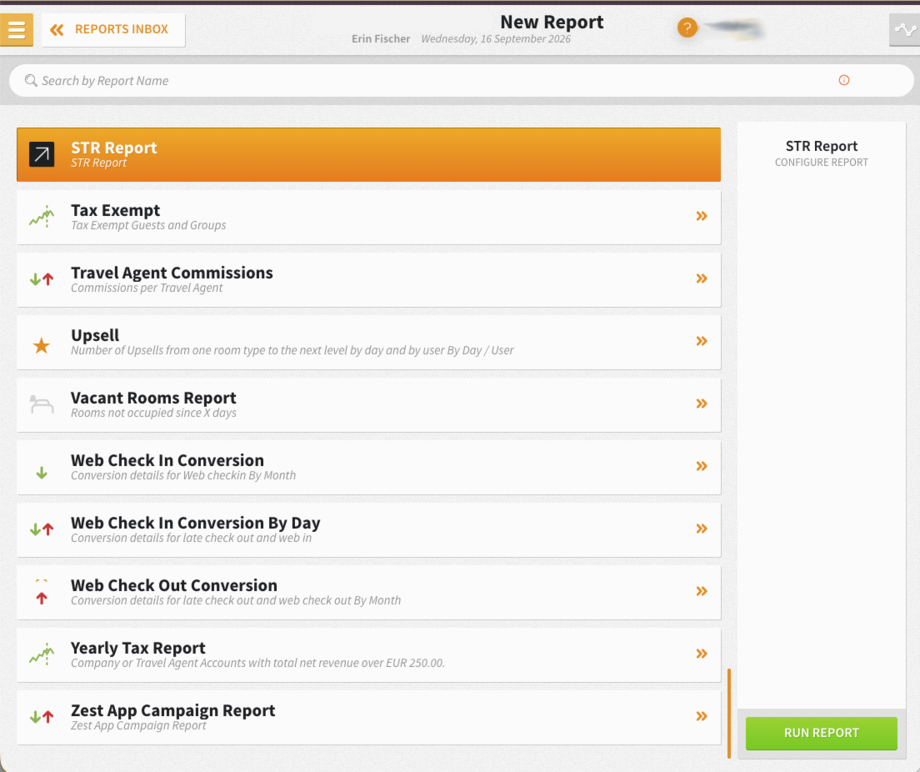
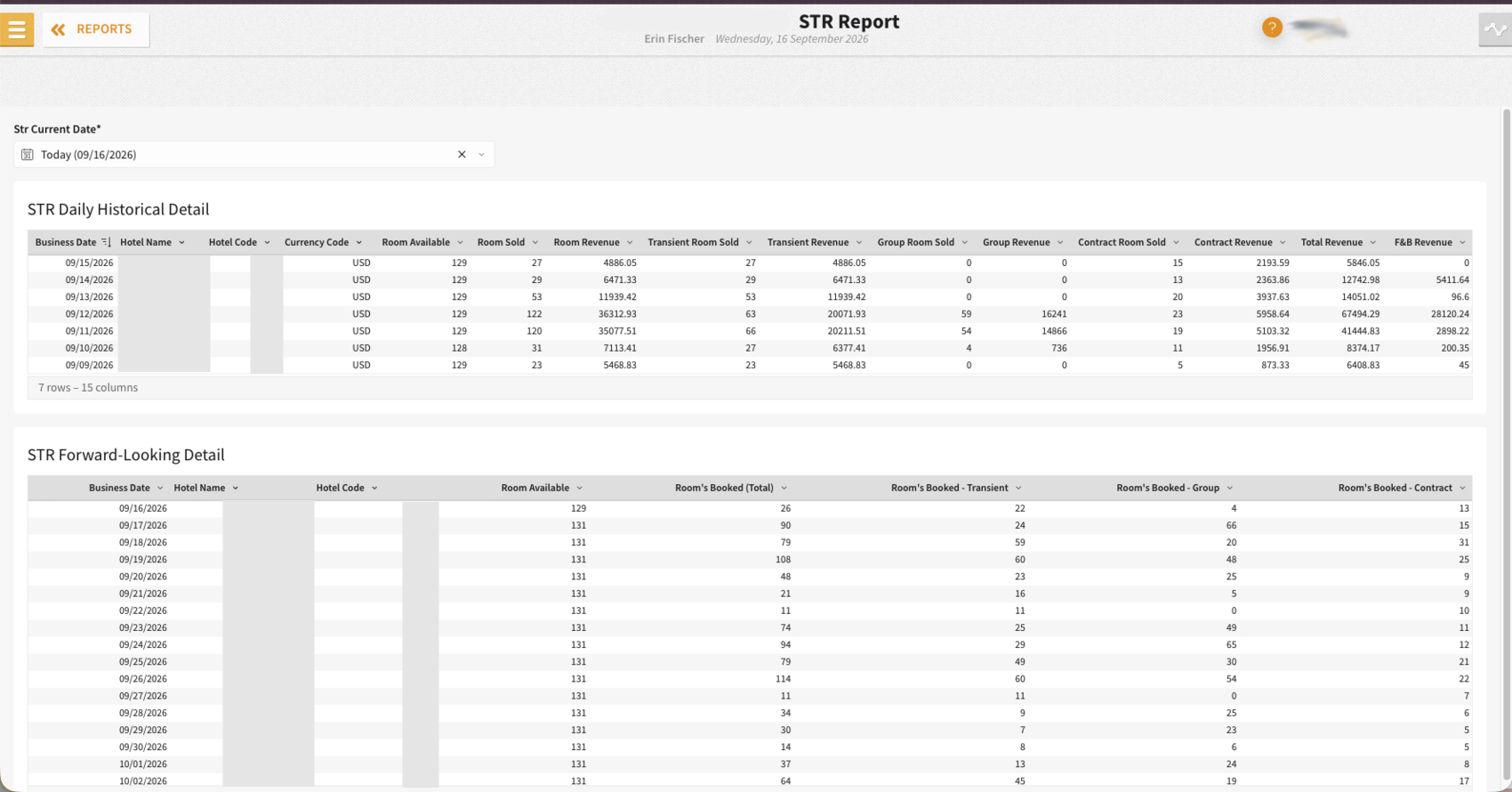
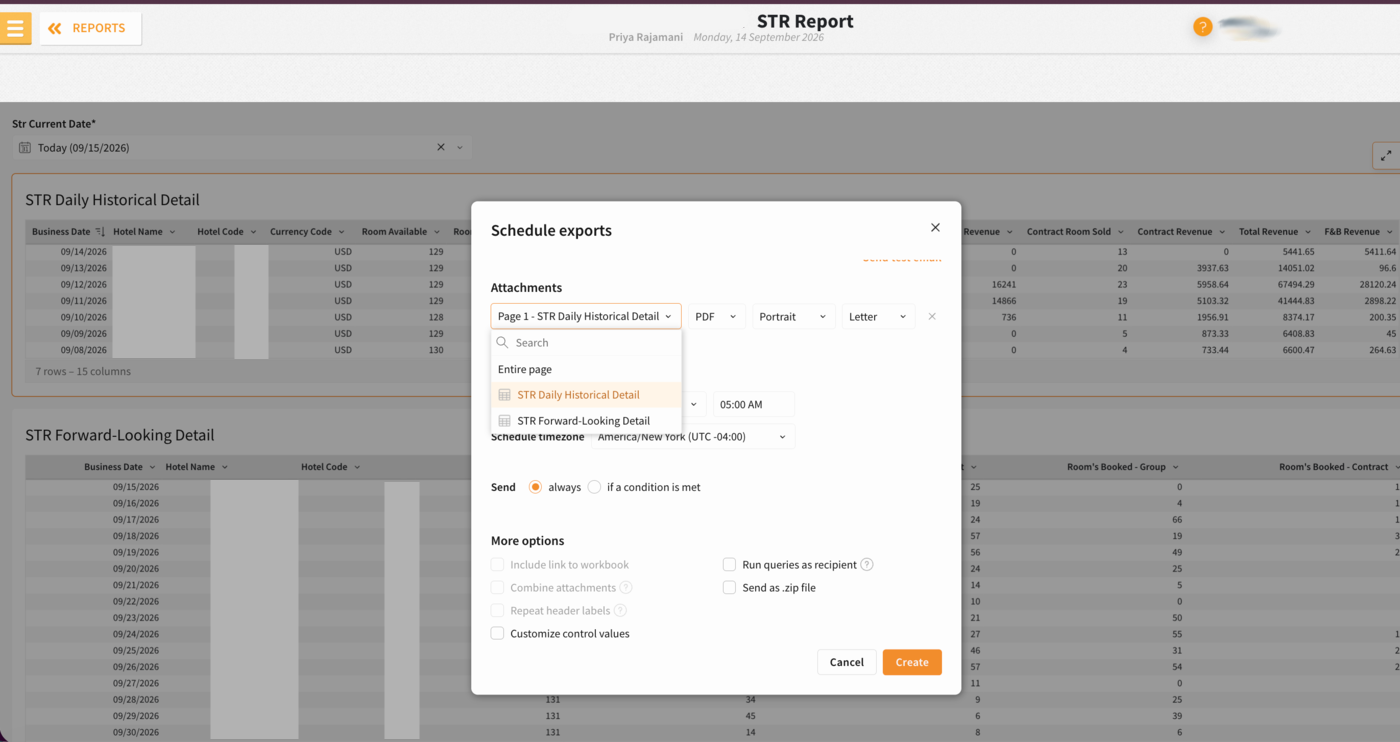
Once enabled, you'll see the STR Report from Reports > New Report. Upon clicking Run Report, you'll see STR Daily Historical Detail and STR Forward-Looking Detail for the current date. Alternatively, if you click the STR Current Date dropdown, you can choose another date for which to view this data. The report supports single date selection, can be exported by CSV, Excel, JSON, and PDF, and can be sent or scheduled via email on a specified frequency. For the purpose of automated exports to STR, we recommend using the CSV format for daily scheduled exports.
To schedule the required market segmentation reports, please complete the following steps:
1. Get your STR number. If you don’t know your property’s STR number, email str-data@str.com to request it.
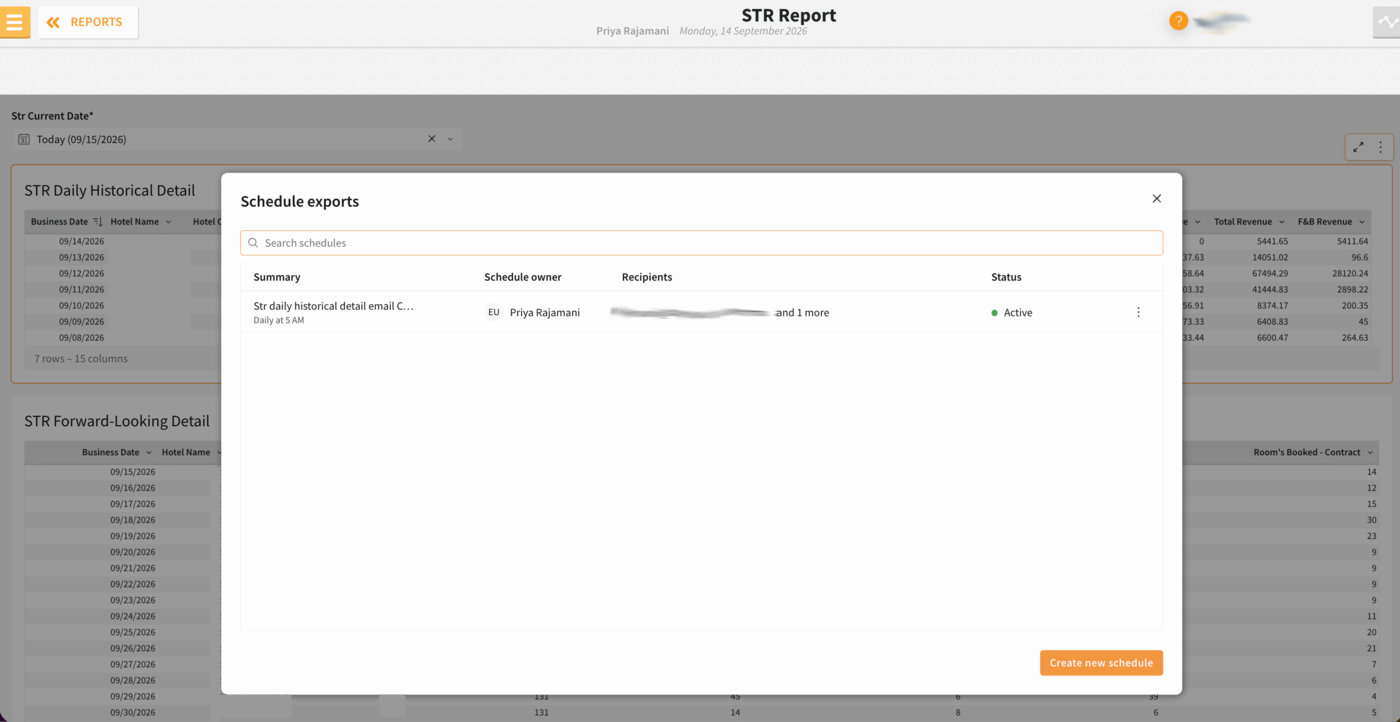
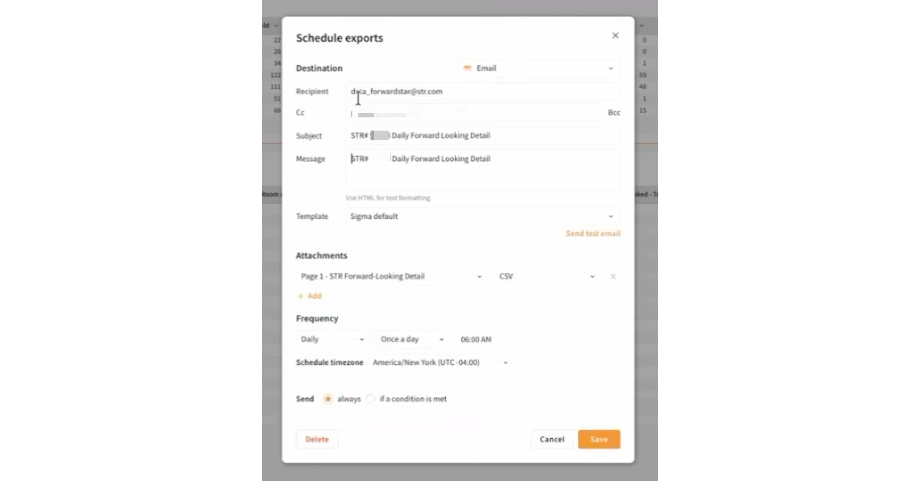
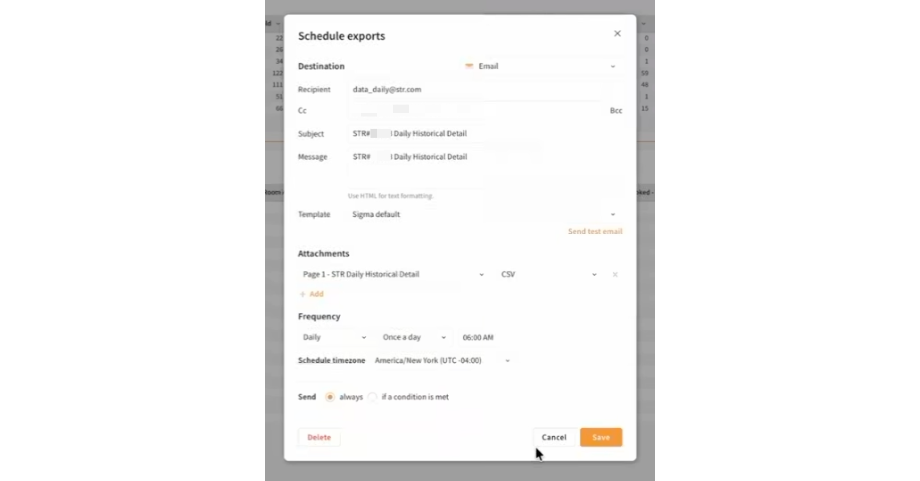
2. Set up two daily scheduled emails, one for each report type:
| Report | Send To | Email Subject |
|---|---|---|
| STR Daily Historical Detail | data_daily@str.com | <STR number> STR Daily Historical Detail |
| STR Forward-Looking Detail | data_forwardstar@str.com | <STR number> STR Daily Forward-Looking Detail |
3. Set the schedule. Schedule both reports to run after End of Day (e.g., at 4:00, 5:00, or 6:00 a.m.), so they reach STR before 10:00 a.m. property local time.
4. Include your STR number in both the file name and the email subject so STR can identify and process each file. Use the same naming convention every time. Example : "STR# 12345 Daily Historical Detail" and "STR# 12345 Daily Forward Looking Detail".
5. Confirm with STR. Email str-data@str.com to say the setup is done and ask STR to confirm that the first files arrived at both addresses and loaded successfully. Scheduled reports come from info@send.sigmacomputing.com, so ask STR to make sure that address is whitelisted.
How revenue is segmented for Historical Benchmarking reports:
STR defines Contract revenue as revenue from a contract with another entity for a consistent block of rooms over an extended period of more than 30 days (for example, airline crew). To align with this definition, the STR Report segments revenue as Contract only when the reservation is made within an allotment whose date span is more than 30 days. The individual reservation does not need to meet that length; only the allotment does. If your hotel manages 31+ night contract business as negotiated rates or groups instead of allotments, that revenue will not appear as Contract, and your segmentation will need to be manually adjusted in STR's portal before the report's data submission deadline.
Reservations on corporate negotiated rates or company contracts do not meet STR’s Contract definition and are reported as Transient.
Reservations associated with Groups are reported as Group.
How rooms sold are reported for Forward-Looking reports:
Out of inventory (OOI) rooms reduce the rooms available to be sold. Out of order (OOO) and out of service (OOS) will not. If you do not wish for your rooms available count to be adjusted when rooms are unavailable for sale, do not set them as out of inventory; instead, set them as out of order. If you are struggling with this, consider removing the permission to assign rooms as out of inventory from relevant user roles.
Group and allotment rooms with a deduct-inventory hold status (set to "take from inventory") will be reported as rooms booked. Groups and allotments with a non-deduct inventory hold status (not set to "take from inventory") will not.
| Reservation Example | Segment |
| Standard rate/BAR, OTA, walk-in | Transient |
| Corporate negotiated rate/company contract | Transient |
| Group block reservation | Group |
| In an allotment with a 31+ day span | Contract |
| In an allotment with a span of 30 days or less | Transient |
| Detailed Reservation Example | Segment |
| 3 night, Standard Rate/BAR/OTA/walk-in | Transient |
| 40 night, Standard Rate/BAR/OTA/walk-in | Transient |
| 10 night, corporate negotiated rate/company contract | Transient |
| 31 night, corporate negotiated rate/company contract | Transient |
| 4 night, guest is attending a wedding but their reservation was not associated with the group because they booked on Expedia | Transient |
| 30 night reservation in a 30 night allotment | Transient |
| 4 night, group reservation | Group |
| 52 night, group reservation | Group |
| 3 night reservation in a 62 night allotment | Contract |
| 30 night reservation in a 31 night allotment | Contract |
For other reporting requirements by STR, please see this article.