
Stayntouch PMS
Release Notes (v6.03)
Effective:
- 3 February 2026 (6am EST) for customers using https://app.us2.stayntouch.com/
- 5 February 2026 (6am EST) for customers using https://app.us1.stayntouch.com/
- 10 February 2026 (3pm EST) for customers using https://app.eu1.stayntouch.com/
TABLE OF CONTENTS

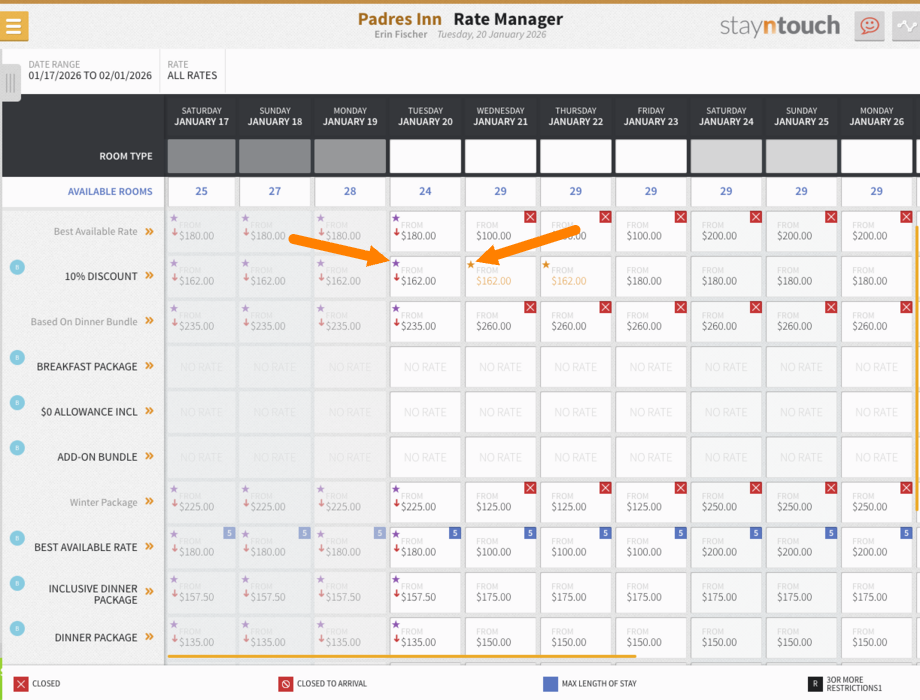
- The Rate Manager now shows visual indicators—yellow stars flag manual rate overrides, purple stars confirm strategy-driven rates, and yellow always takes precedence when both apply.
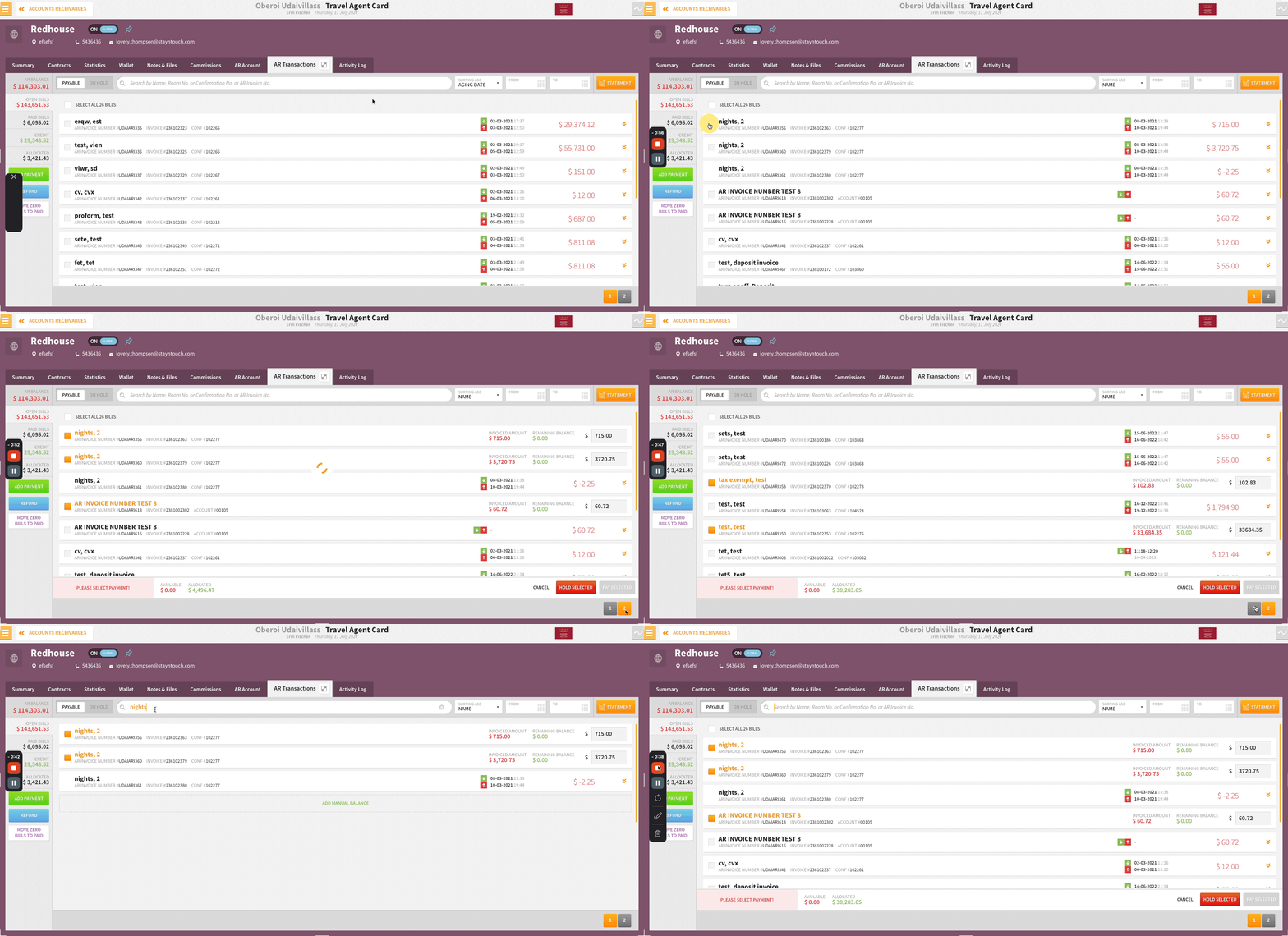
- Invoice selections now persist across pagination, search, and filters in Accounts Receivables, enabling faster, error-free lump sum credit application—cutting processing time to seconds and saving up to 45 hours annually per user.
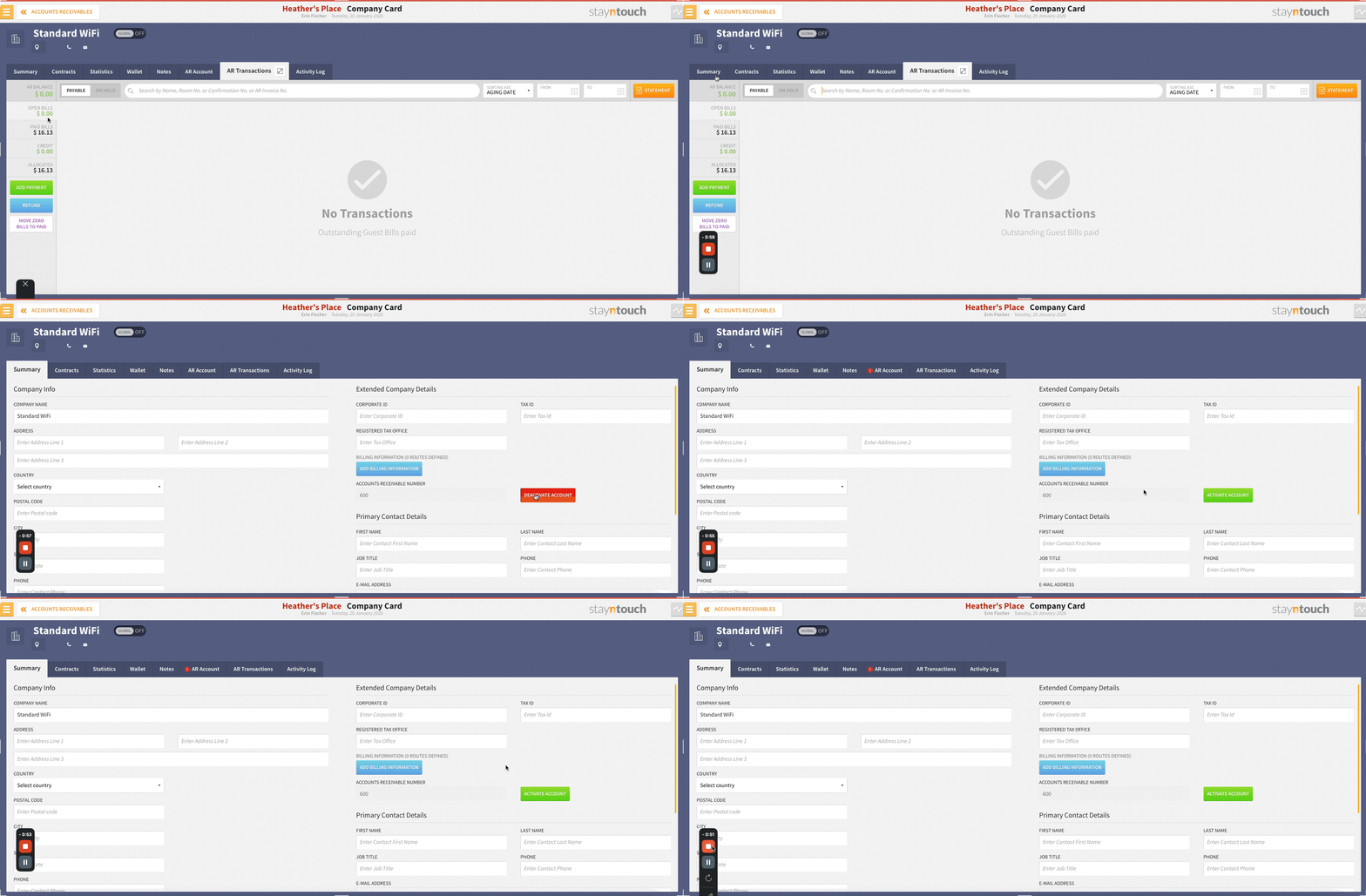
- Streamline your A/R portfolio by deactivating zero-balance accounts that are no longer in use! Inactive accounts remain accessible for historical reference and invoice printing but are automatically excluded from active workflows, including routing searches, A/R reports (Aging & Summary), and account selections. Please note, activation/deactivation will only be possible once the A/R account has associated financial transactions.
Reservations
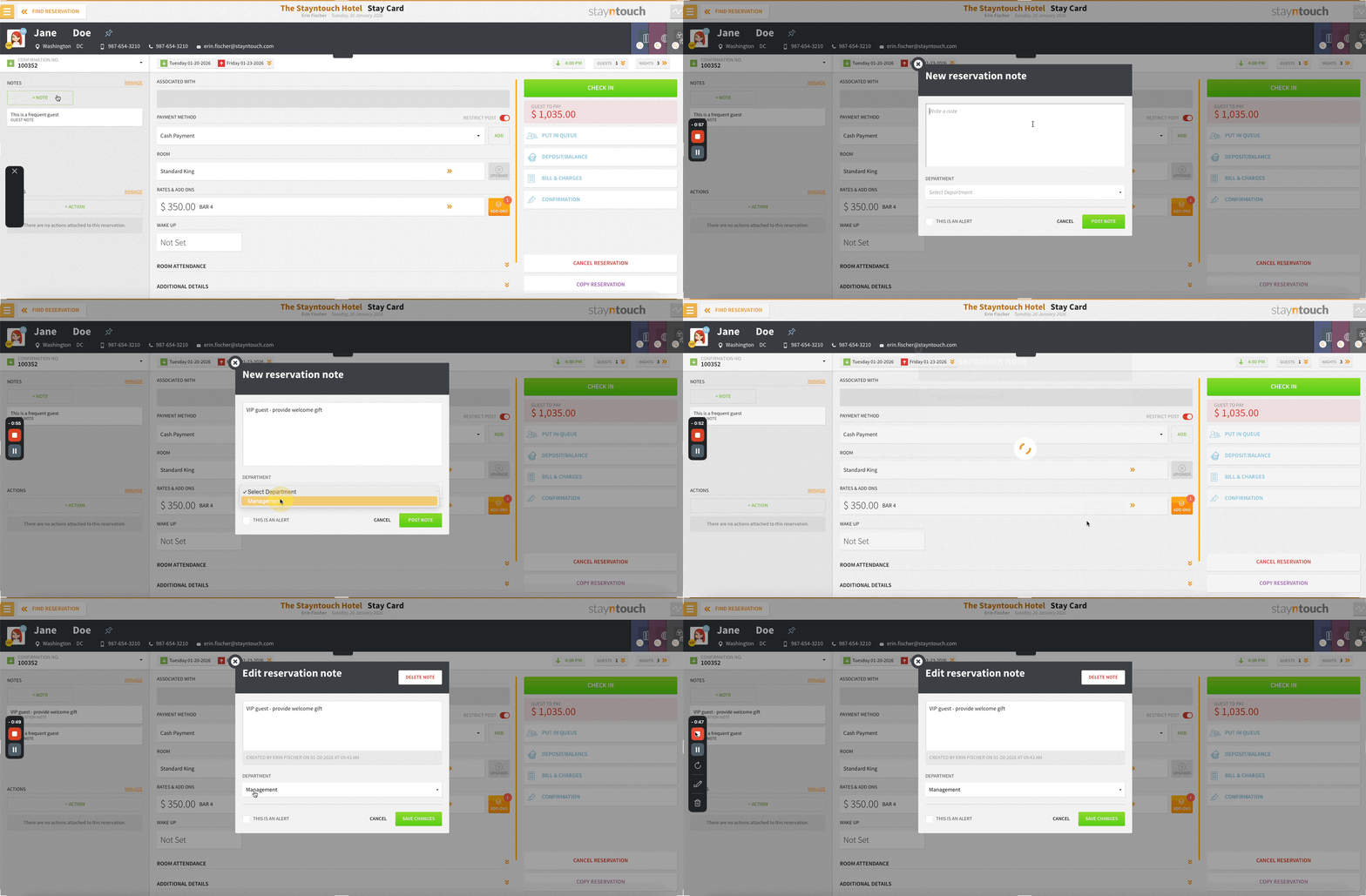
Organize Notes By Department
Organize notes smarter by assigning them to a department. Add, edit, or remove a department on any note (guest, company, TA, account, or group) to keep workflows clean and easy to filter. Departments are optional, saved in activity logs, and fully supported across create, view, and edit experiences.
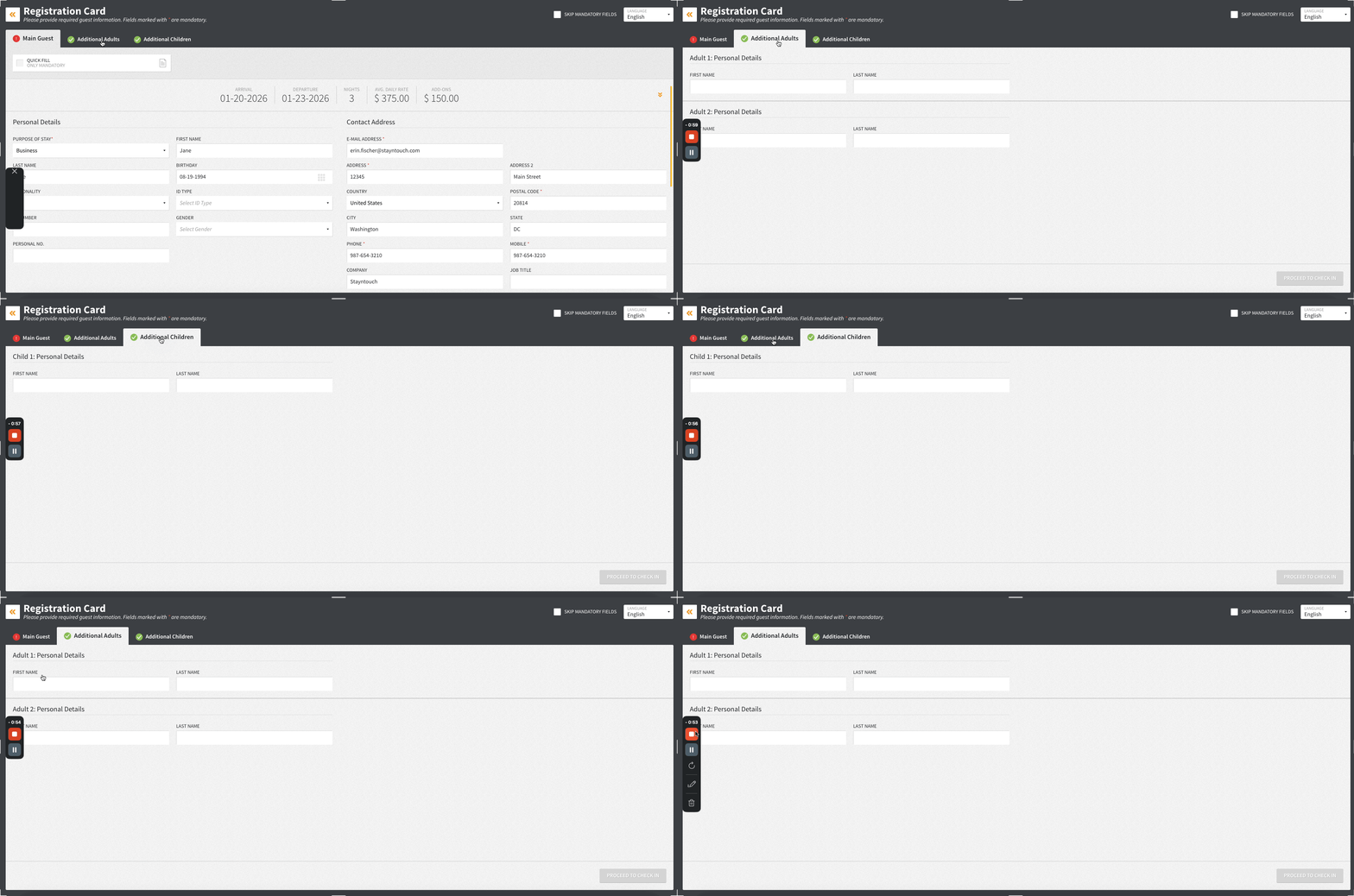
Dynamic Adult & Child Display On Registration Cards
Front desk teams can now capture additional adults and children more easily. When a reservation includes extra guests, Additional Adult and Children tabs automatically appear on the digital registration card, even without pre-attached guest cards.
What’s New:
- Additional Adult and Children tabs display dynamically when applicable
- Informational fields appear for each extra guest or child
- Smart field handling: only required fields display
- Guest cards are created automatically on save when needed
Add-Ons & Rates
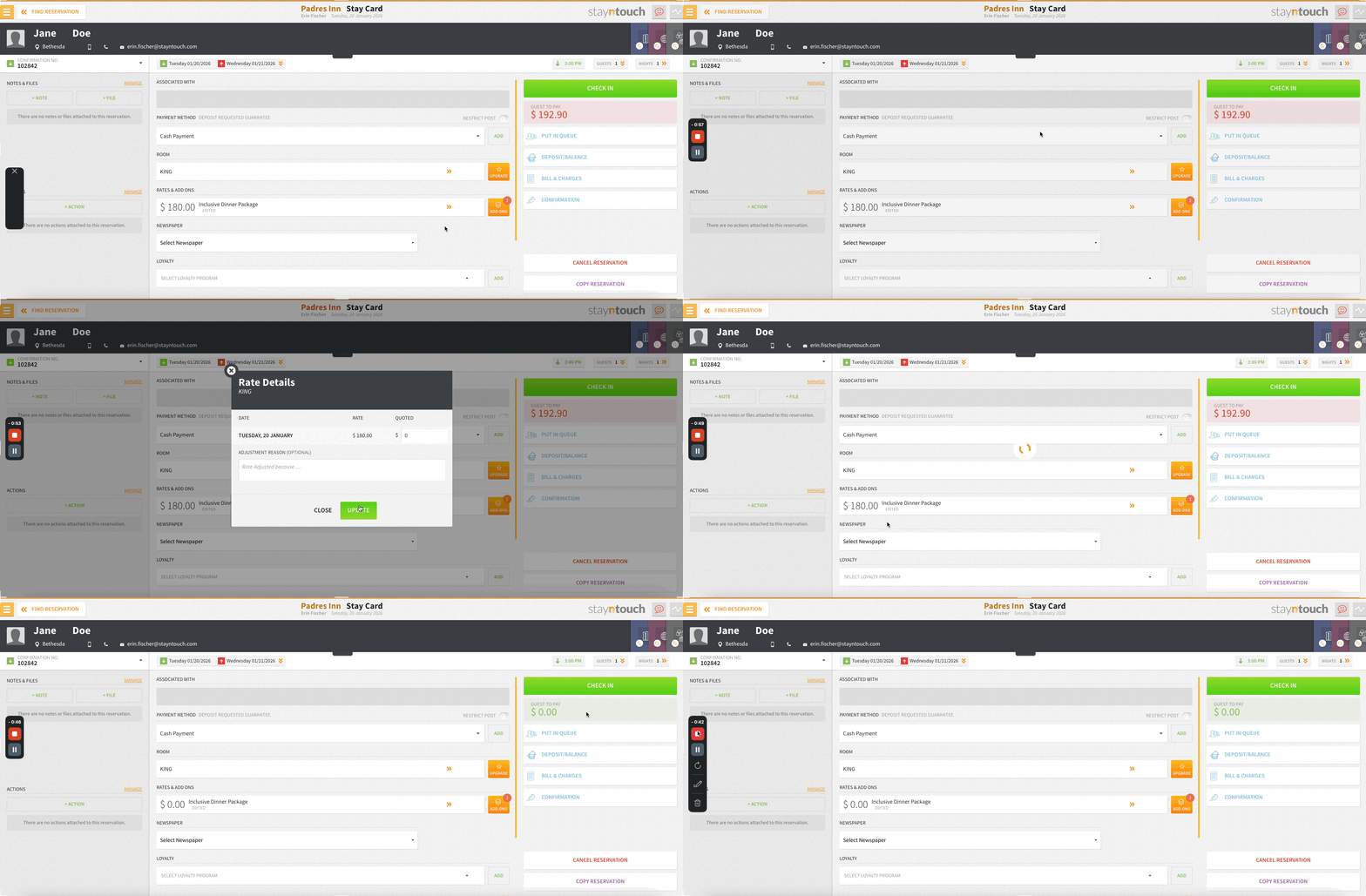
Comp Nights Made Easy
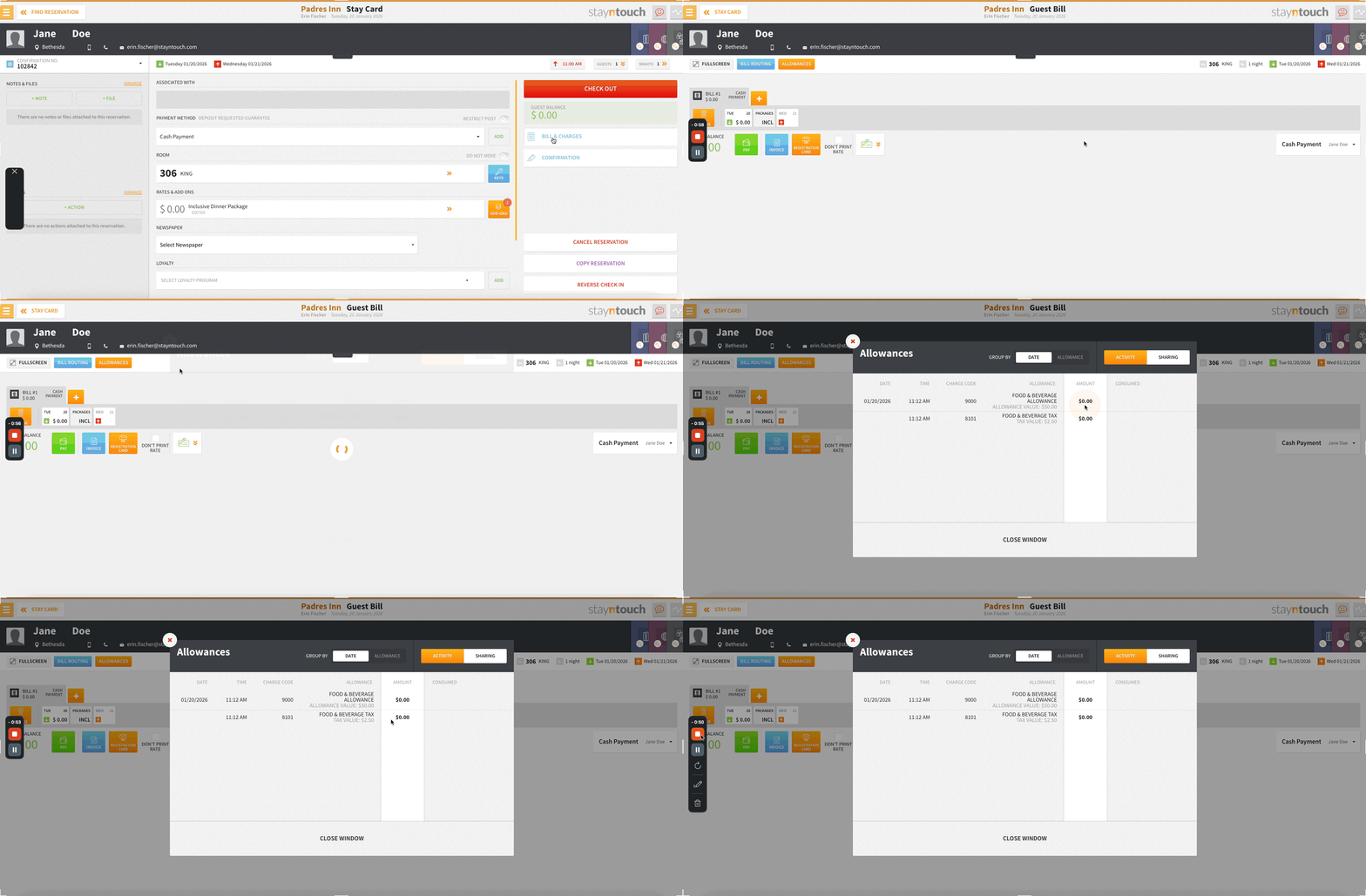
PMS users with the Override Rate permission assigned from Settings > Hotel & Staff > Permissions can now lower room rates below inclusive add-on prices. When this occurs, inclusive add-ons are automatically adjusted to zero if they exceed the new rate, and allowances update seamlessly; ensuring room revenue always stays positive.
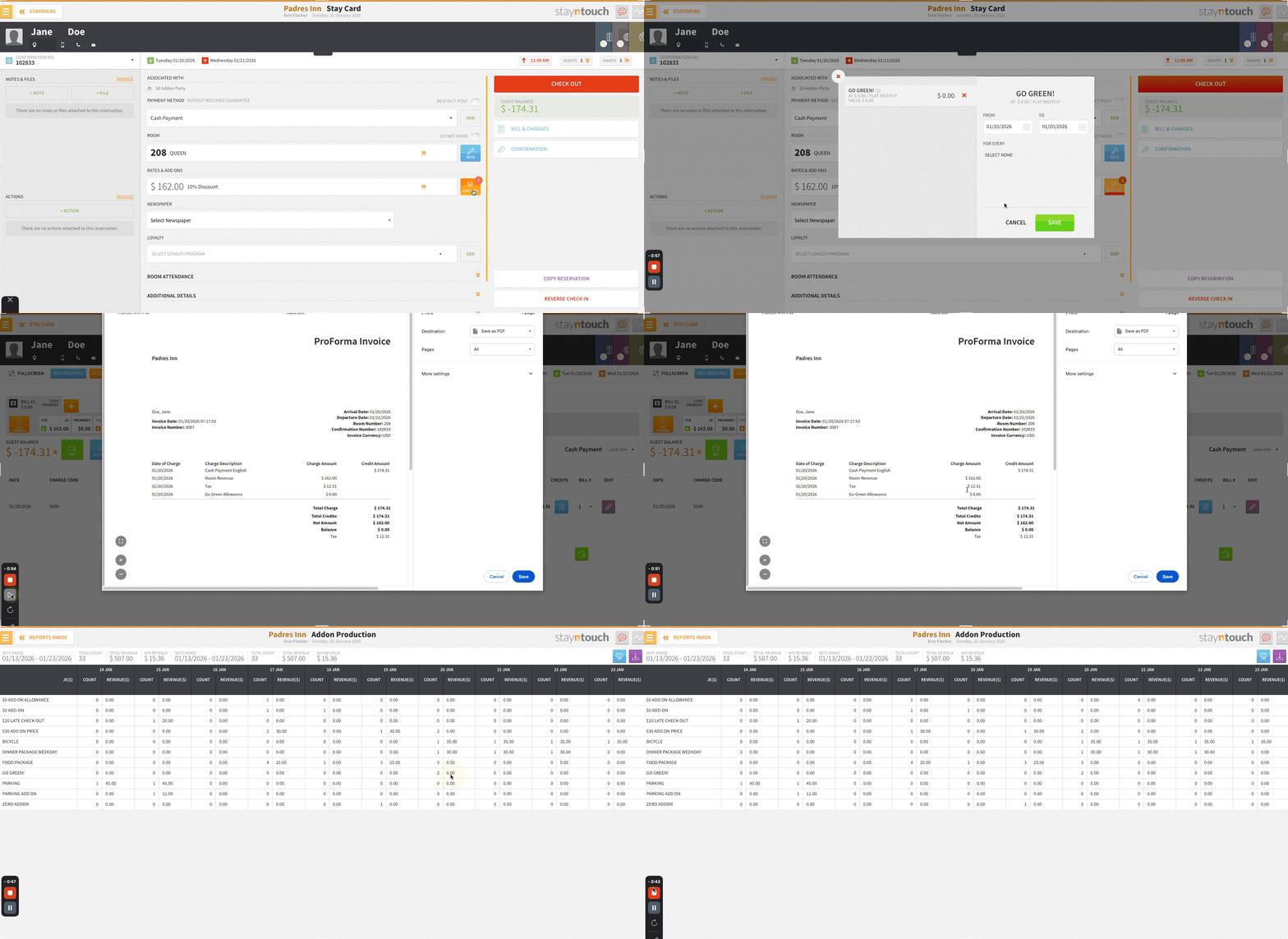
Complimentary Add-Ons Now Appear on Invoices & Production Reports
Complimentary ($0) add-ons now appear on guest invoices and the Add-On Production Report.
Rate Manager: Rate Override & Strategy Indicators
Rates displayed via Revenue Management > Rate Manager now display visual indicators:
- Yellow Star: Manual rate override exists
- Purple Star: All rooms follow a rate strategy
- Note: Yellow takes precedence when both conditions apply
Reports/Exports
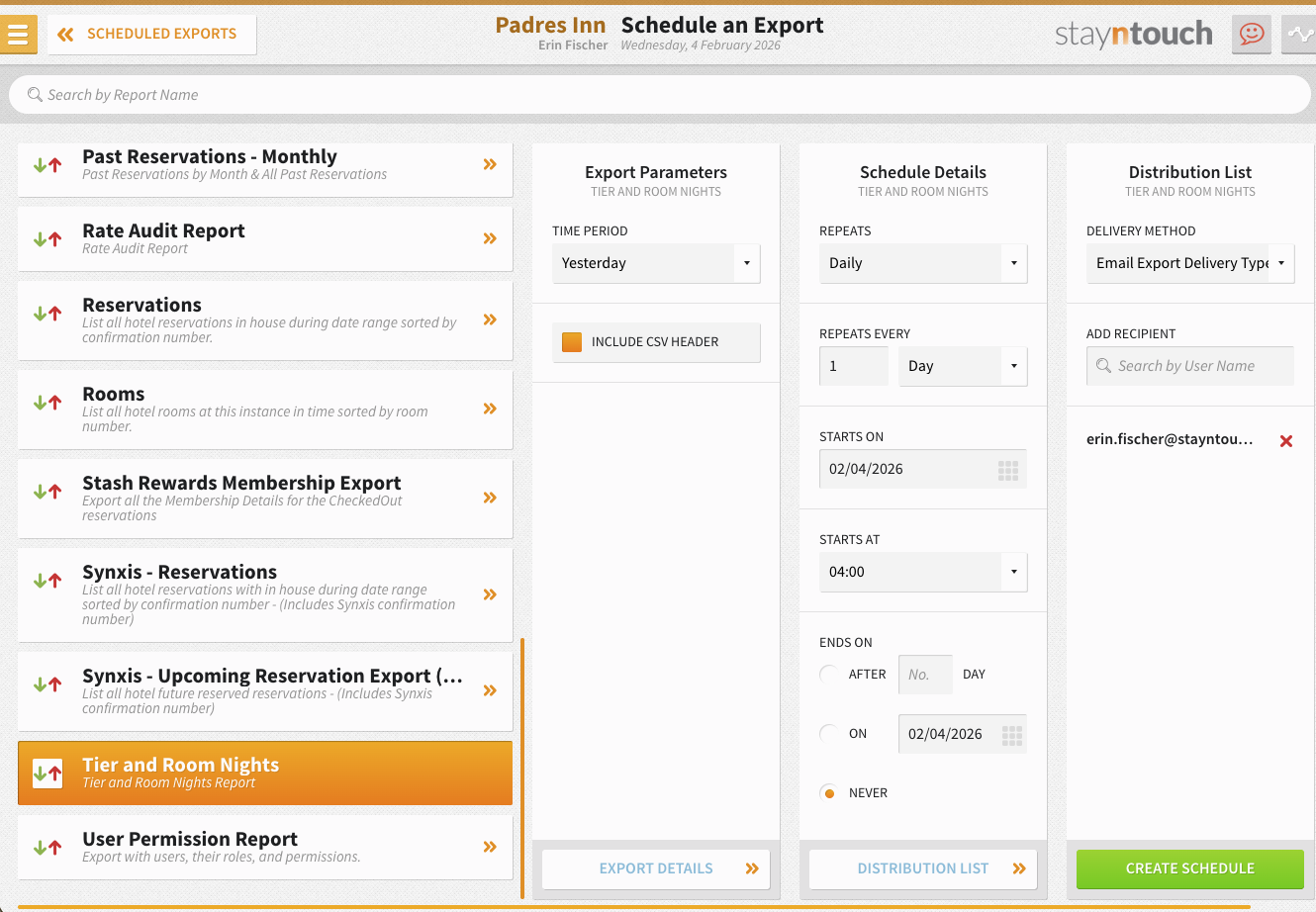
Tier and Room Nights Export
A new Tier and Room Nights export is now available from Reports > Schedule a Report/Export > Scheduled Exports > + New Export Schedule. The report can be generated for Yesterday and can be scheduled to repeat Daily, Run Once, or Run During EOD. Results are delivered as a CSV file using the standard naming convention: HOTELCODE_Report_Name_From_System_FREQUENCY_YYYYMMDDHHMMSS.
Report Contents:
- Segment, market code, and room code details
- Total revenue and total rooms by room type and segment
- Total market revenue and total market rooms for each associated market and date
- Undefined segments or markets are clearly labeled as "Undefined"

Financials
Deactivate Unused A/R Accounts
Streamline your A/R portfolio by deactivating zero-balance accounts that are no longer in use via Financials > Accounts Receivables. Inactive accounts remain accessible for historical reference and invoice printing but are automatically excluded from active workflows, including routing searches, A/R reports (Aging & Summary), and account selections. Please note, activation/deactivation will only be possible once the A/R account has associated financial transactions.
Key Benefits:
- Declutter active A/R account lists for faster navigation
- Prevent accidental charges to dormant accounts
- New Inactive Accounts Only filter for easy management
- Permission-controlled activation/deactivation with full audit trail
- Zero-balance accounts can be reactivated anytime with one click
Important: Accounts must have zero balance, no open bills, and no unallocated credits before deactivation.
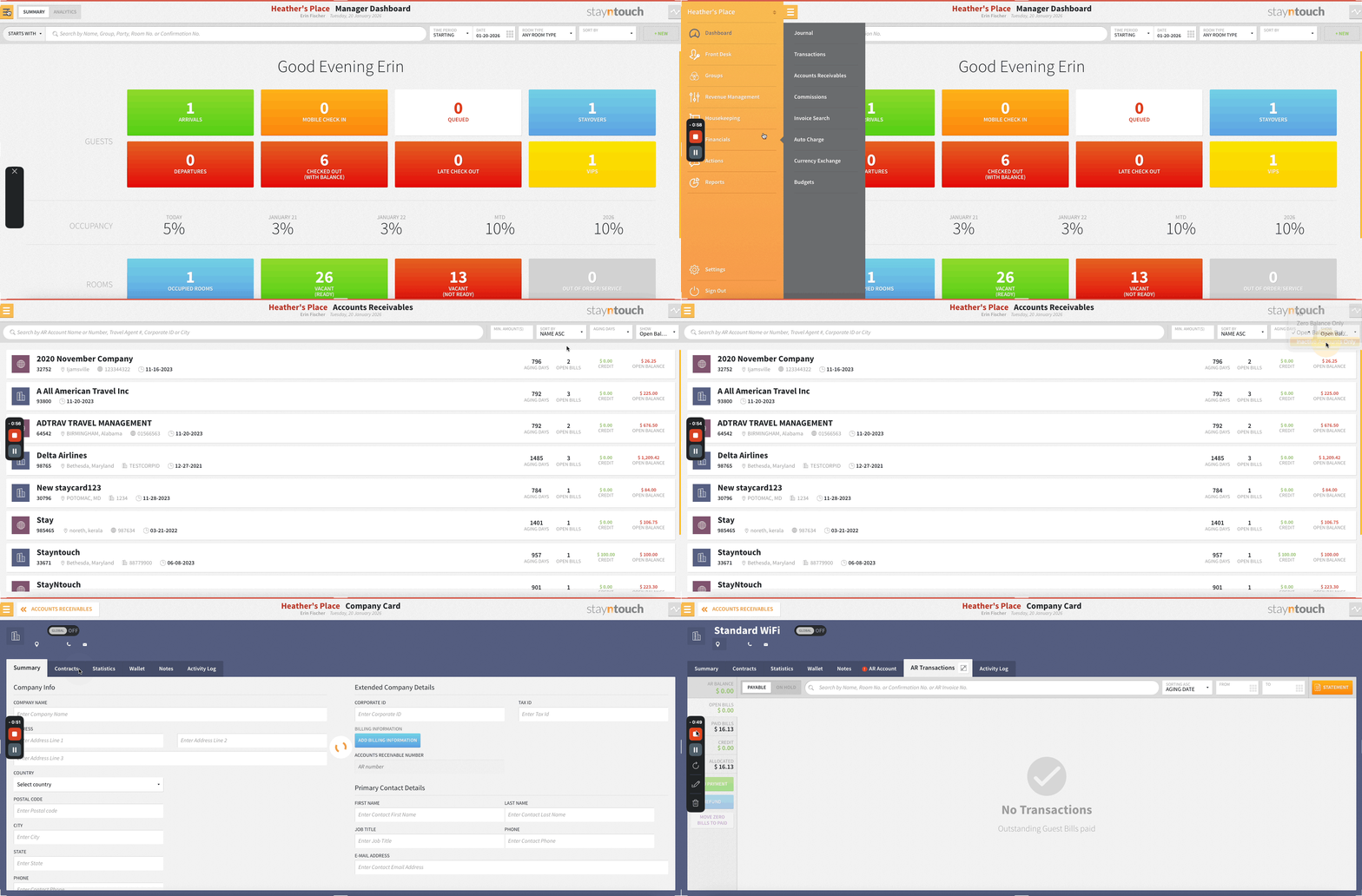
Persistent Invoice Selection: Multi-Page Invoice Selection For Credit Application
Invoice selections now persist across pagination, search, and filters when applying lump sum credits to multiple A/R invoices via Financials > Accounts Receivables. Navigate freely between pages, search for specific invoices, and apply sorting without losing your selections, eliminating the need to remember and re-select invoices.
Key Benefits:
- Select invoices across unlimited pages without losing selections
- Search functionality no longer clears existing selections
- Reduces credit application time from approximately 4 minutes to 30 seconds
- Eliminates selection errors and improves workflow accuracy
- Session backup prevents loss if user navigates away
Time Savings: Properties processing 50 A/R credits monthly save 25+ hours annually per user.
Integrations
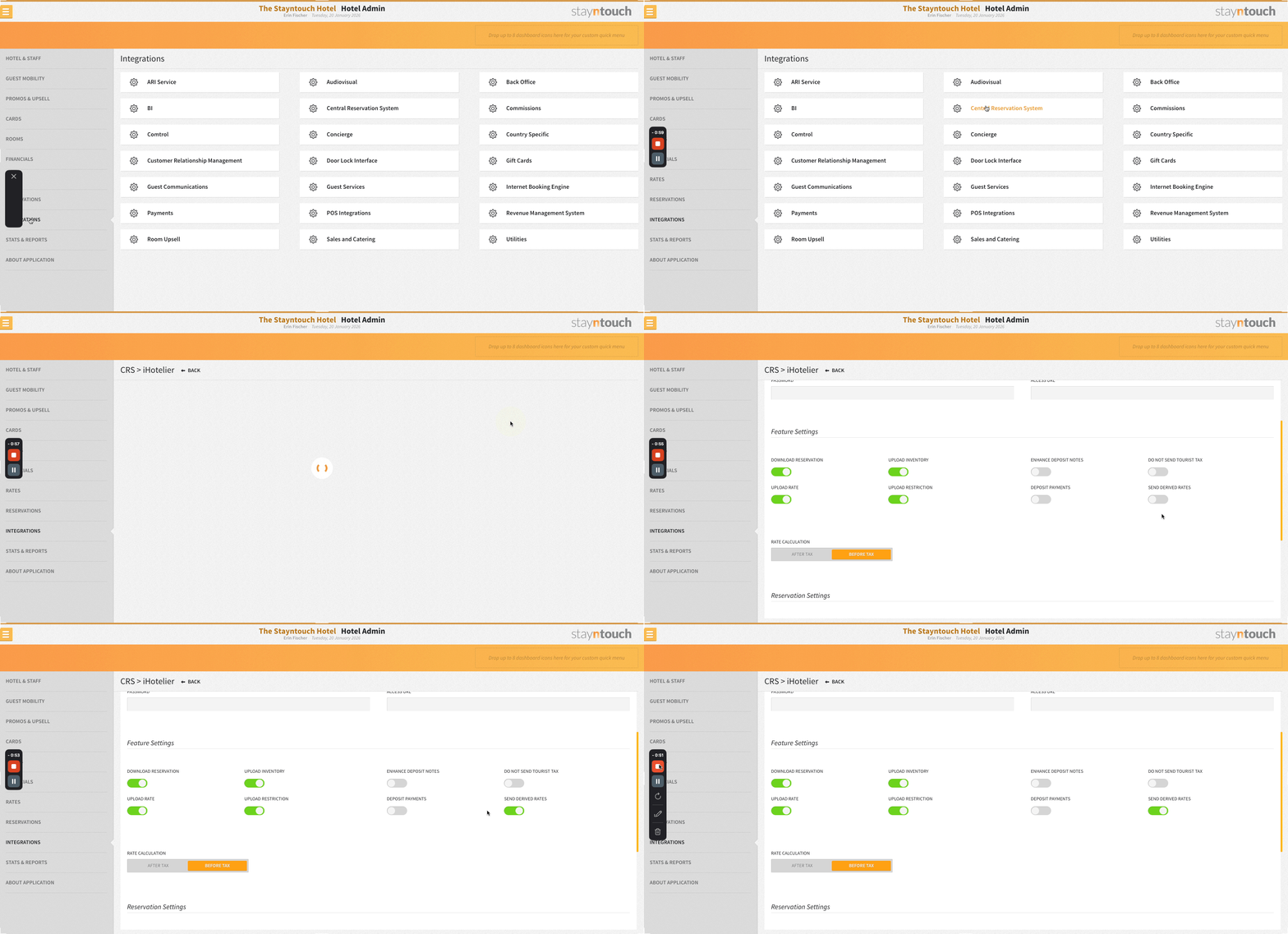
Control Derived Rate Updates To iHotelier
A new Send Derived Rates toggle via Settings > Integrations > Central Reservation System > iHotelier lets you control whether child rate updates are sent from the PMS.
- When ON, both parent and child rates are sent to iHotelier
- When OFF, only parent rates are transmitted, improving sync speed and system performance
- The toggle defaults to OFF when the integration is activated
New API Integrations With Stayntouch PMS
Stayntouch PMS now integrates with the following new vendors. For more information, please contact your Client Success Manager or Customer Support. Below is a list of the newly supported integration partners with links to supporting documentation detailing the integration with each vendor:
Integration Name | Integration Type | Region |
| Kovello | Guest Technology | Global |
| TakeUp | RMS | Global |
| Luxe Pricing | RMS | Global |
| Snapfix | Housekeeping | Global |
| Maison | Guest Communication | Global |
| APRO Kassensysteme | Point of Sale | Global |
For Developers
New Connect API Endpoints
- GET /hotels/{id}/departments – Retrieve hotel department information
- GET /hotels/{id}/purpose_of_stay – Retrieve Purpose of Stay codes
Enhanced Connect API Endpoints
- PUT /reservations/{id} and POST /reservations – Added Purpose of Stay code
- GET /guests and GET /guests/{id} – Added Billing Address
- Reservation endpoints – Added is_child and is_infant flags for age-based services