
Stayntouch PMS
Release Notes (v6.02)
Effective:
- 6 January 2026 (6am EST) for customers using https://app.us1.stayntouch.com/
- 8 January 2026 (6am EST) for customers using https://app.us2.stayntouch.com/
- 13 January 2026 (3pm EST) for customers using https://app.eu1.stayntouch.com/
TABLE OF CONTENTS
- In Pilot
- Language Selection
- Room Diary
- Reports
- Add-Ons
- Payments & Billing
- Accounts Receivable
- Stayntouch Rate Strategy
- Multi-Property Functionality
- Integrations

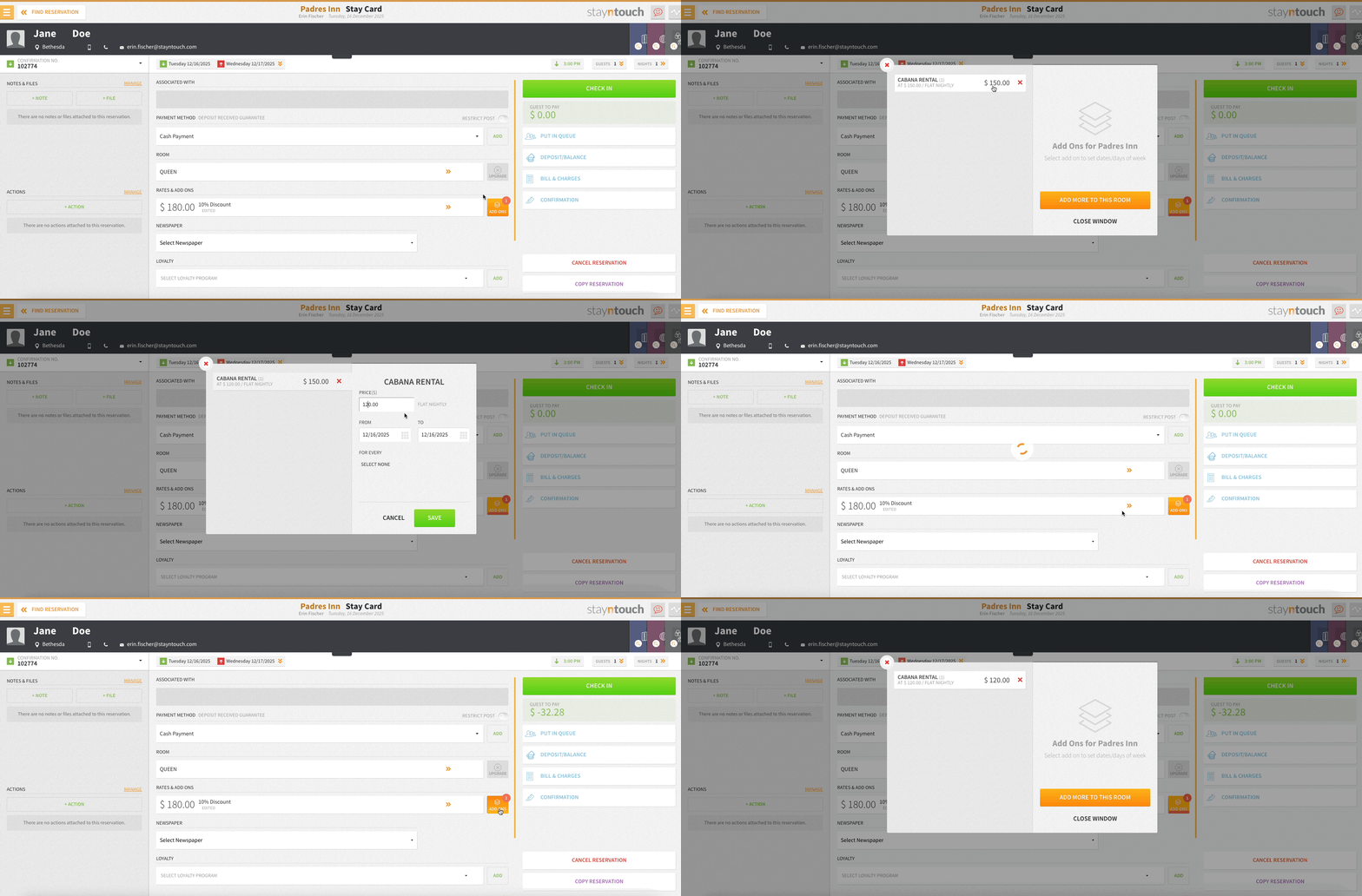
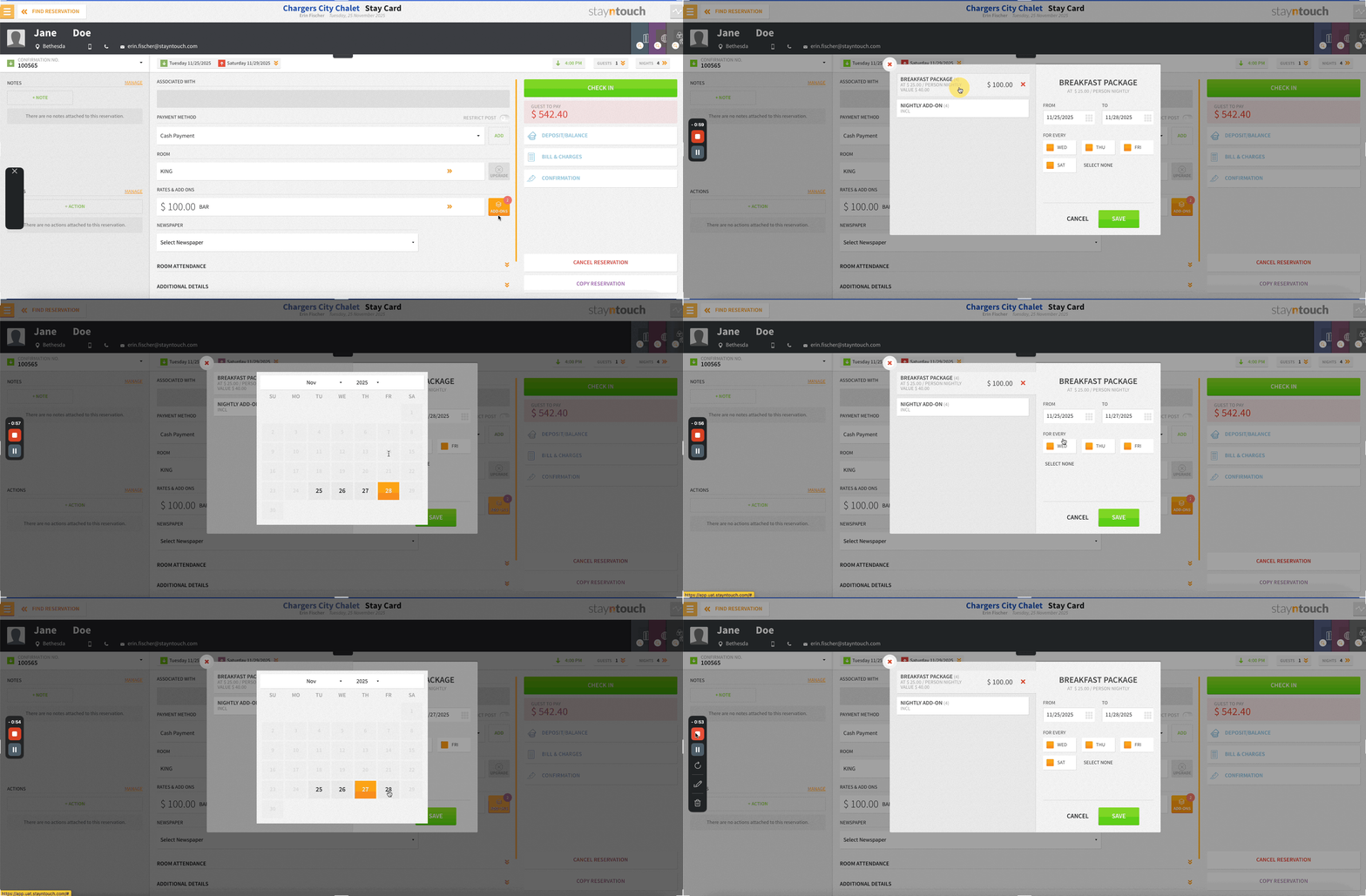
- You can now edit prices for reservation add-ons directly on an existing reservation (even allowing you to set different prices for different dates)—perfect for adjusting costs as plans change.
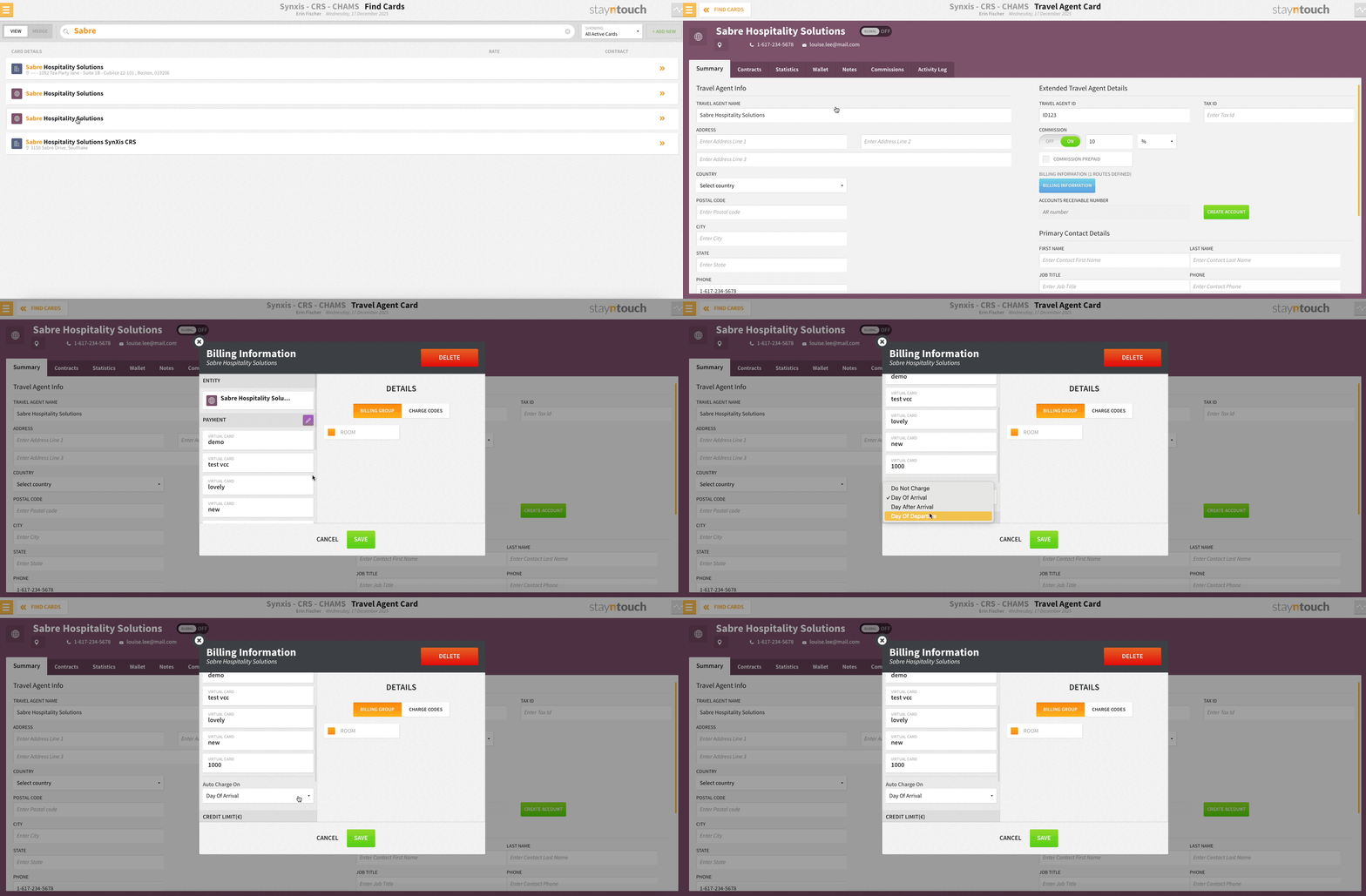
- Choose exactly when routed charges are collected with new trigger options! From the Auto Charge On dropdown, you can now also select Day of Arrival, Day After Arrival, or Day of Departure to align payment collection with your property’s policies and guest experience strategy.
- Identify Stayntouch Rate Strategy updates at a glance! Rates updated via Stayntouch Rate Strategy (or RMS integrations) now appear in a distinct color and show a purple star. Select a rate to see clear up/down arrows indicating whether it increased or decreased.
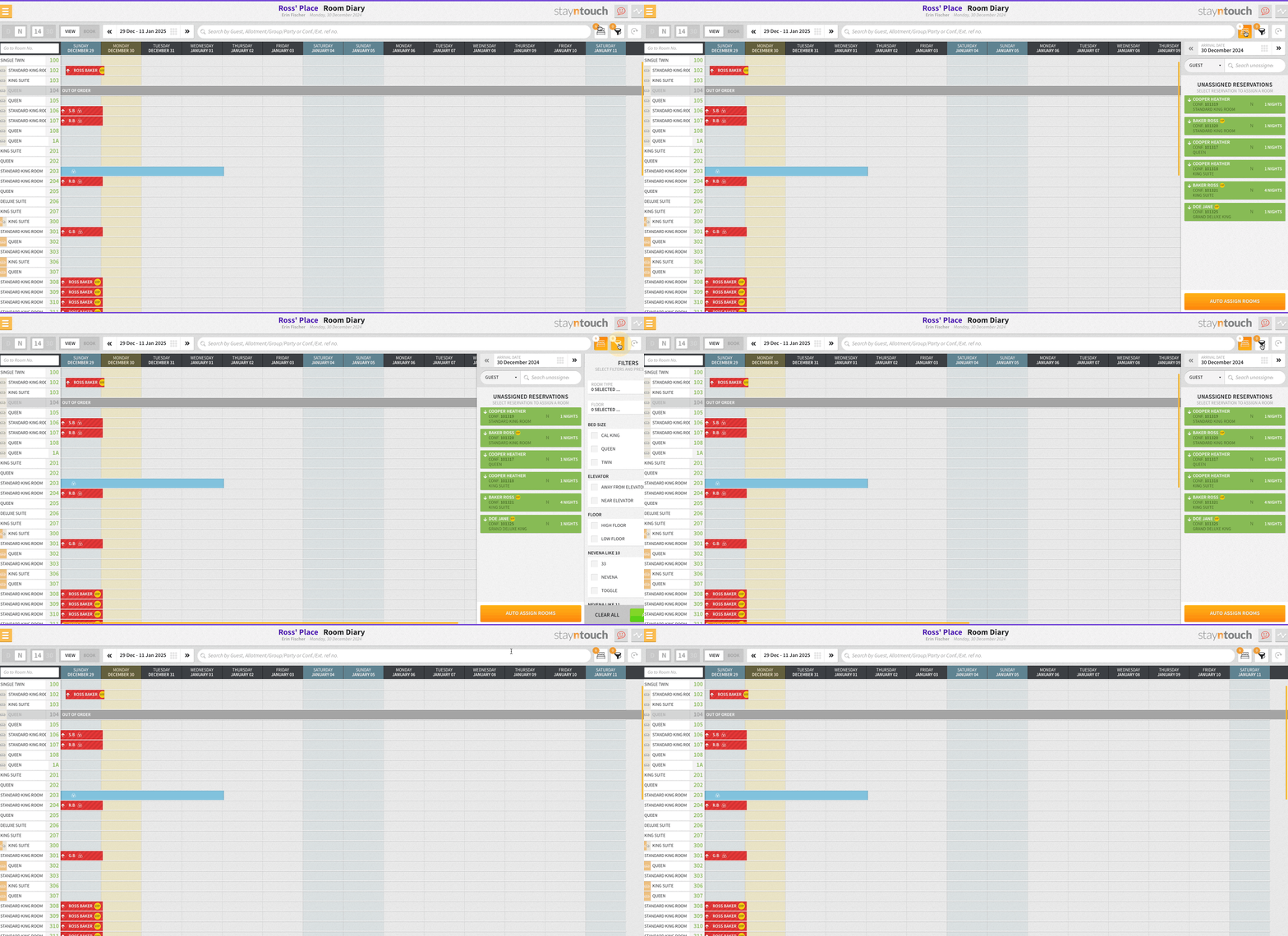
- More space, less clutter in your Room Diary! Front desk agents can now toggle unassigned rooms and filters on and off with new buttons next to the search bar.
In Pilot
(In Pilot) Automated Actions
Hotel Admin users can now automate actions via Settings > Reservations > Actions > + ADD NEW when specific add-ons are added to reservations. New ACTION DUE DATE options give full control over timing: Stayover, Stayover + Arrival, Stayover + Departure, and All Days. Easily configure automation with the new AUTOMATE ACTION dropdown, select add-ons via a searchable multi-select list, and save rules with persistence. Actions will post automatically based on your configured schedule.
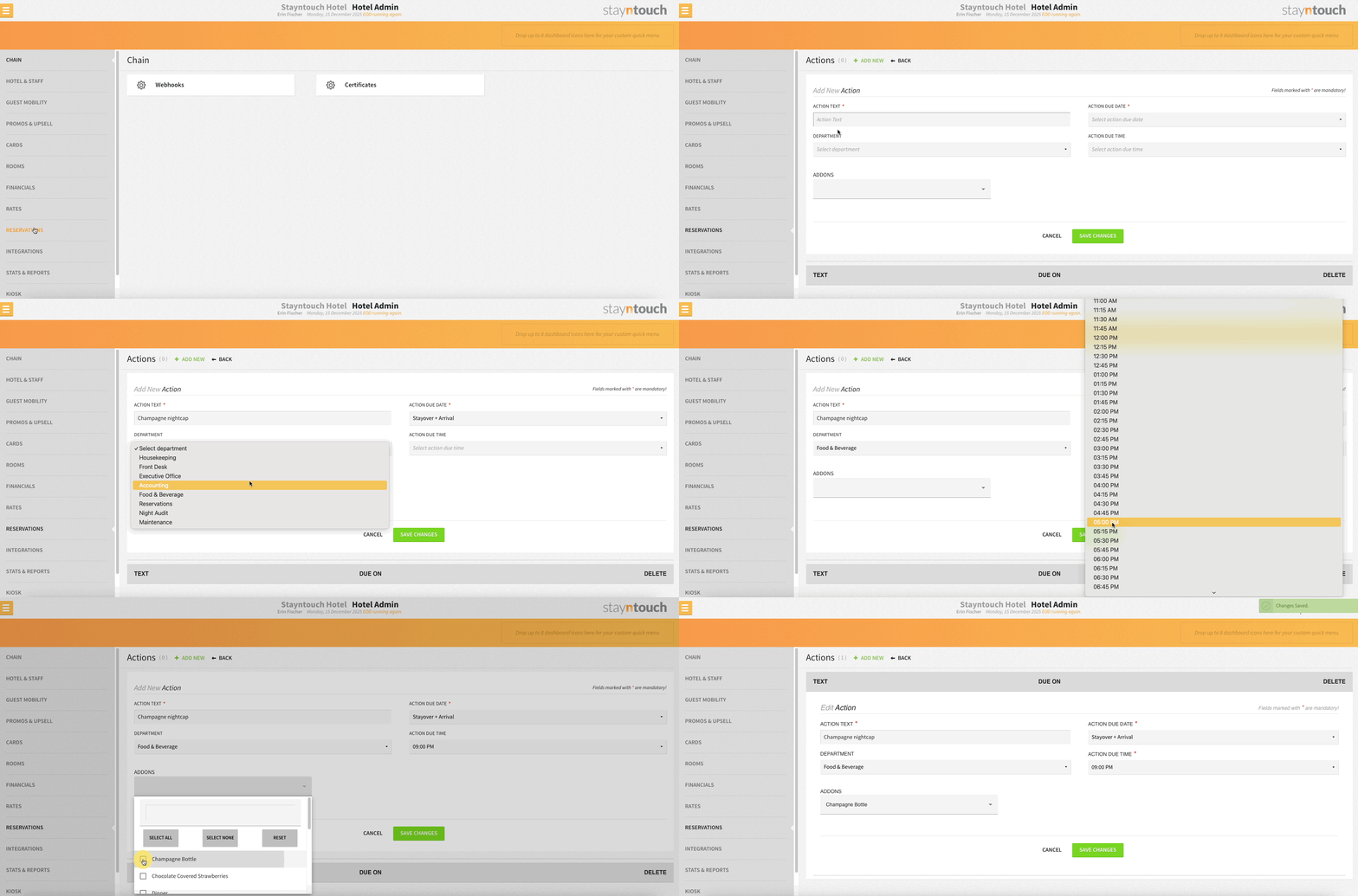
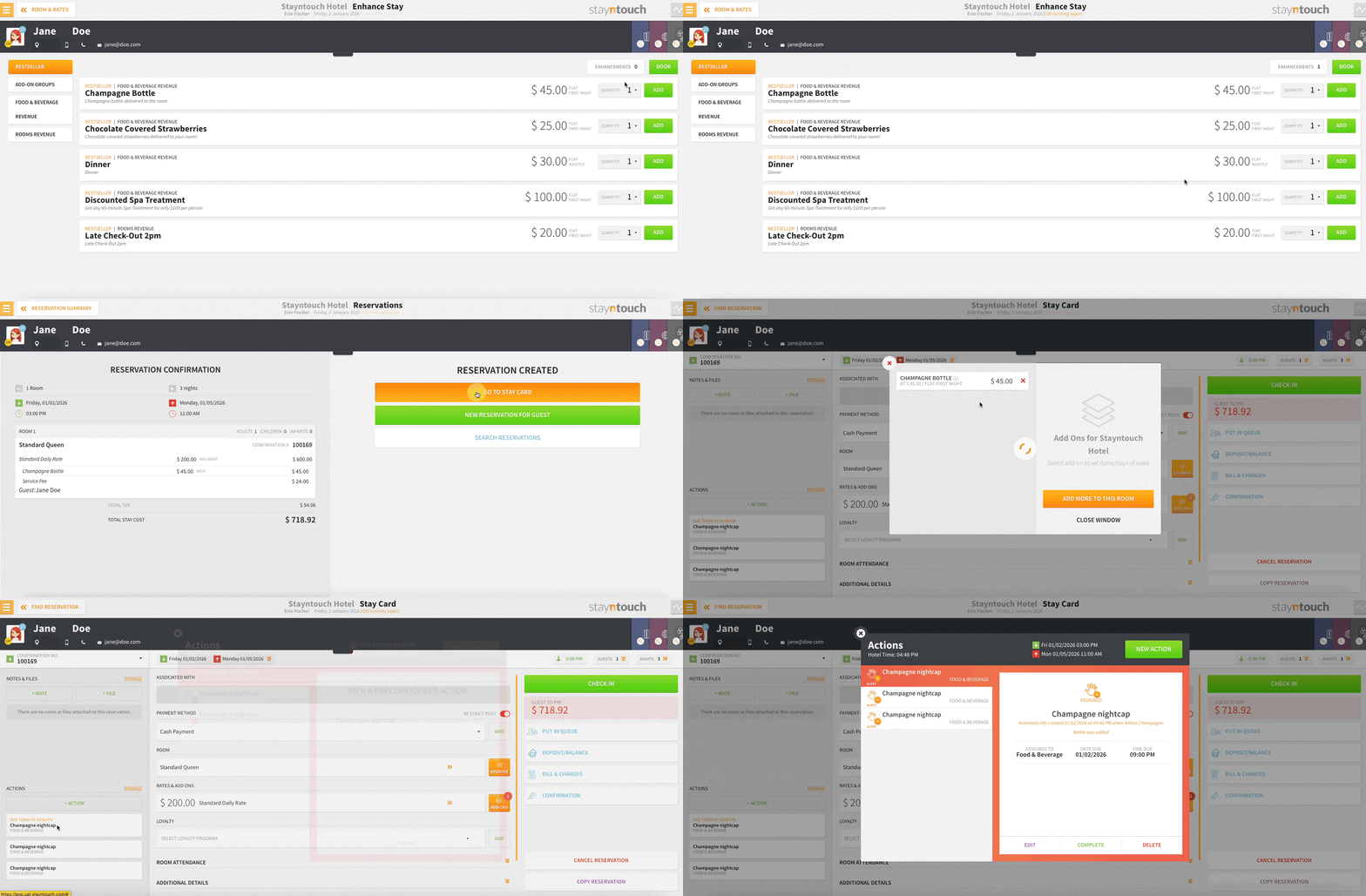
This functionality must be enabled by Stayntouch Admin, so please contact Customer Support to enable it for your property. Once the pilot is complete, this functionality will be enabled for all properties.
Automated Add-On Actions
When adding configured add-ons to a reservation—whether manually, as a rate, or for a group—the associated action is now automatically posted using the pre-set template, assigned to the correct department, and due date calculated based on reservation settings. No more manual steps!
Easily Spot Automated Actions
Action icons now display an “A” and a timestamp label, making it clear which actions were automatically created. Indicators appear across the Actions Manager, stay cards, and group popups, and update dynamically if actions are manually edited—all while retaining full action functionality.
Language Selection
PMS Language Selection – Set Your Preferred Language
You can now choose your preferred language for the Stayntouch PMS user interface:
- Navigate to Settings and use the “English” dropdown menu to select your desired language from the available options.
- Supported PMS languages include:
- English
- German
- French
- Spanish
- Dutch
- Italian
- Romanian
- Portuguese
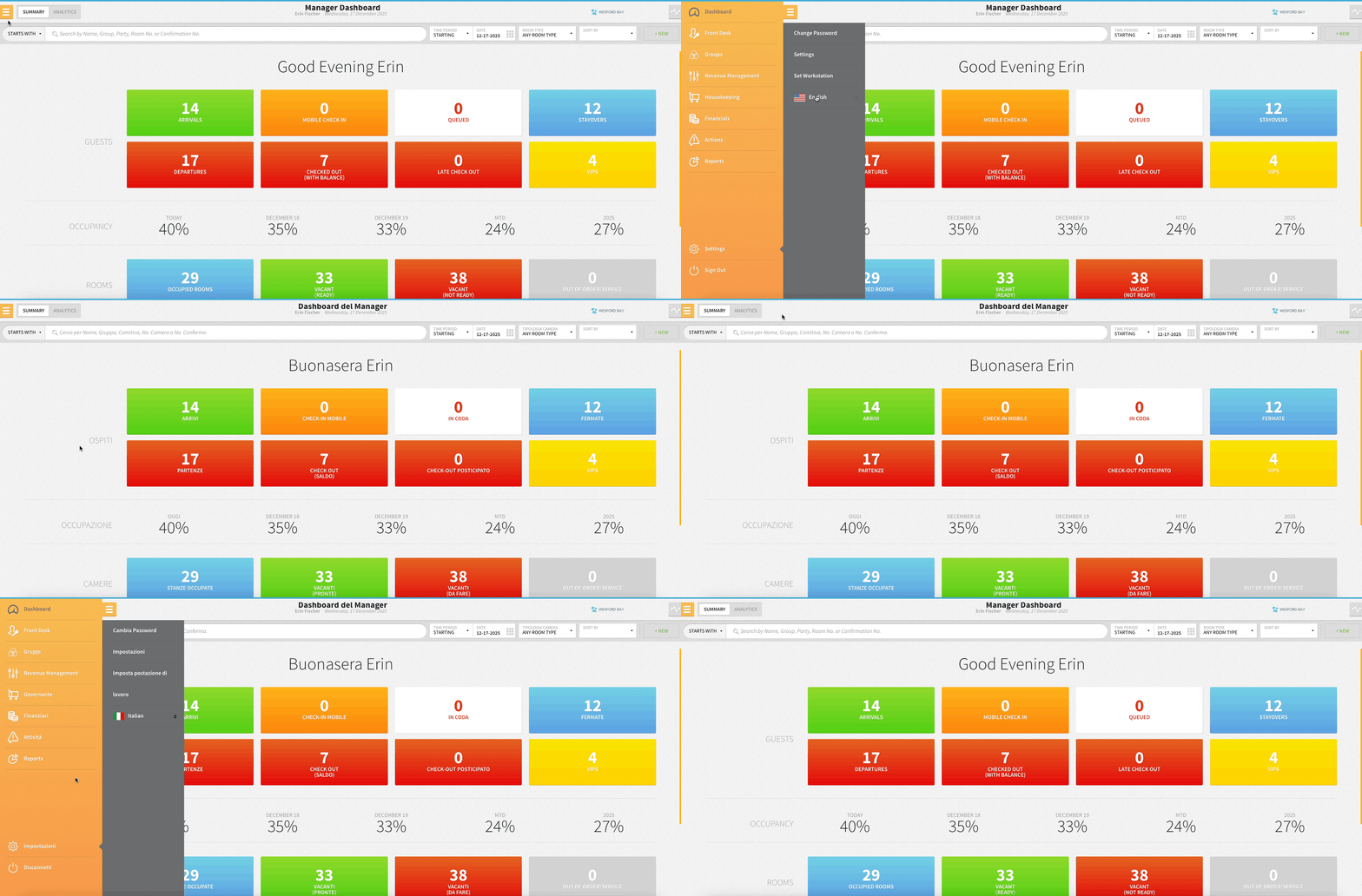
This update helps make the PMS more accessible for team members across your organization in their native language, improving efficiency and ease of use.
Please contact Customer Support to activate this functionality for your property.
Room Diary
Enhanced Room Diary View
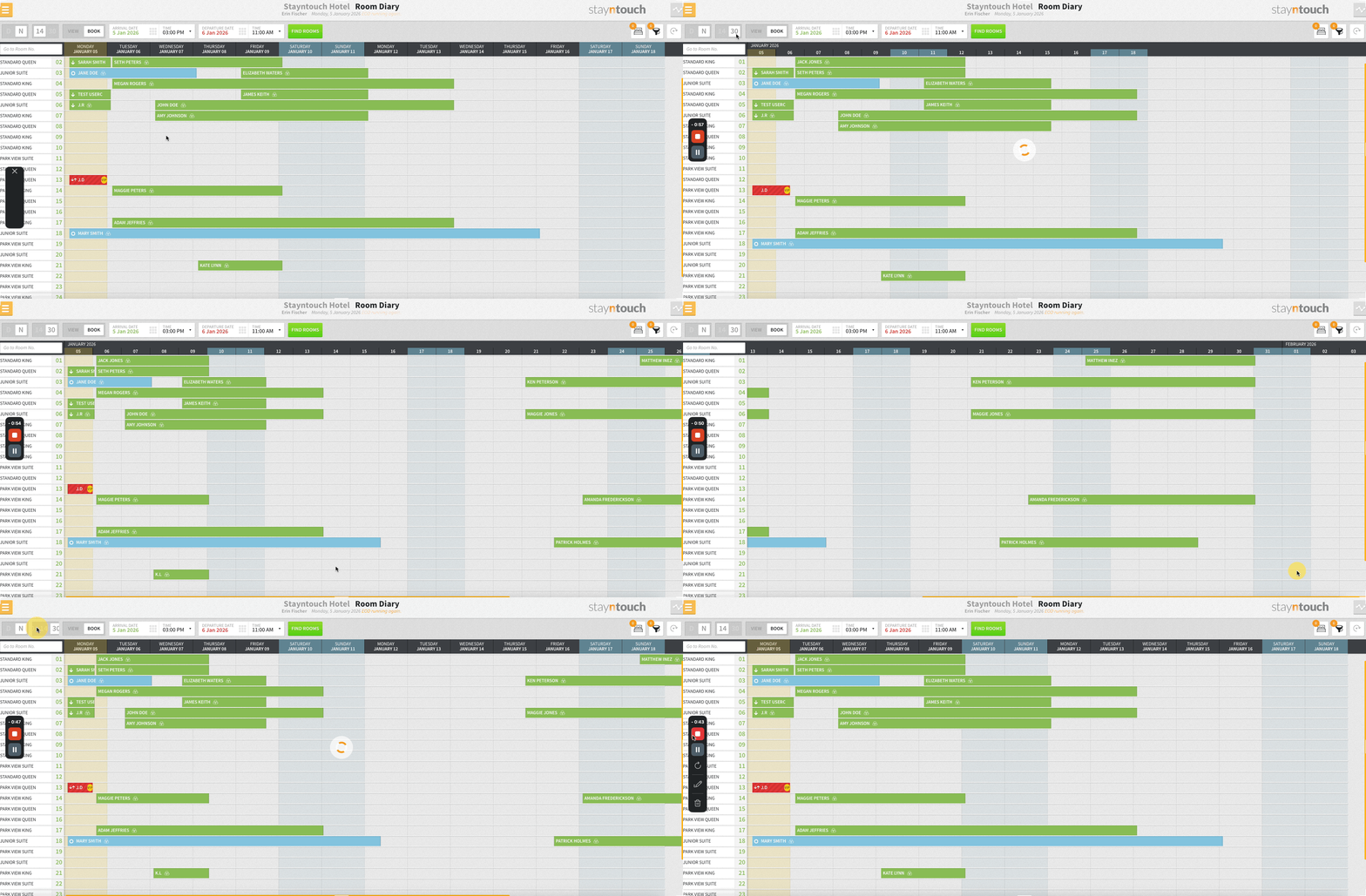
We’ve upgraded the Room Diary for a smoother, more flexible experience! The default view now shows 14 or 30 days instead of 7 or 21, with wider day columns (80px) and horizontal scrolling so you can easily see all days at a glance. Plus, unassigned rooms and filters won’t display automatically, giving you a cleaner, more focused view.
Streamline Your Room Diary: Hide Filters & Unassigned Rooms
More space, less clutter in your Room Diary! Front desk agents can now toggle unassigned rooms and filters on and off with new buttons next to the search bar. View them only when you need them—keeping your diary clean and focused. Active counts and current logic still apply, with easy highlight cues when in use.
Reports
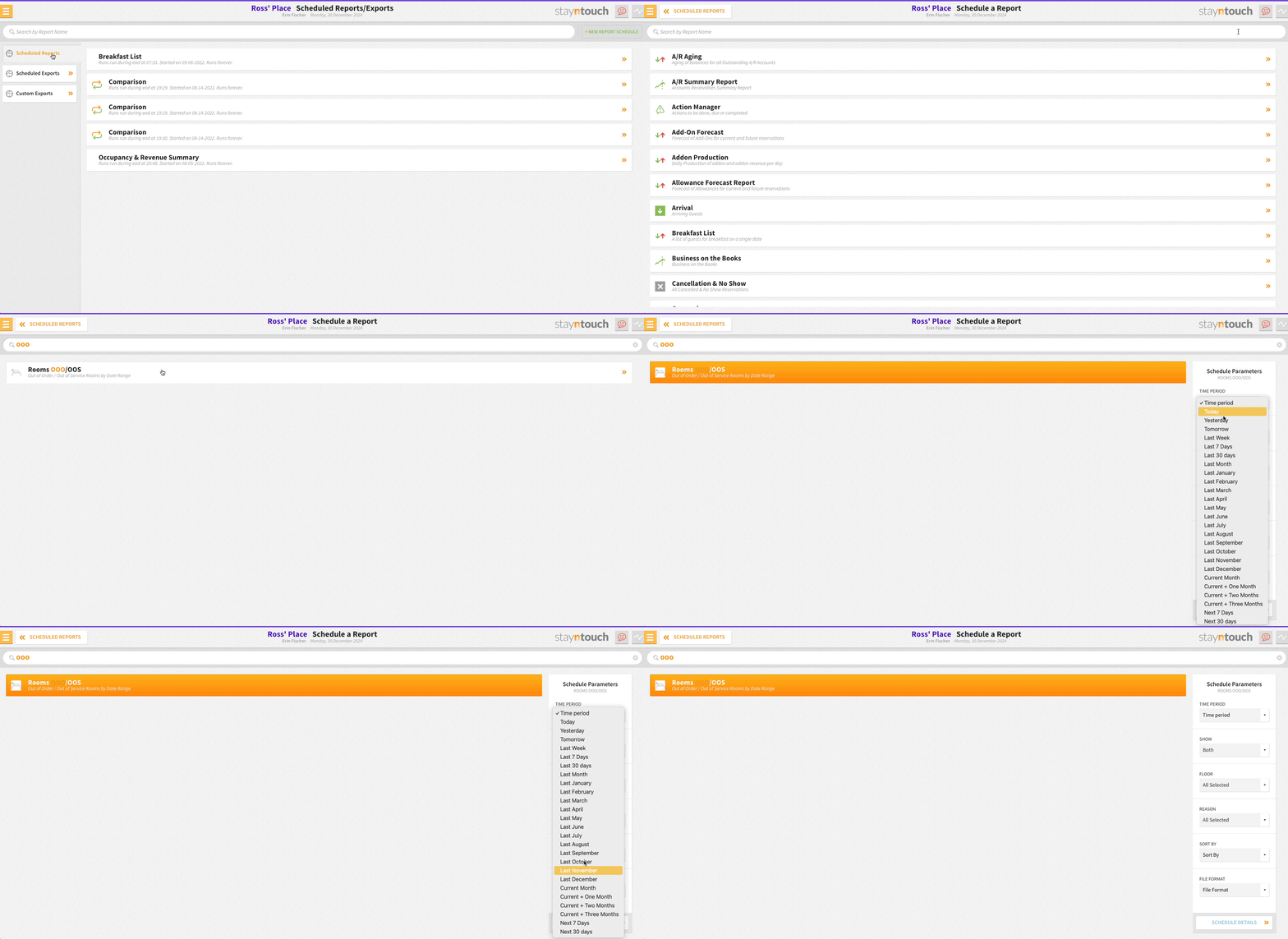
Scheduled Reports: Rooms OOO/OOS Report Now Supports Flexible Date Ranges
Rooms OOO/OOS (Out of Order/Out of Service) Report scheduling (Reports > Schedule a Report/Export > Scheduled Reports > + NEW REPORT SCHEDULE) just got smarter! You can now select from flexible date ranges—Today, Yesterday, Tomorrow, Last Week, Last 7 Days, Last 30 Days, Last Month, individual months, Next 7 Days, or Next 30 Days—for more precise reporting and better planning.
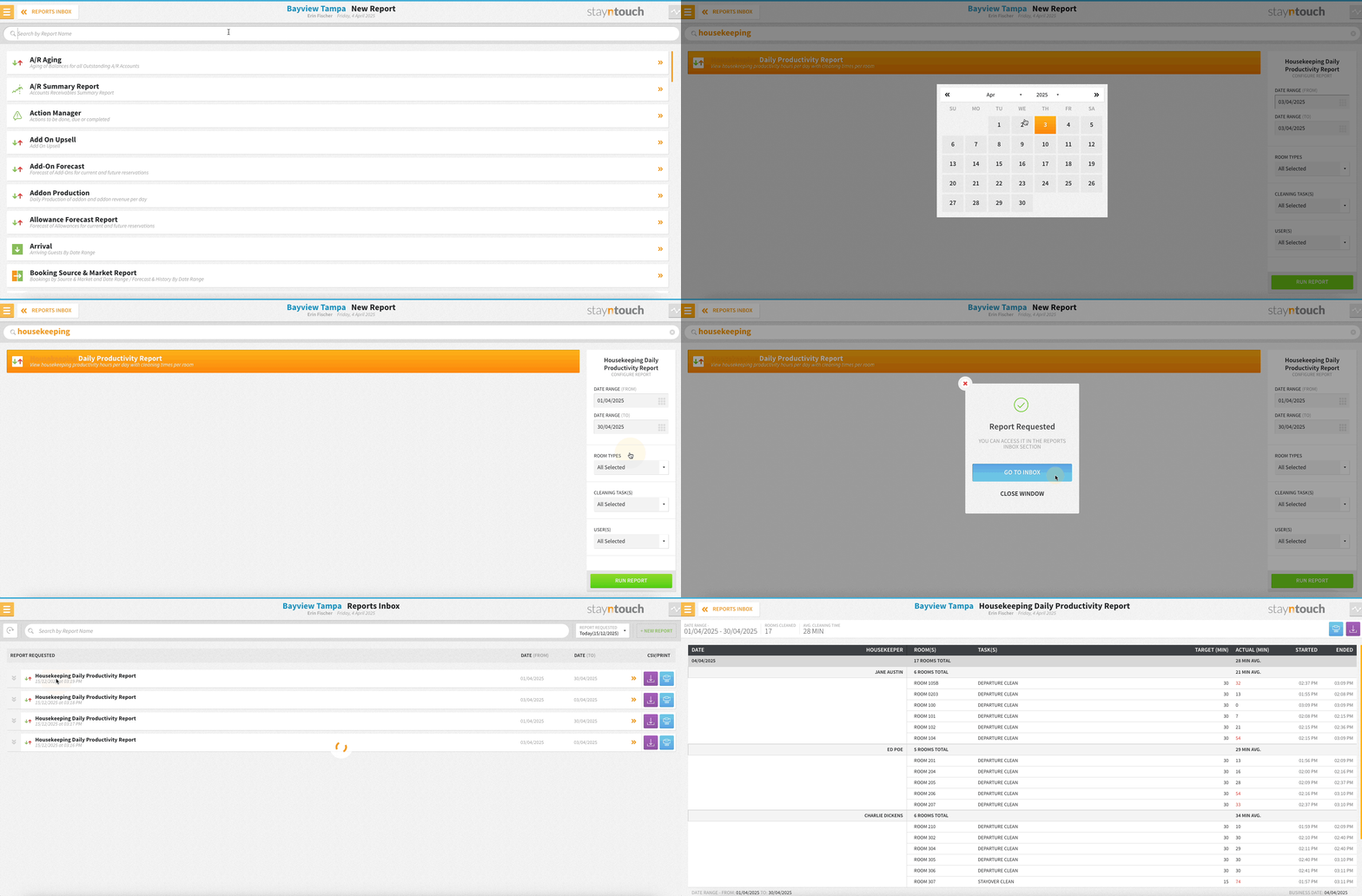
Housekeeping Daily Productivity Report
Track your housekeeping team’s efficiency with a detailed report of daily cleaning performance via the Housekeeping Daily Productivity Report (Reports > New Report). View each housekeeper’s rooms, cleaning tasks, target vs. actual cleaning times, and start/stop times—all rounded to the nearest minute. Get totals and averages per user, per day, and for the entire team. Identify tasks taking longer than expected, streamline workflows, and ensure your team stays on schedule. Available in PDF and CSV formats.
Please note, this report will only pull data when housekeeping users log their start and stop times.
Add-Ons
Update Add-On Prices On Reservations
You can now edit prices for reservation add-ons directly on an existing reservation (even allowing you to set different prices for different dates)—perfect for adjusting costs as plans change. User roles with Update and overwrite rate amount permission assigned from Settings > Hotel & Staff > Permissions can increase or decrease add-on amounts for current and future dates, with full activity logging for transparency.
This update automatically refreshes ProForma Invoices and the Add-On Forecast Report to keep everything in sync.
Flexible Allowance Add-Ons On The Stay Card
Hotel teams can now fine-tune allowance add-ons by choosing exactly which stay days should receive an allowance. When adding or editing an allowance add-on, users can simply deselect any eligible future days. Past days—and any days where the allowance has already been loaded—are automatically grayed out to prevent changes, ensuring accuracy for in-stay reservations.
All updates immediately adjust future allowance transactions, with full visibility in the Activity Log and ProForma Invoice for clear, auditable tracking.
Payments & Billing
Flexible Auto Charge Scheduling
Choose exactly when routed charges are collected with new trigger options via Revenue Management > Company & TA Cards > Select Card > Summary tab > BILLING INFORMATION. From the Auto Charge On dropdown, you can now also select Day of Arrival, Day After Arrival, or Day of Departure to align payment collection with your property’s policies and guest experience strategy.
Service Fee Total At A Glance
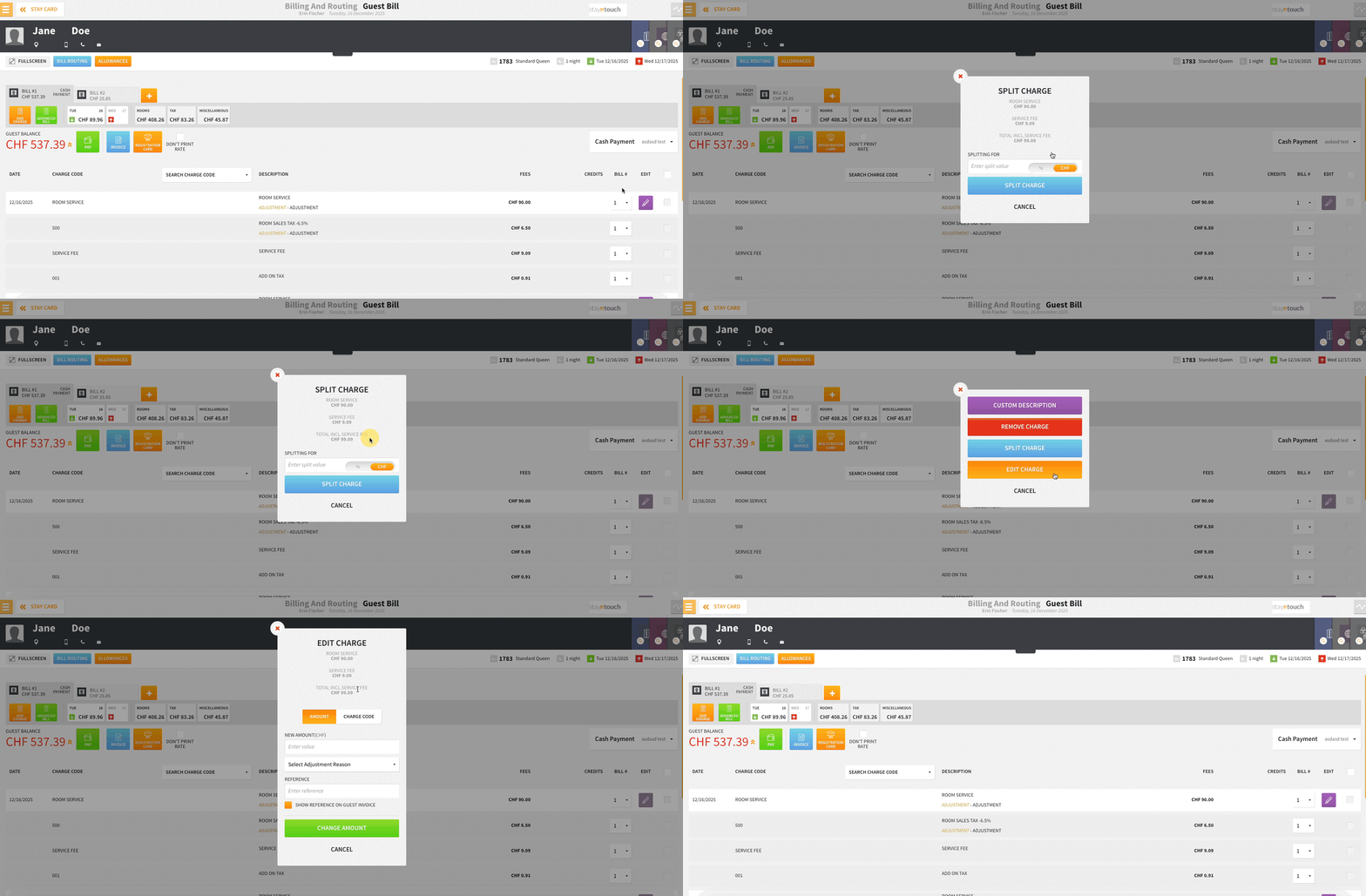
When editing or splitting charges with service fees, you’ll now see the complete total including the service fee—eliminating calculation errors and giving you confidence in every adjustment.
Instant Tax Code Insights
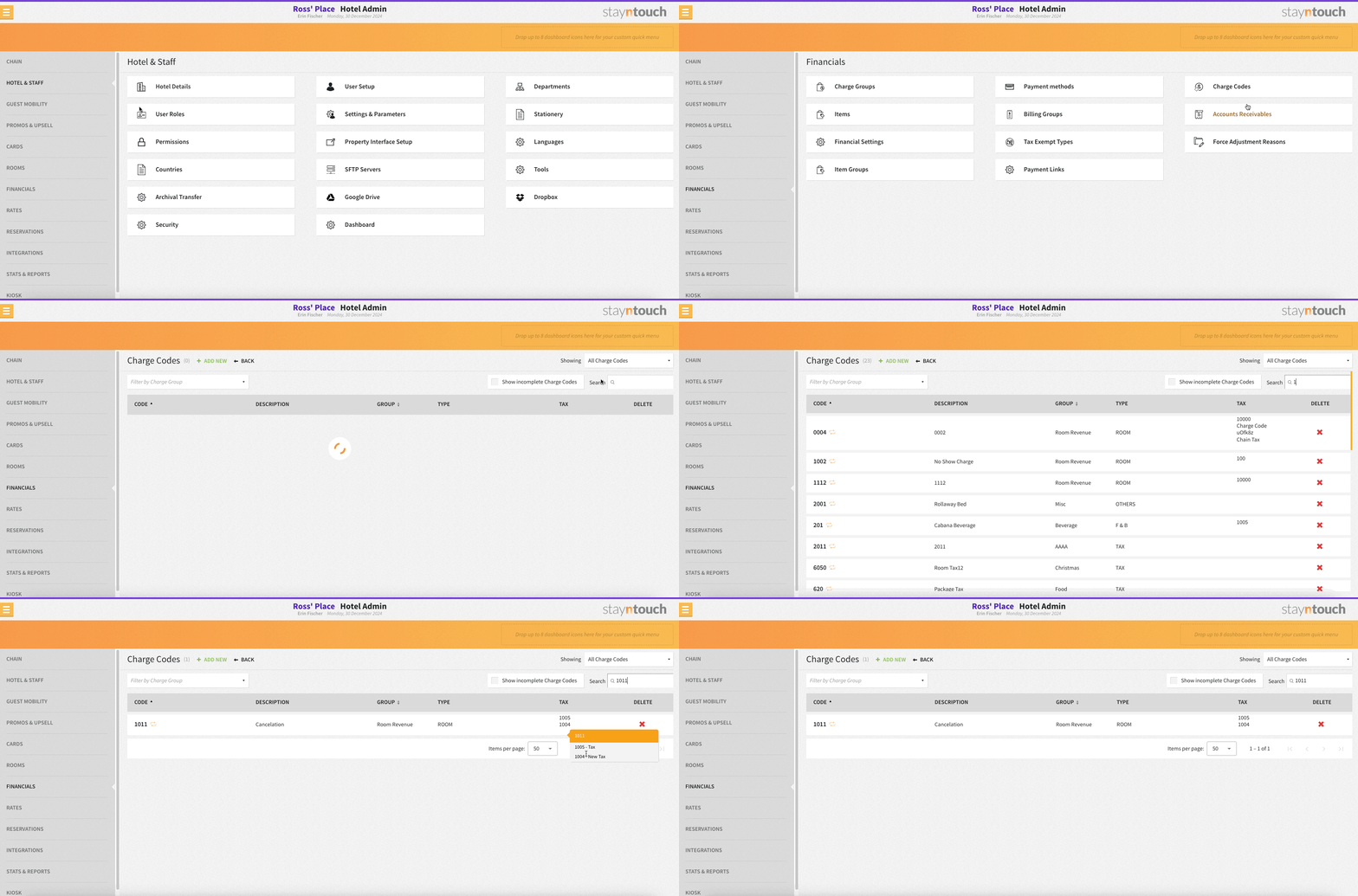
Hover over any charge code (Settings > Financials > Charge Codes) to instantly view linked tax codes and descriptions—no more clicking through multiple screens to verify tax configurations.
Quick Navigation From Pay Now Screen
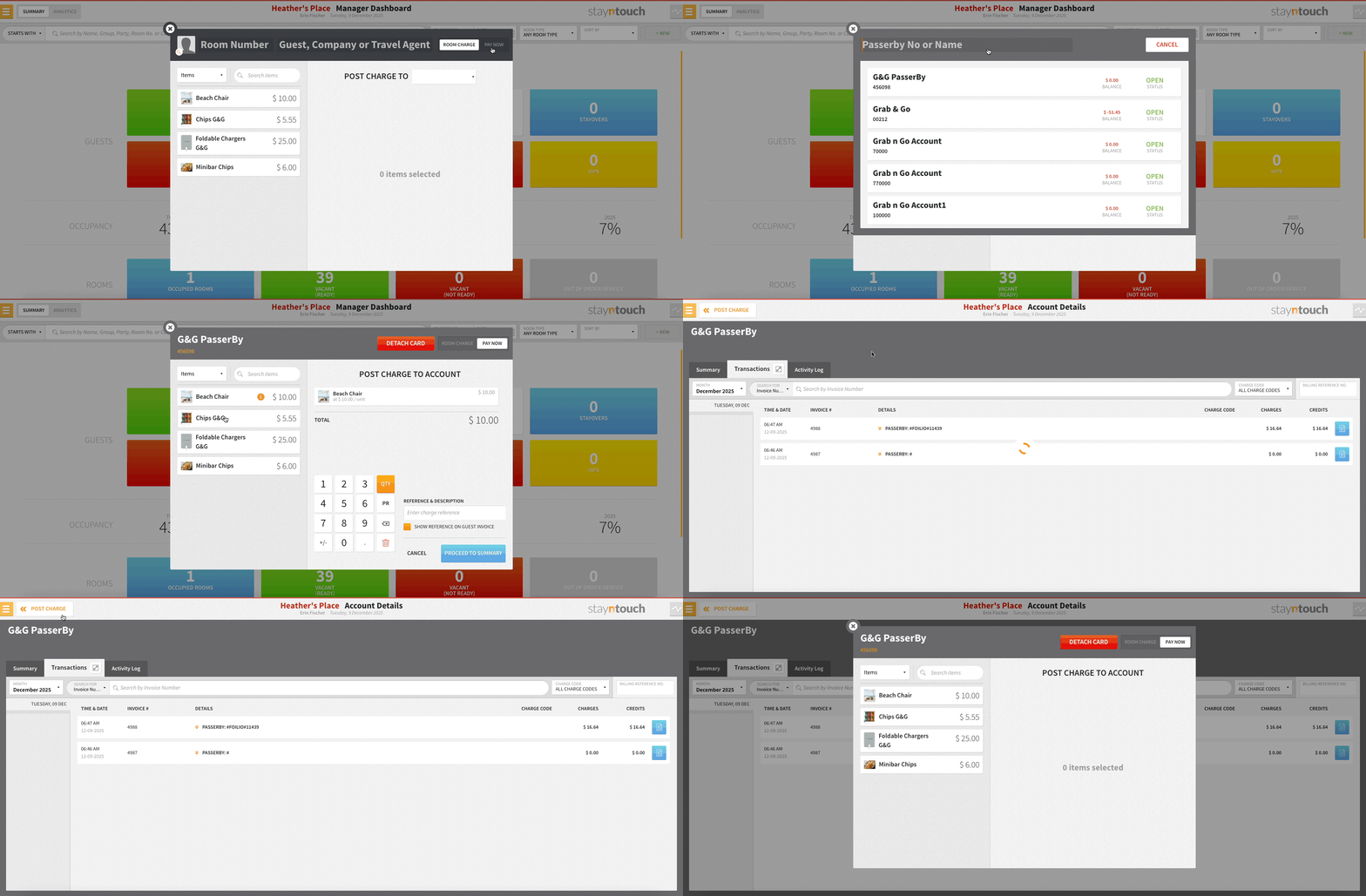
You can now jump straight to what you need after completing a Pay Now transaction. Account numbers and confirmation numbers on the Pay Now screen are now clickable hyperlinks, letting users instantly open the related account or reservation—no more manual searching. This update speeds up post-payment workflows and makes it easier to access key details with a single click.
Accounts Receivable
A/R Invoice Format Options
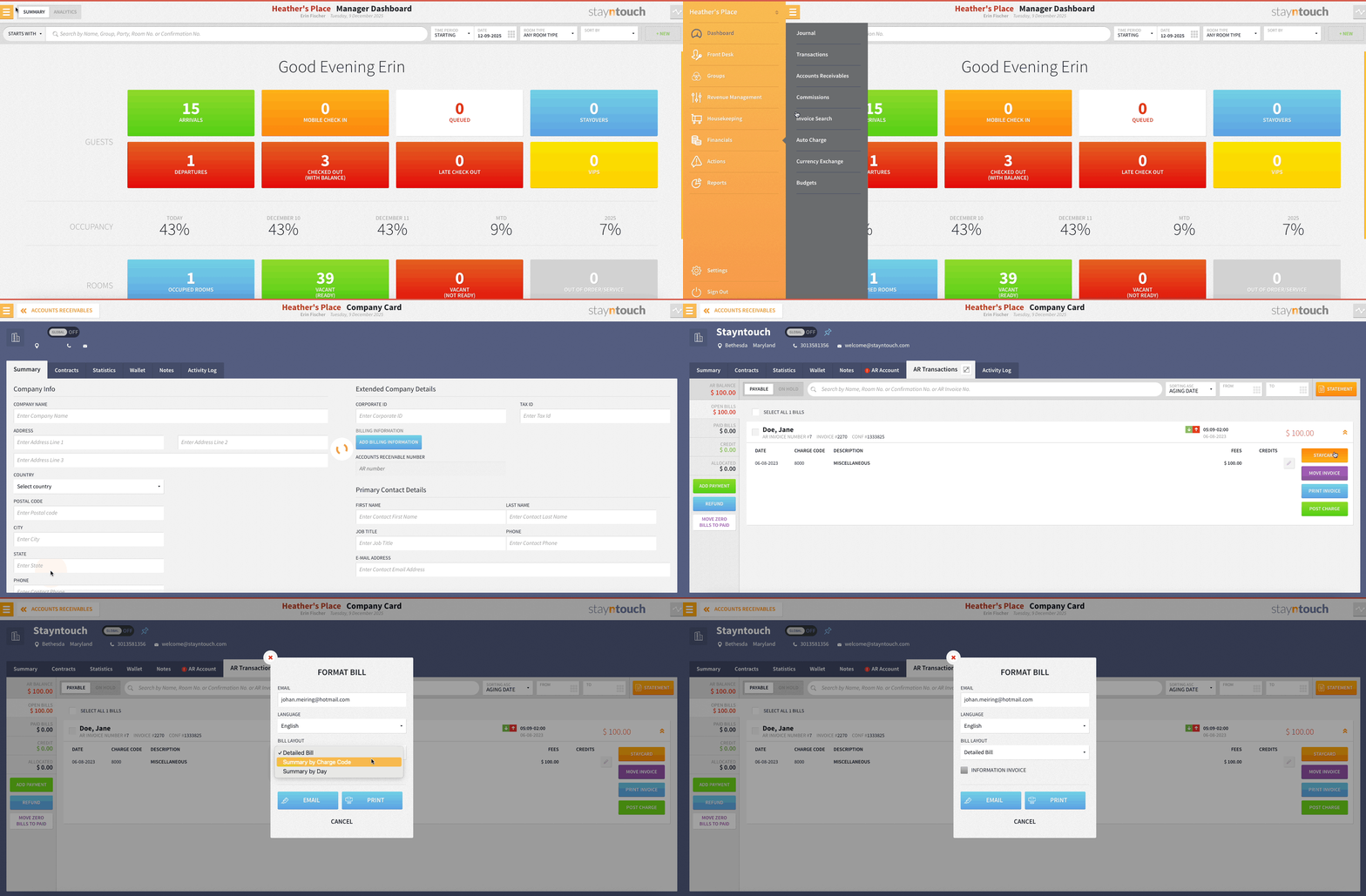
Within Financials > Accounts Receivables, you can now print A/R invoices in the format that works best for your business: choose Detailed, Summary by Day, or Summary by Charge Code. Streamline reporting and meet diverse accounting requirements with flexible presentation options.
Stayntouch Rate Strategy
Stayntouch Rate Strategy: Rate Manager Display
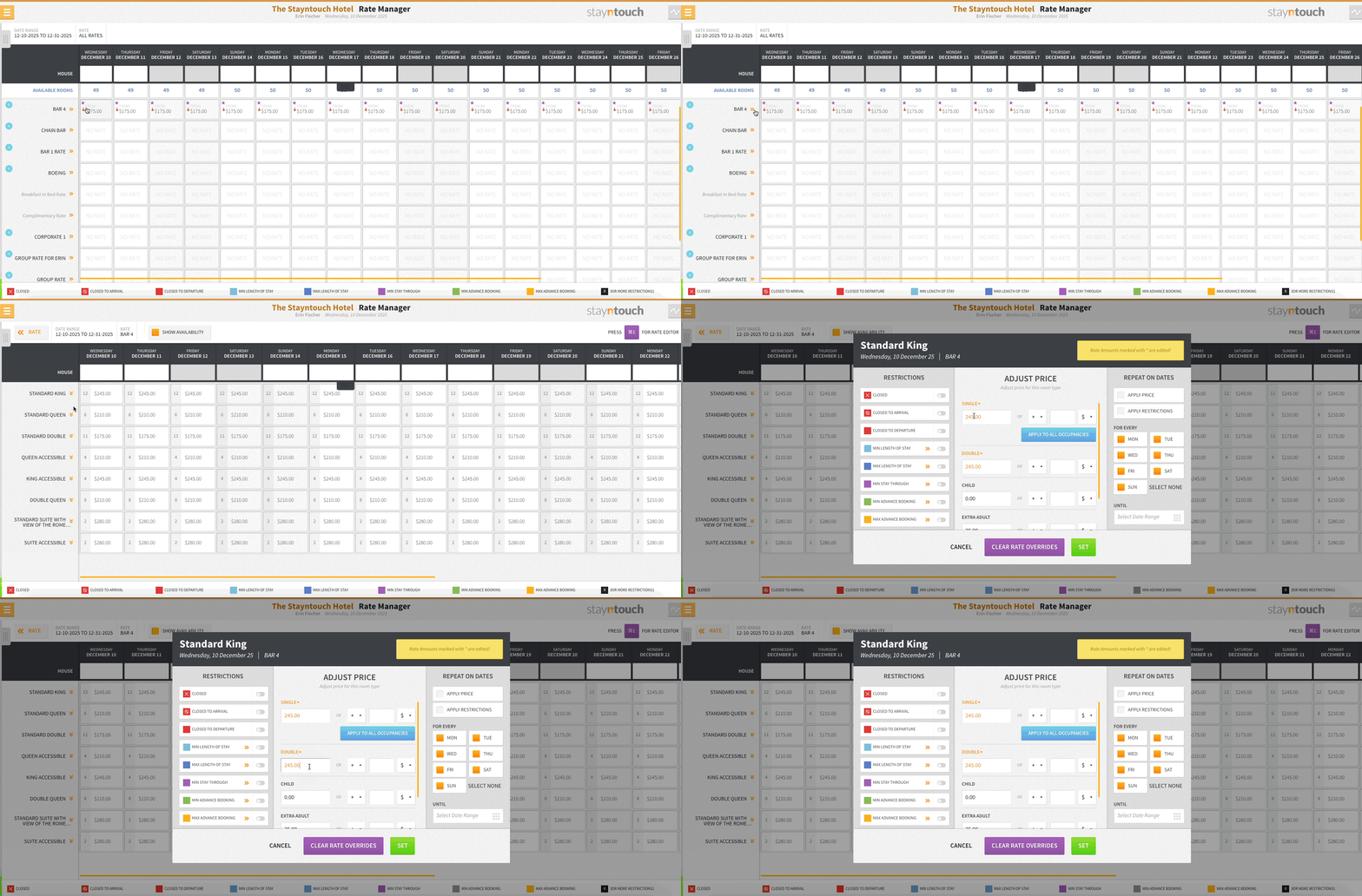
Identify Stayntouch Rate Strategy updates at a glance! Rates updated via Stayntouch Rate Strategy (or RMS integrations) now appear in the Rate Manager in a distinct color and show a purple star. Select a rate to see clear up/down arrows indicating whether it increased or decreased.
Multi-Property Functionality
Multi-Property Configuration: Task & Work Type Management, Your Way!
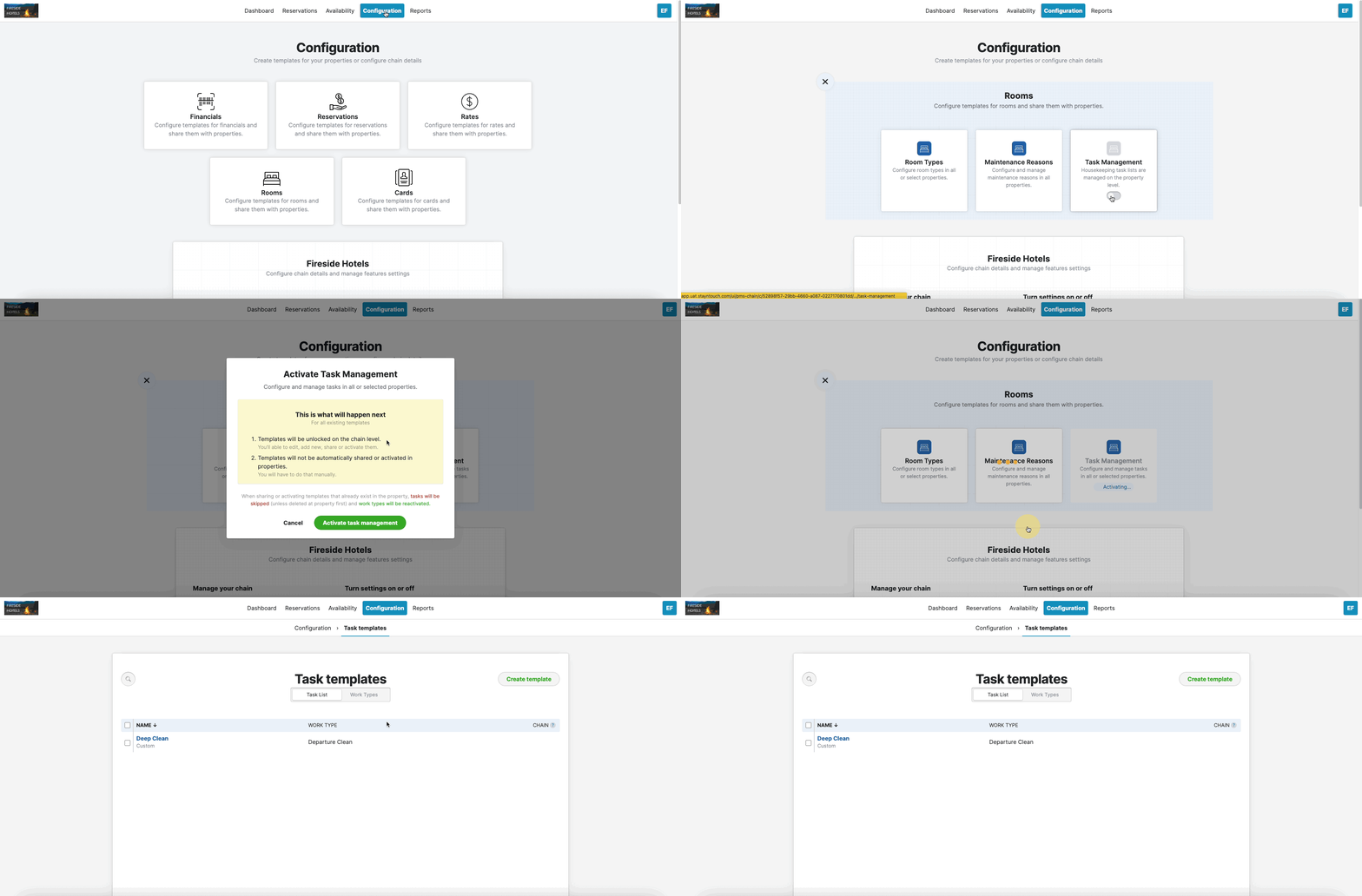
Introducing flexible task and work type management! A new Use Chain Configuration toggle (ON by default) lets you decide whether settings come from the chain or each individual hotel.
Integrations
Windsurfer/Allora: Borrow from House (Flexible Group Overbooking)
We’ve added a new BORROW FROM HOUSE toggle from Settings > Integrations > Central Reservation System > Windsurfer/Allora CRS to give hotels more flexibility when managing group blocks. When enabled, Stayntouch PMS can automatically borrow rooms from overall house availability whenever a flexible group runs out of its own allocated inventory—while still respecting room type and house level sell limits.
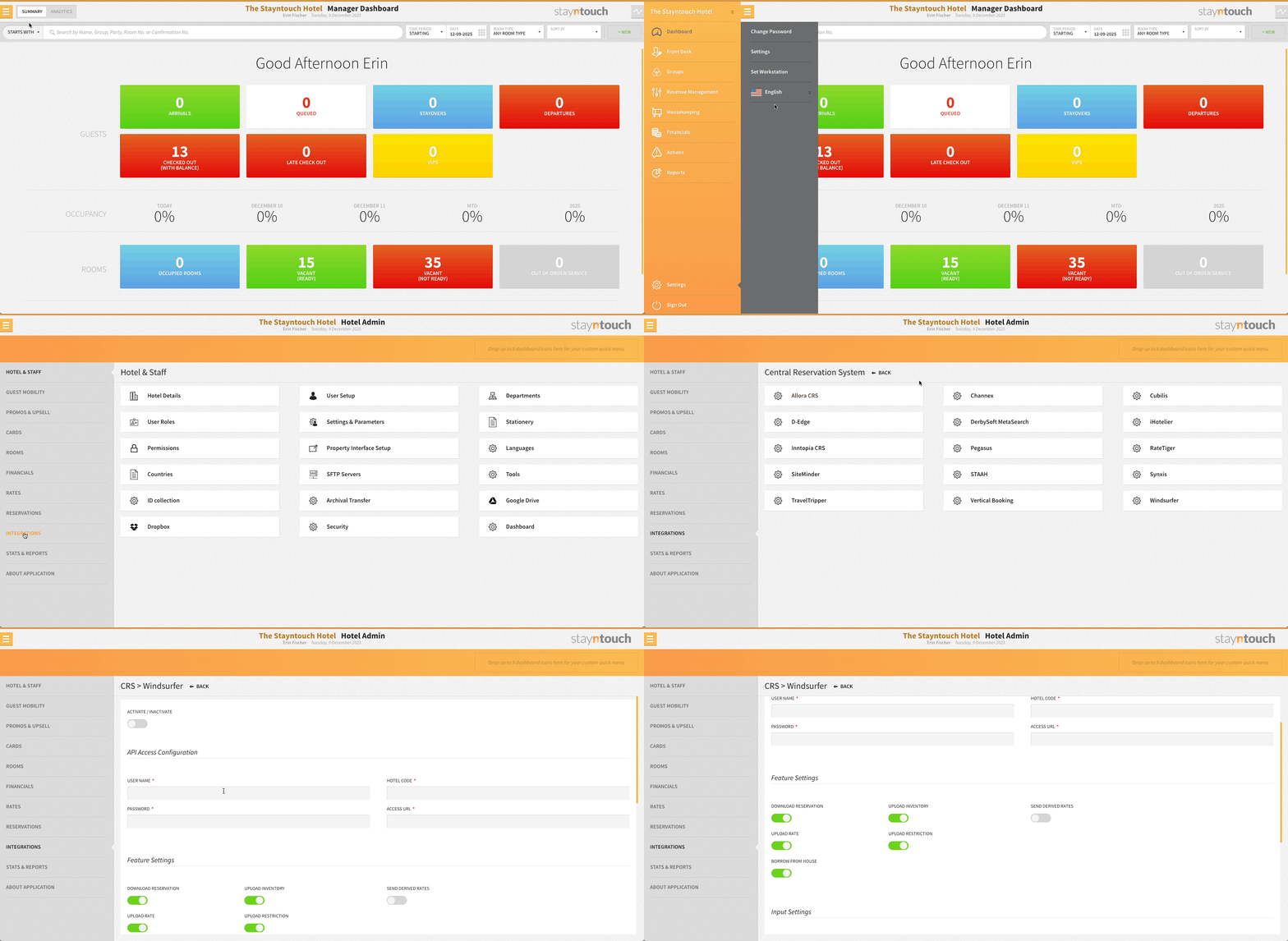
This enhancement ensures:
- Smoother reservation acceptance for flexible groups
- Better utilization of available inventory
- Fewer failed bookings when rooms exist in the house but not in the group block
Stayntouch PMS will still reject reservations when:
- The requested room type has no rate in the block
- The house or room type is genuinely sold out
- Overbooking would exceed configured sell limits
This feature delivers a smarter, more dynamic group-inventory flow—keeping bookings seamless and maximizing occupancy.
This feature will be available in Windsurfer by the end of January.
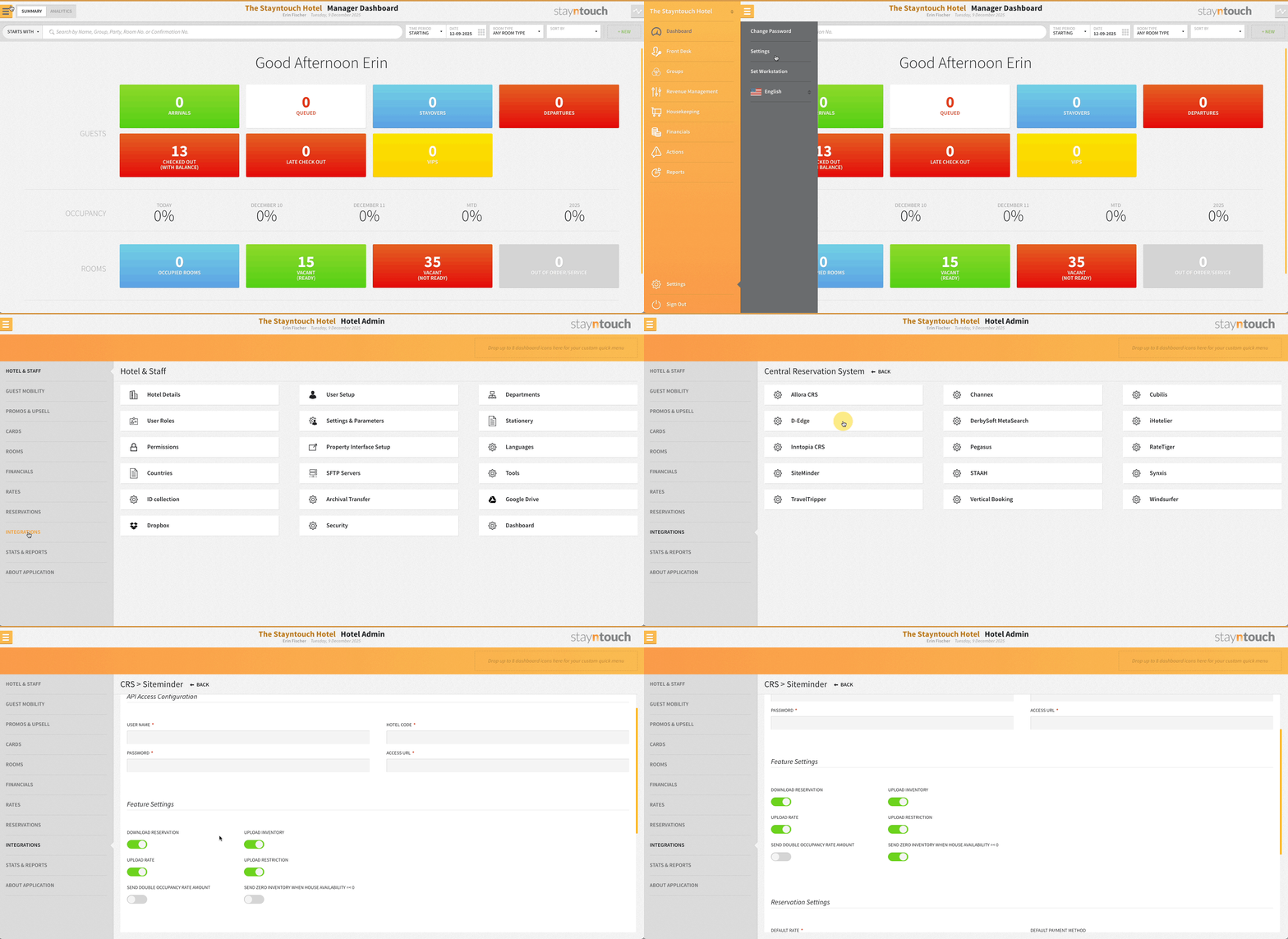
SiteMinder: Smarter Zero-Inventory Sync for House Availability ≤ 0
When your house inventory hits zero or below, SiteMinder now automatically sends:
- BookingLimit=0 for all room types still in positive stock
- True inventory values for room types already in the negative
- Zero inventory via Inventory Sync whenever house availability is ≤ 0
Once house availability turns positive again, normal per room type BookingLimits resume.
This behavior is controlled by the new SEND ZERO INVENTORY WHEN HOUSE AVAILABILITY ≤ 0 toggle from Settings > Integrations > Central Reservation System > SiteMinder—make sure it’s ON to activate.
Enhanced Tax Rules Access In Charge Code API
Integration partners can now fetch detailed tax rules via GET /charge_codes/{id}/basic_taxes. This unlocks precise tax calculations tailored by nights, length of stay, room types, date ranges, or any combination, making billing smarter and more accurate than ever.
New API Integrations With Stayntouch PMS
Stayntouch PMS now integrates with the following new vendors. For more information, please contact your Client Success Manager or Customer Support. Below is a list of the newly supported integration partners with links to supporting documentation detailing the integration with each vendor:
Integration Name | Integration Type | Region |
| LollyPOS | Point of Sale | Global |
| HolidayHero | Guest Technology | Global |