
 Stayntouch PMS
 How to Use Add-Ons for Cabanas/Tents
Cabanas/tents can be set up as add-ons with item inventory by day (e.g., cabanas, tents, marinas, boat slips, etc.) to ensure accurate daily availability.
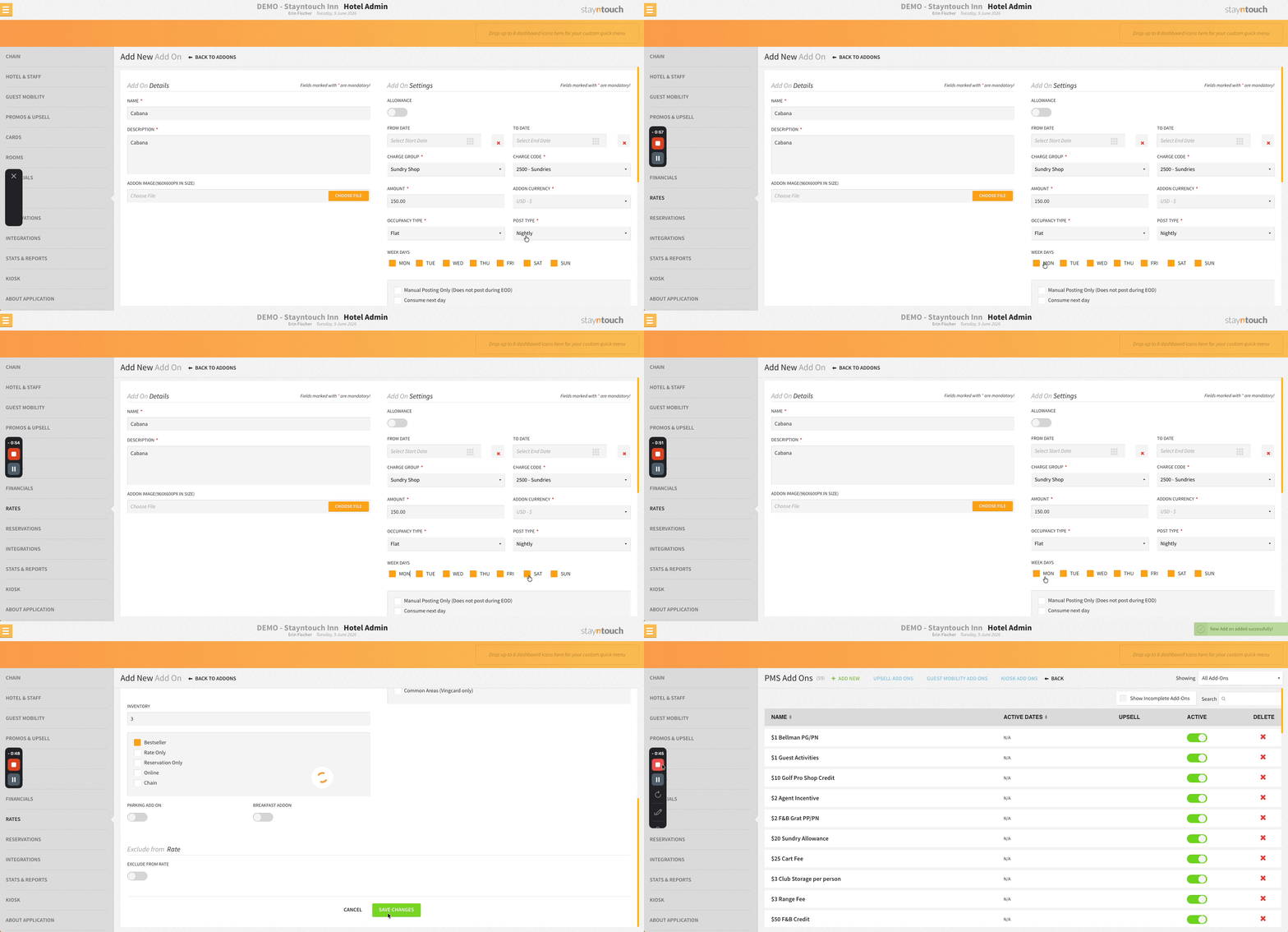
To make the add-on available by day, set the Post Type as Nightly from Settings > Rates > Add-Ons, and then select the days of the week the add-on should be available.
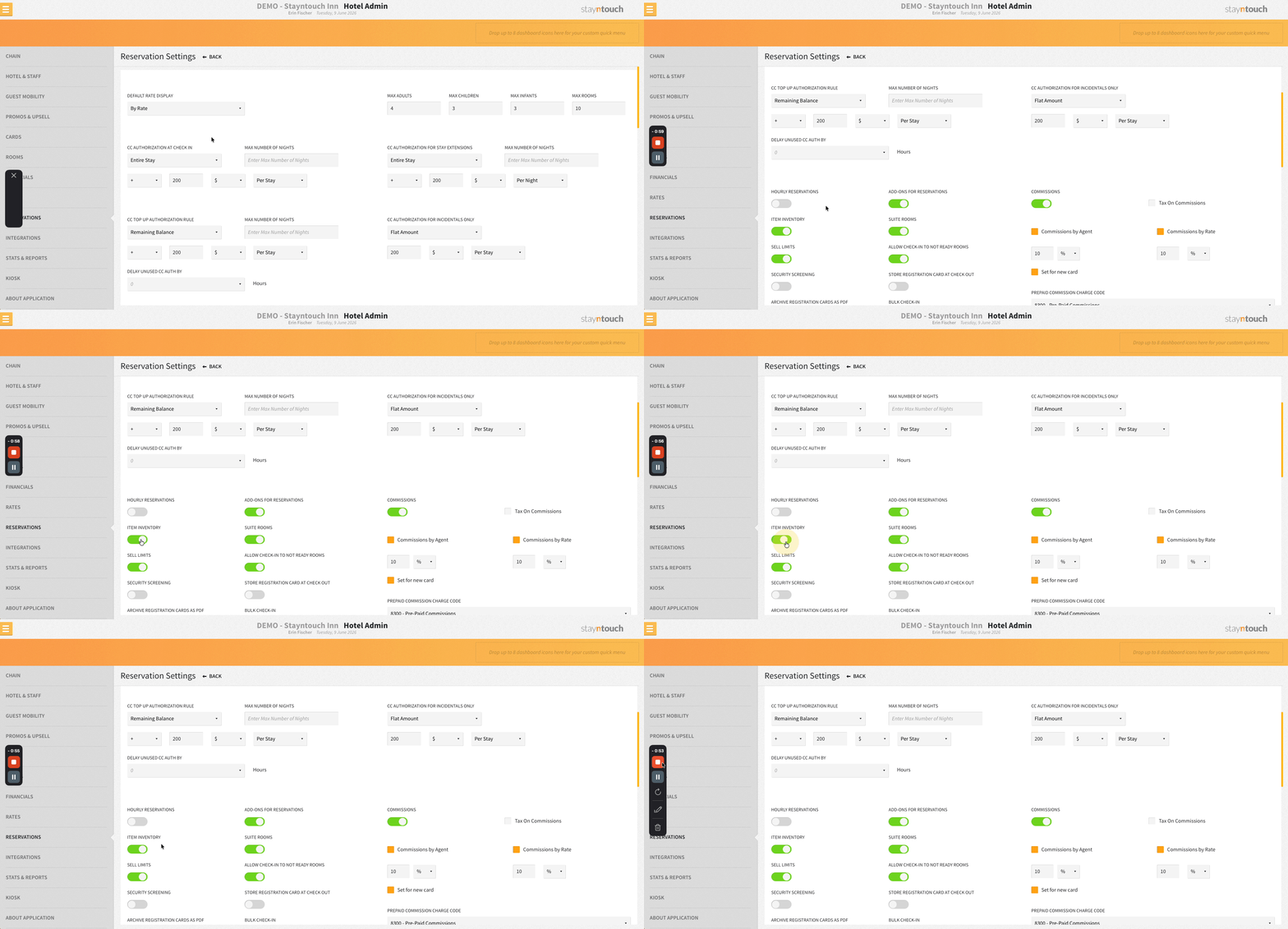
If Item Inventory has been toggled on via Settings > Reservations > Reservation Settings, it is possible to add inventory to your add-ons. Your inventory by day will be displayed under Item Inventory on the Availability screen.
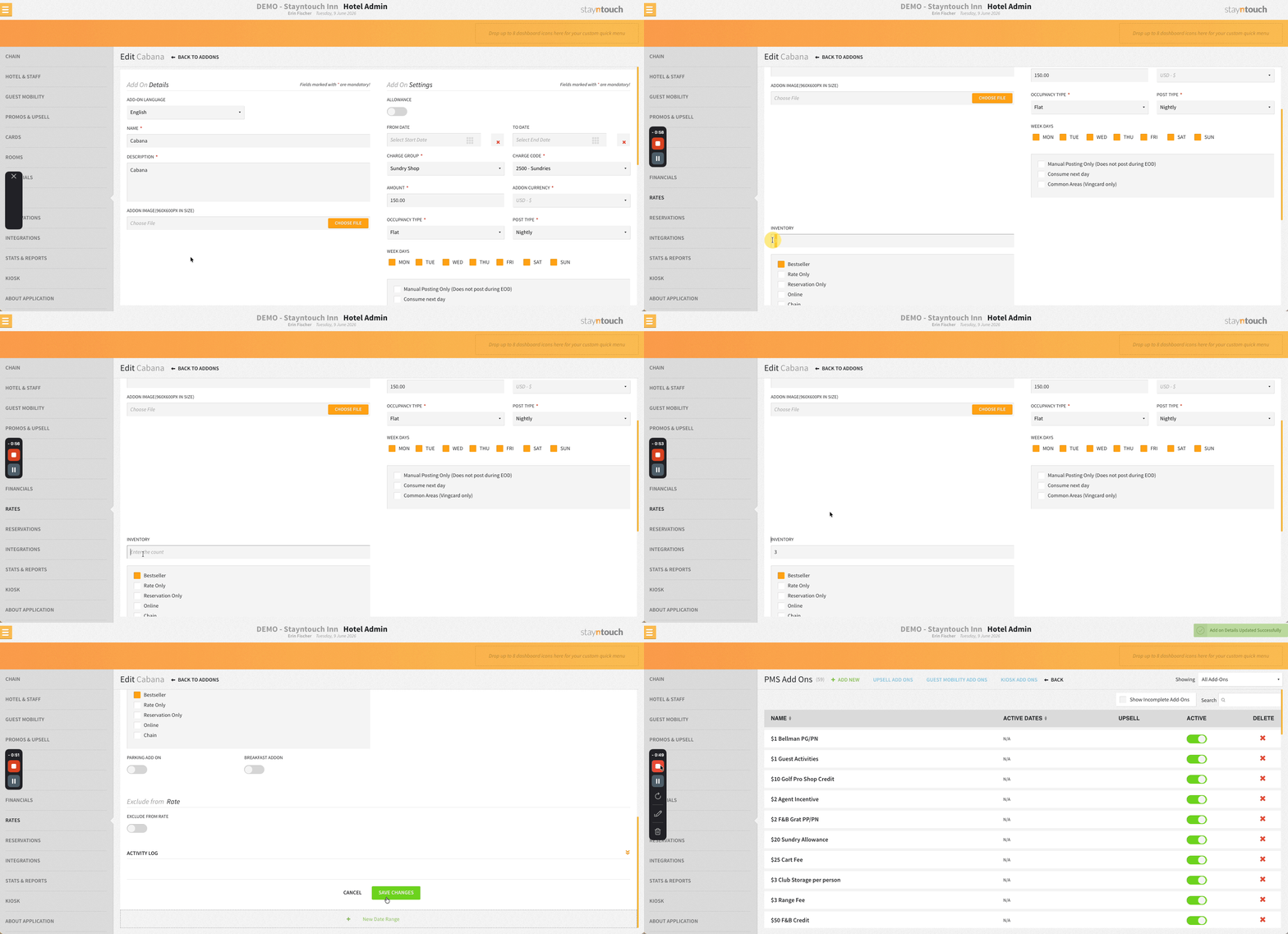
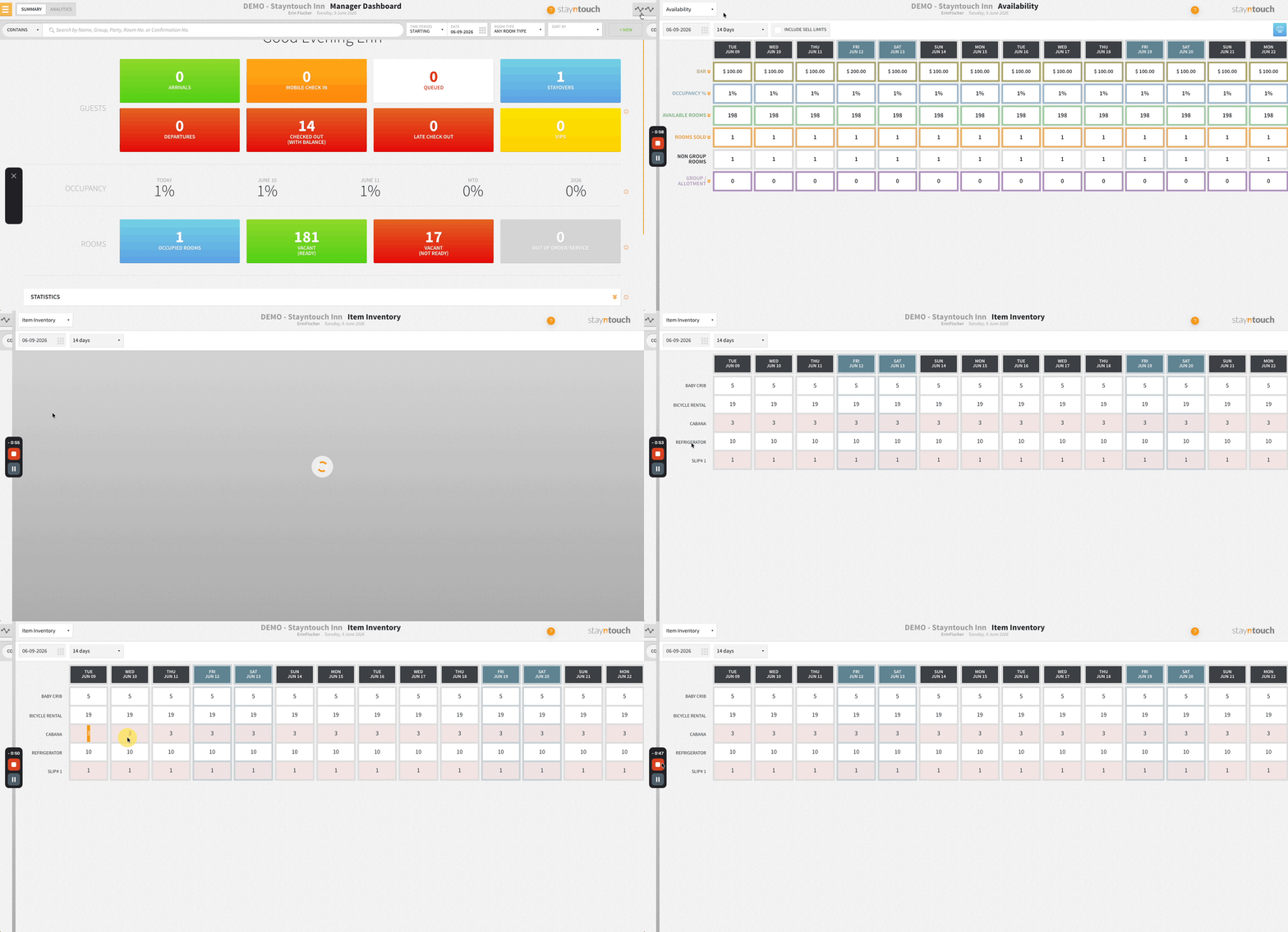
For example, if you have three cabanas, create a cabana add-on with an inventory quantity of three. When a guest reserves a cabana, the system deducts it from the available inventory for the selected dates.
With day-by-day add-ons, inventory is only reserved on the days the cabana is actually used. For example, if a guest stays five nights but reserves a cabana only on Tuesday and Wednesday, inventory is deducted only for those two days. When you select the add-on during reservation creation, it will allow you to select which days the add-on has been purchased for.
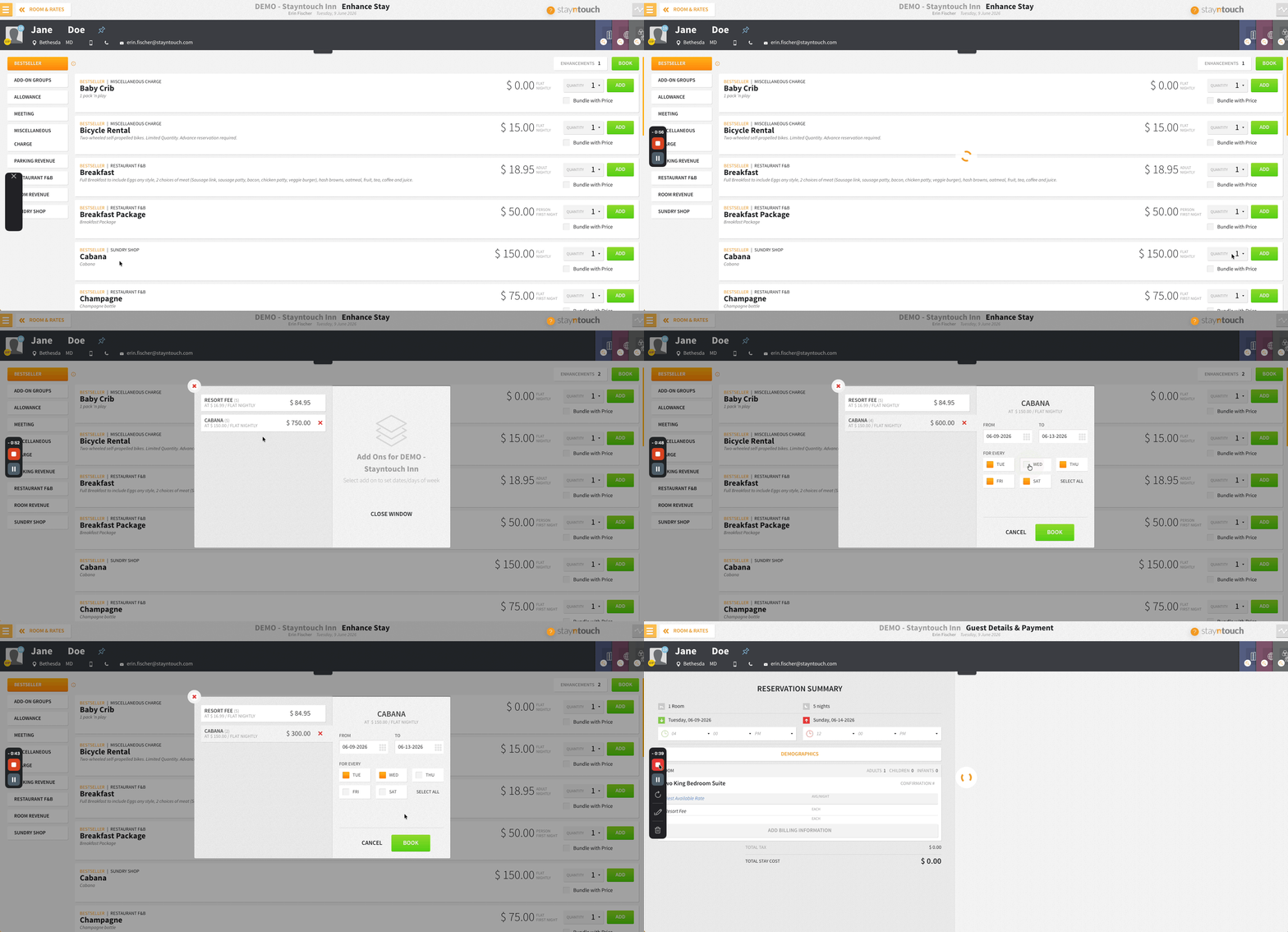
This means:
Monday: 1 cabana reserved, 2 available
Tuesday: 1 cabana reserved, 2 available
Wednesday–Friday: All 3 cabanas remain available
By assigning add-ons to specific dates, inventory stays accurate and unused cabanas can be booked by other guests.
For more information about add-ons, please see this article.