
Stayntouch PMS
Release Notes (v6.10)
Effective:
- 18 August 2026 (6am EST) for customers using https://app.us2.stayntouch.com/
- 25 August 2026 (6am EST) for customers using https://app.us1.stayntouch.com/
- 26 August 2026 (3pm EST) for customers using https://app.eu1.stayntouch.com/
TABLE OF CONTENTS
- Guest Cards
- Actions
- Reservations
- Reports/Exports
- Invoice/Folio Export: Sharper Filtering, More Columns
- Financial Transaction Custom Export: Routing Reference Added
- Financial Transaction Custom Export: Smarter Reference Number Tracking
- Guest Balance Report: Cleaner, More Accurate Results
- Allowance Balance Report: A Dedicated View for Reservation Allowances
- Rates & Add-Ons
- Stayntouch IBE
- Payments
- Integrations

- Visionline refactored on ASSA ABLOY’s Web APIs: Supports common space access and Vostio wallet keys
- LRV Yield Adjustments for IDeaS: Support for yield adjustment on rates against hurdle rates received from IDeaS
- Flagged Guest Restrictions: A new setting to restrict reservations for flagged guests
Guest Cards
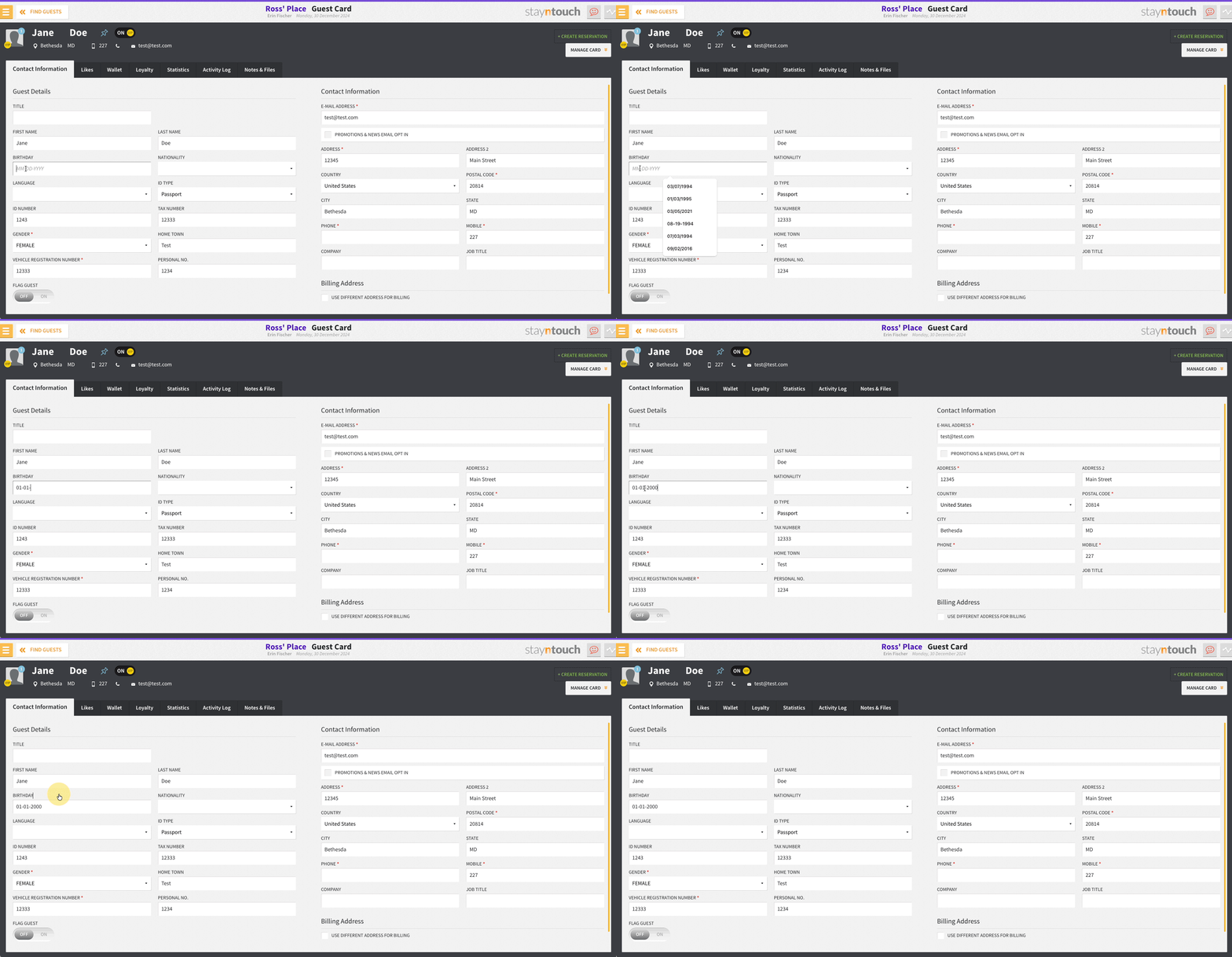
Faster Birthday Entry on Guest Cards
For easier reporting and more reliable guest data, Birthday has been converted from a free text entry into a proper type field. This removes inconsistent formatting and makes it simple to filter and report on guest birthdays going forward.
Actions
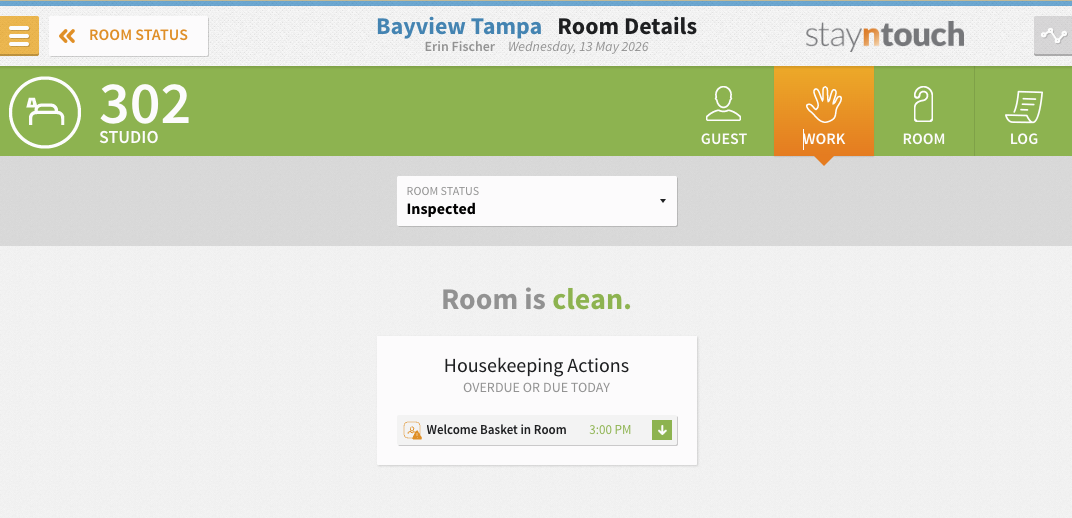
Today’s Actions, Visible from the Room Details Screen
Actions due today can be seen and managed directly from the Room Details screen, with no need to navigate away. Actions assigned to housekeeping-configured departments appear for departing, arriving, and stayover guests. Clicking any action opens the Actions Manager popup to view, edit, complete, or delete it, and to add new ones, all following existing permissions and logic.
Reservations
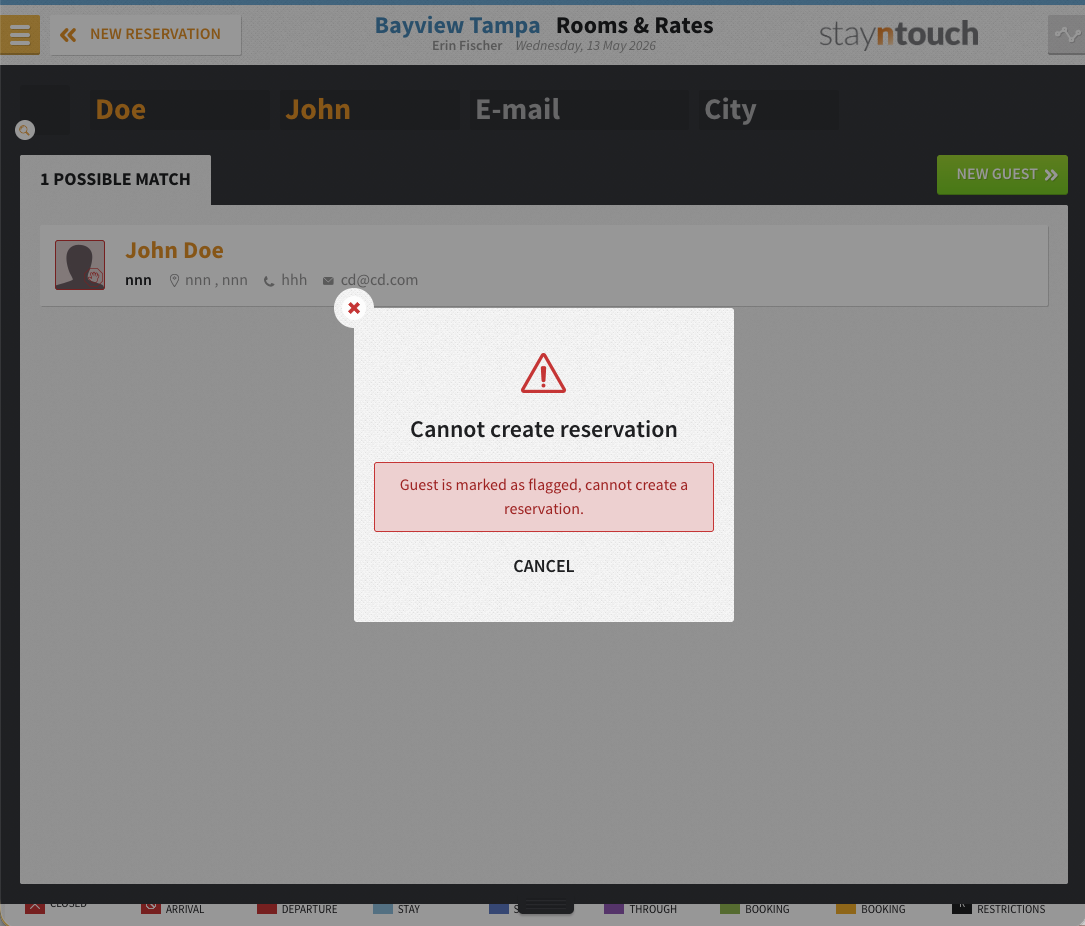
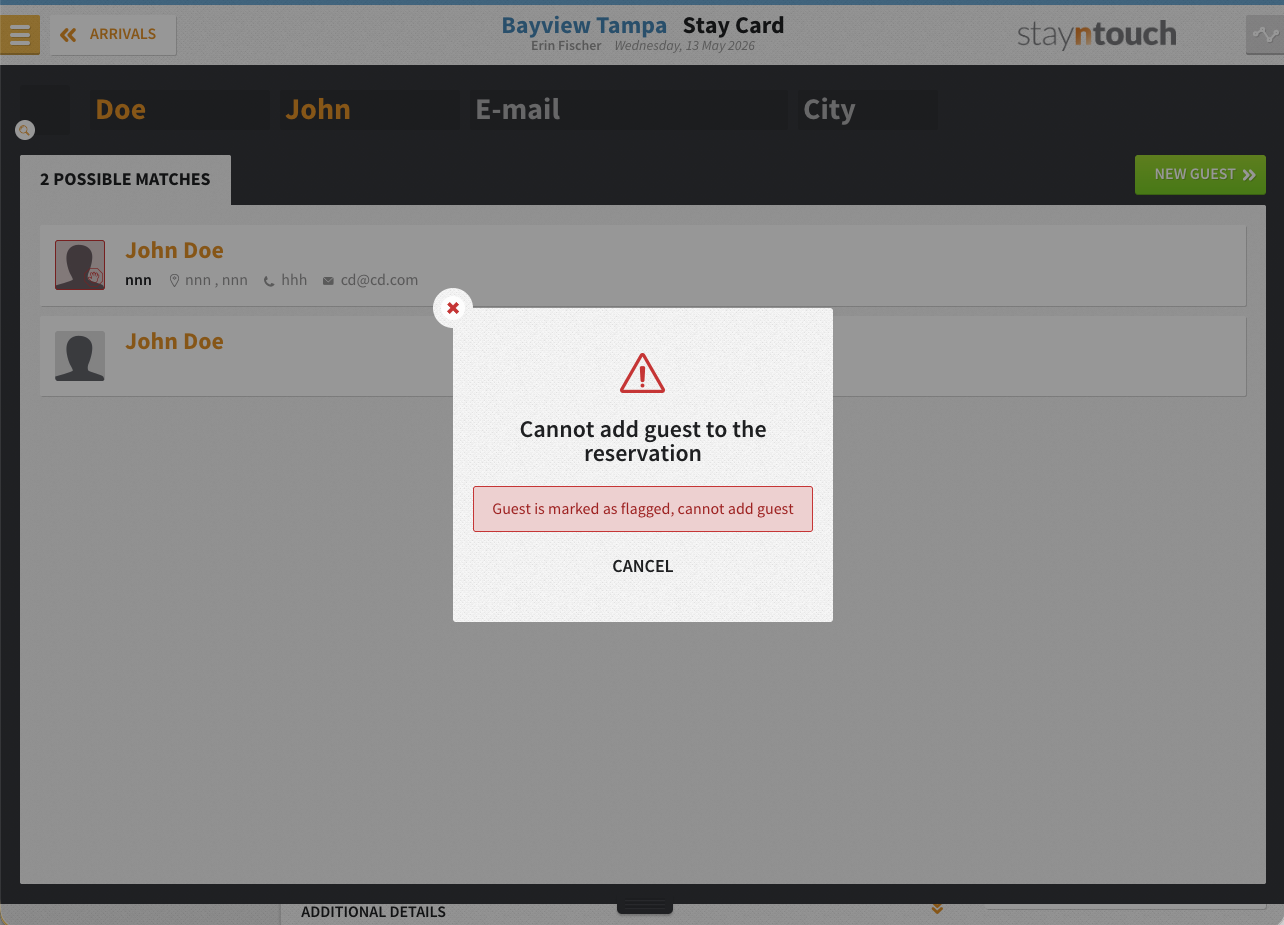
Flagged Guests: Blocked from Reservations by Default
The new Prevent Flagged Guests in Reservation setting stops front desk teams from booking flagged guests by mistake. Once enabled, flagged guest cards cannot be selected during reservation creation, guest search, reservation copy, or when added to an existing reservation, a popup blocks the action each time. Authorized users with the new Override Flagged Guest Reservation Creation permission (Settings > Hotel & Staff > User Setup > User Permissions) can bypass the block when needed, with every override logged to the reservation’s audit trail.
Stay Card Calendar: Reservation Extensions Beyond 7 Days
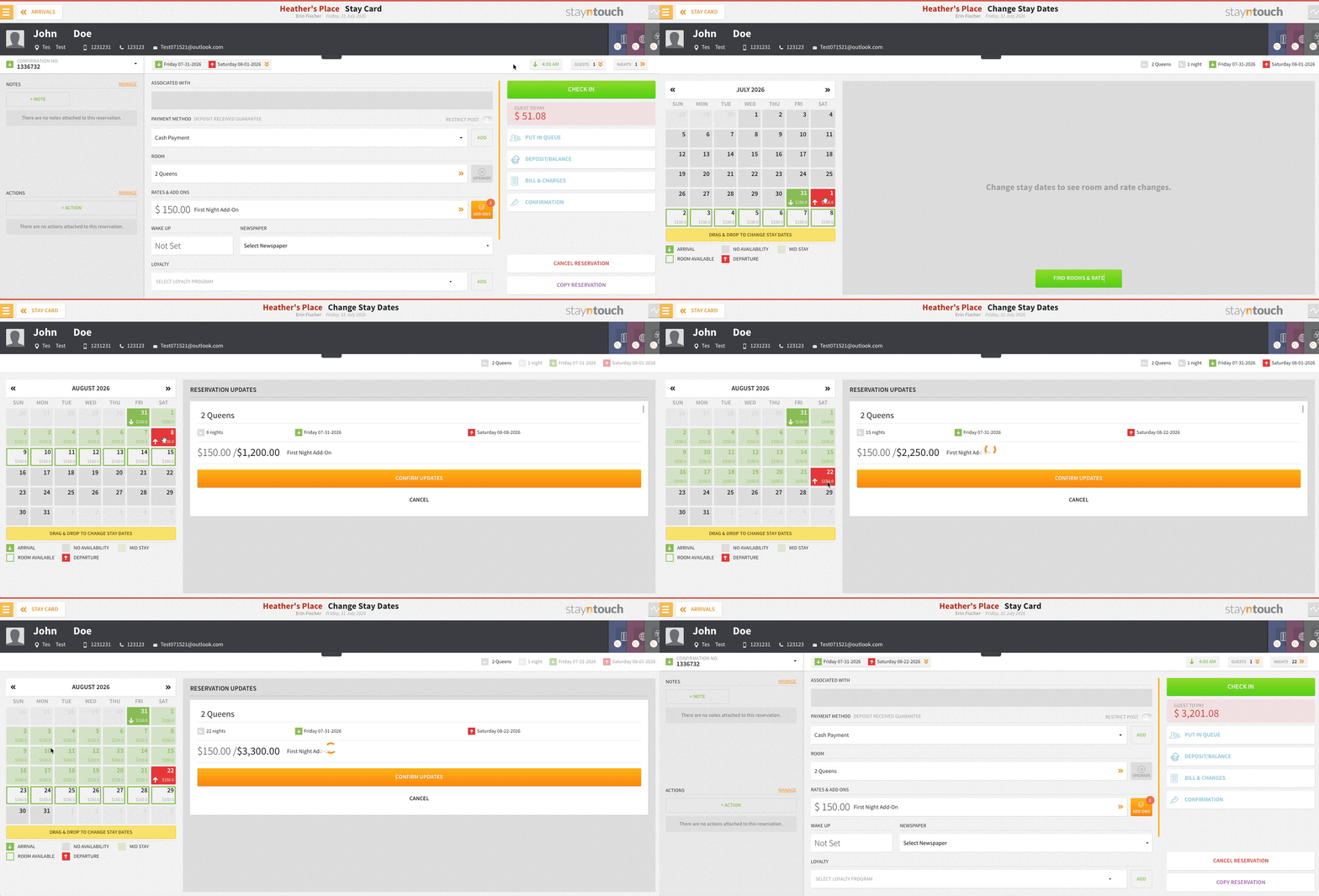
The Nights calendar on the stay card lets staff drag a check-out date past 7 days, with the availability window rolling forward automatically. A single Confirm Update saves the whole extension. Availability checks, restrictions, and max-night limits apply exactly as before.
Reports/Exports
Invoice/Folio Export: Sharper Filtering, More Columns
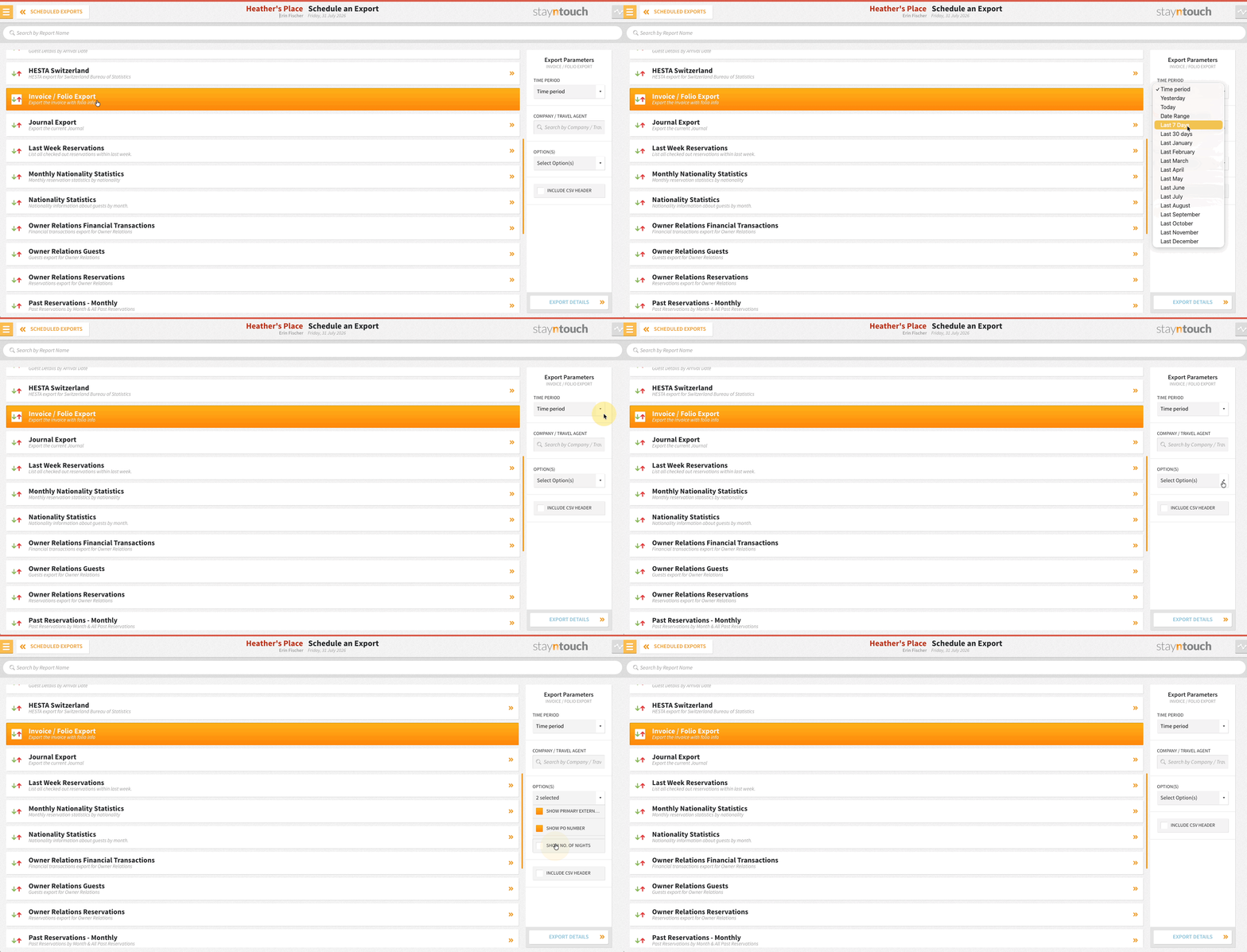
The Invoice/Folio Export can be filtered by Last 7/30 Days or any calendar month, narrowed to specific companies or travel agents with a new searchable dropdown, and extended with optional columns for Primary External Reference, PO Number, and No. of Nights.
Financial Transaction Custom Export: Routing Reference Added
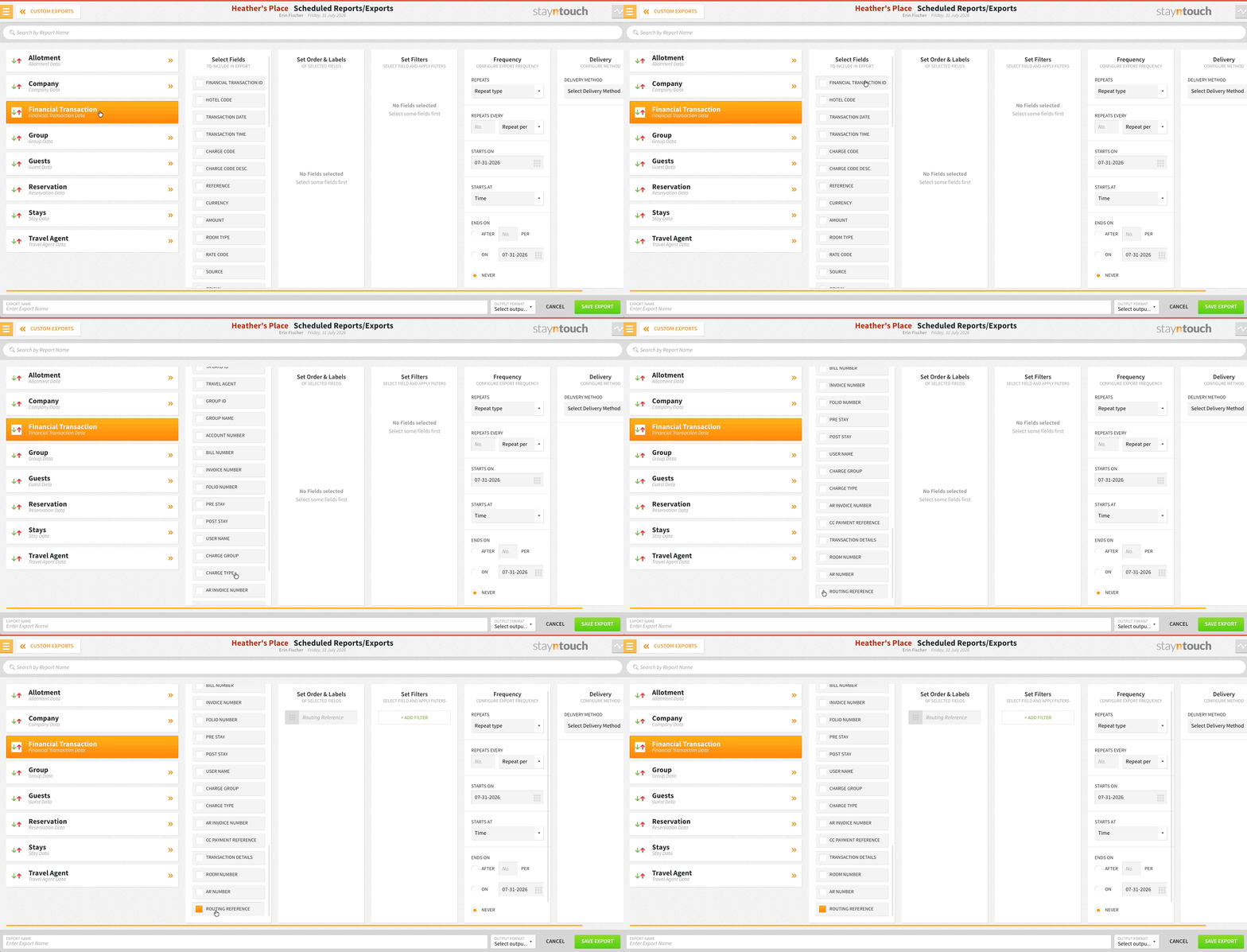
Routing Reference is selectable on the Financial Transaction custom export via Reports > Schedule a Report/Export > Custom Exports, available in CSV, XML, and JSON exports.
Financial Transaction Custom Export: Smarter Reference Number Tracking
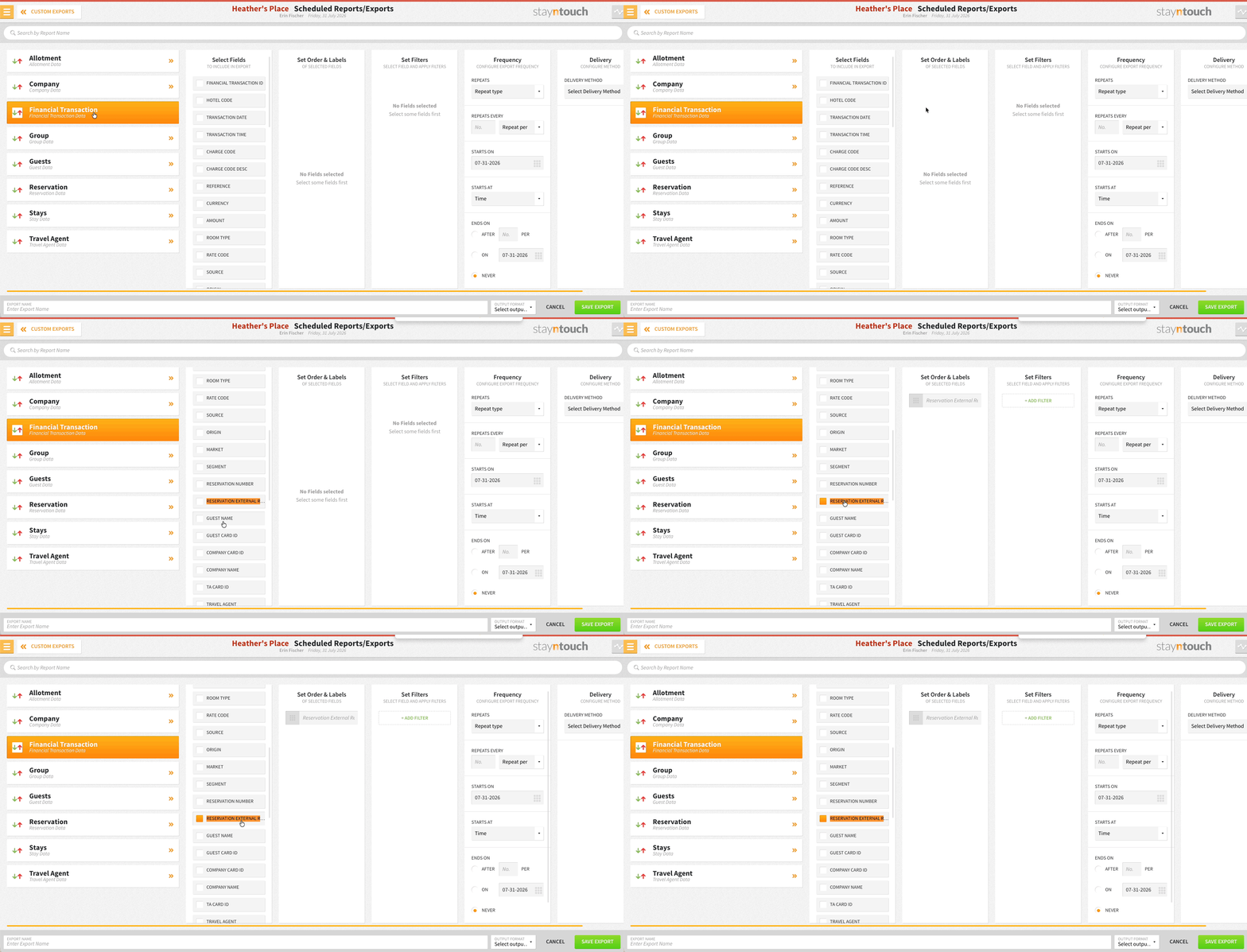
A new Reservation External Reference Number field is available in the field picker on the Financial Transaction custom export (Reports > Schedule a Report/Export > Custom Exports).
- Pulls the external reference number directly from the reservation tied to each financial transaction, joined automatically behind the scenes, no manual cross-referencing required
- Outputs blank if a transaction has no linked reservation or the value is empty
- Replaces the old External Reference Number field, which was sourced from the transaction itself and no longer reflects the data teams rely on
- Existing exports keep running on the old field as before, only new or updated exports switch to the reservation-based field
Guest Balance Report: Cleaner, More Accurate Results
Only guest folios with a real balance appear on the Guest Balance Report. Entries with a $0 guest bill but an open allowance balance are excluded, so staff can focus on collecting what’s actually owed. Allowance visibility hasn’t gone away, it’s still tracked separately.
Allowance Balance Report: A Dedicated View for Reservation Allowances
The new Allowance Balance Report tracks reservation allowance balances without cluttering the Guest Balance Report. Results can be filtered by guest/account and reservation status, sorted, and exported or printed.
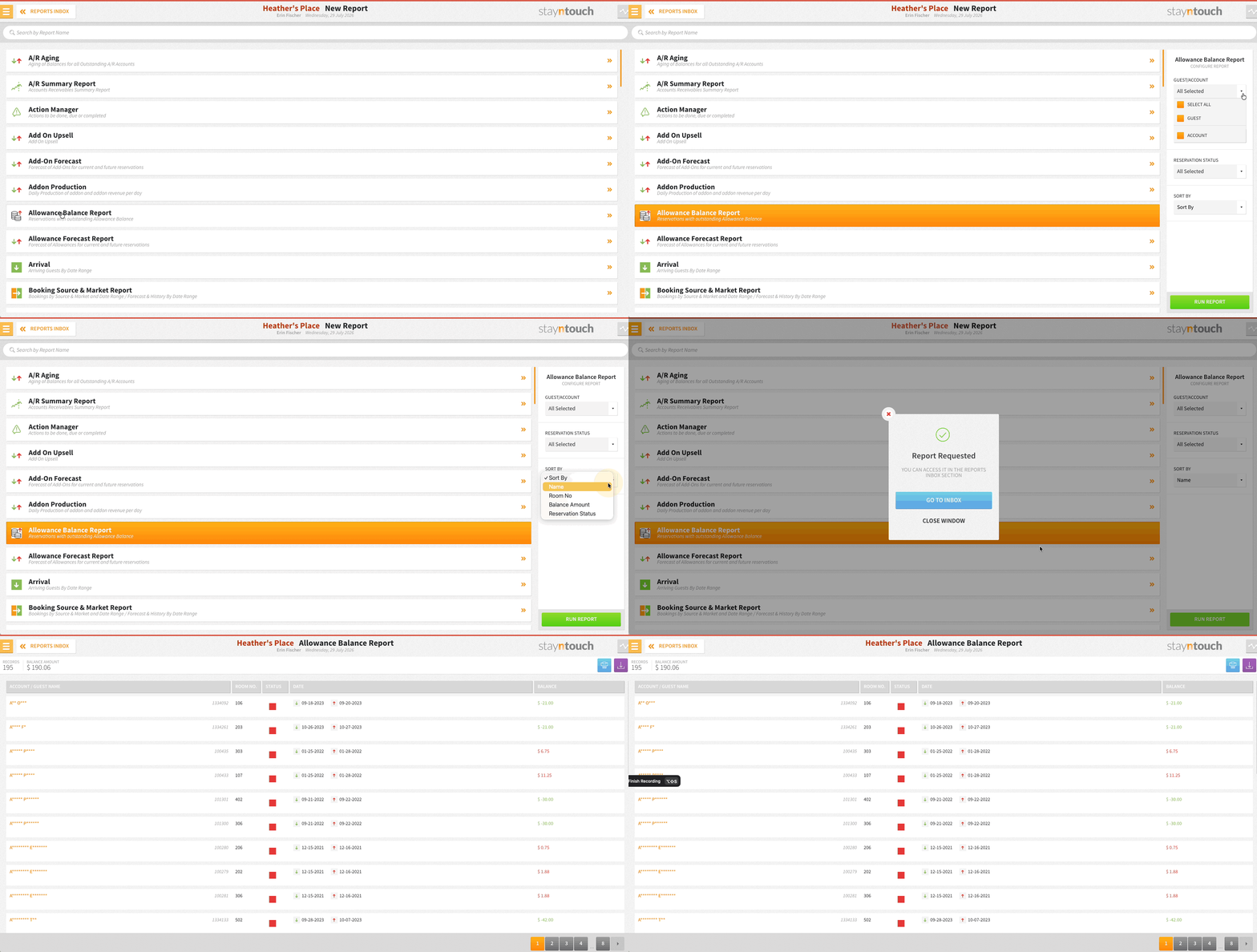
Please note, this report is controlled by the Guest Balance Report Excluding Allowance Section Charges feature toggle in Stayntouch Admin. Please contact Customer Support to activate this report for your property. Once this is enabled, the allowance balance will no longer appear on the Guest Balance Report and will only appear on the Allowance Balance Report.
Rates & Add-Ons
Nightly Add-On Customization: Pick the Nights That Matter
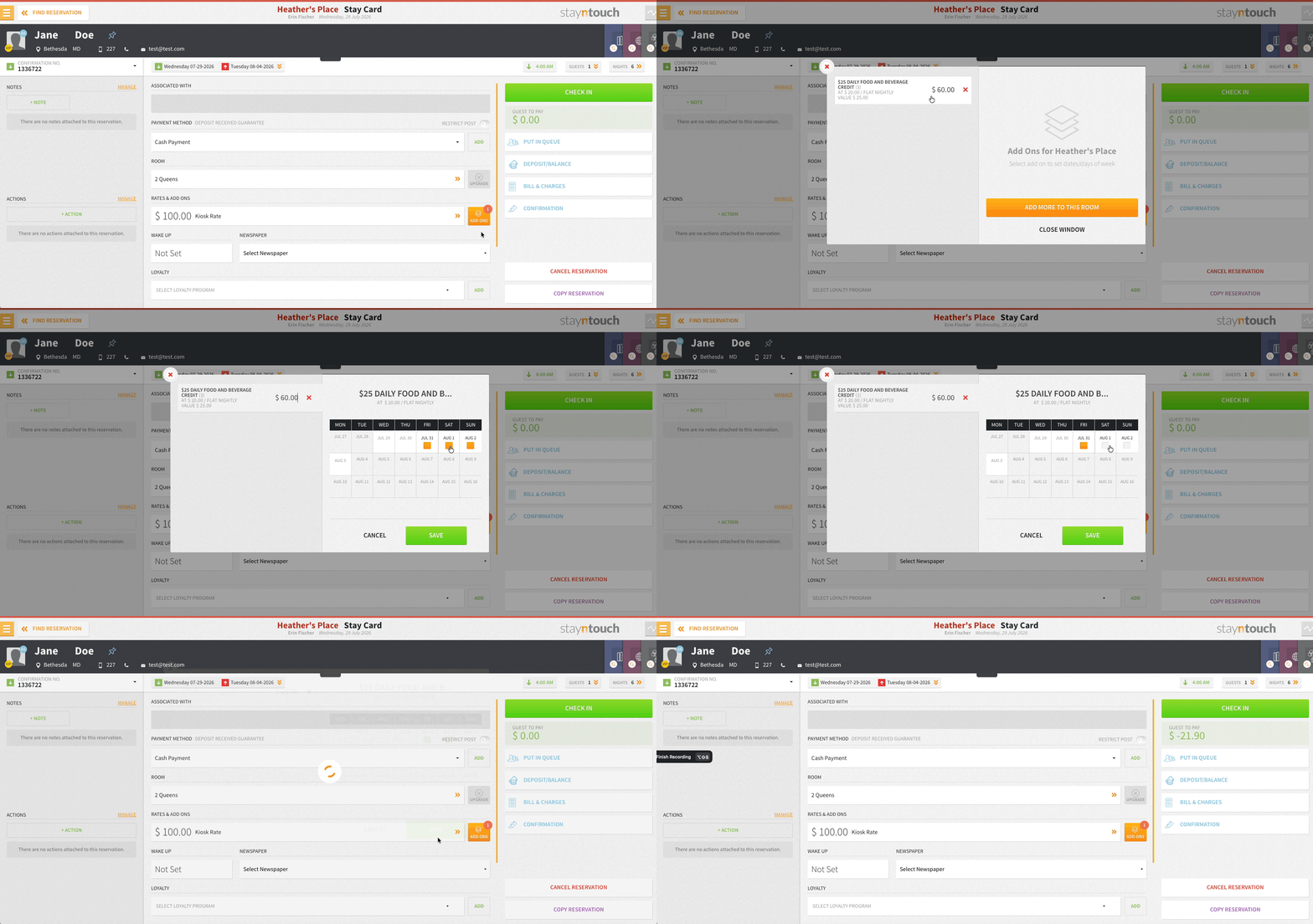
PMS users can select exactly which nights a nightly add-on applies to, from the booking path or an existing reservation’s stay card. A scrollable calendar view makes it easy to toggle specific dates on or off, with smart defaults, such as automatically excluding check-in day for breakfast, handling the common cases. Pricing and billing update instantly, so every charge maps precisely to the nights selected.
Multi-Property Rate Sync: Partial Syncs Are Here
Multi-property rate sync supports partial syncs. Rates missing only optional dependencies (room types, add-ons, booking origins, rules/restrictions, promotions) sync as “Partially Synced” instead of failing outright. Missing mandatory items, such as rate type or charge code, still fail the sync as before. Hovering over the “Partially Synced” badge shows what’s missing.
Stayntouch IBE
Service Fee Transparency Across the Booking Journey
Service fees display as a separate line item across check-out, the booking summary, and confirmation letters, giving guests a clear breakdown of what they’re paying for at every stage.
Check-Out Analytics: Cleaner Event Tracking
The begin_checkout event fires on the check-out click, with cart changes tracked separately via cart_item_modified, giving marketing teams more accurate GTM tracking of check-out behavior versus cart activity.
Exclusive Tax Accuracy for Add-to-Price Rates
Exclusive tax calculation in the rate detail popup is corrected for rates with an Add-to-Price add-on, so guests see the right total before booking.
Payments
Payment Method Changes: Fully Logged on Reservations
Credit card additions and removals are logged on the reservation itself, including non-primary cards and group reservations.
DCC Audit Trail for Shift4 Payments (In Pilot)
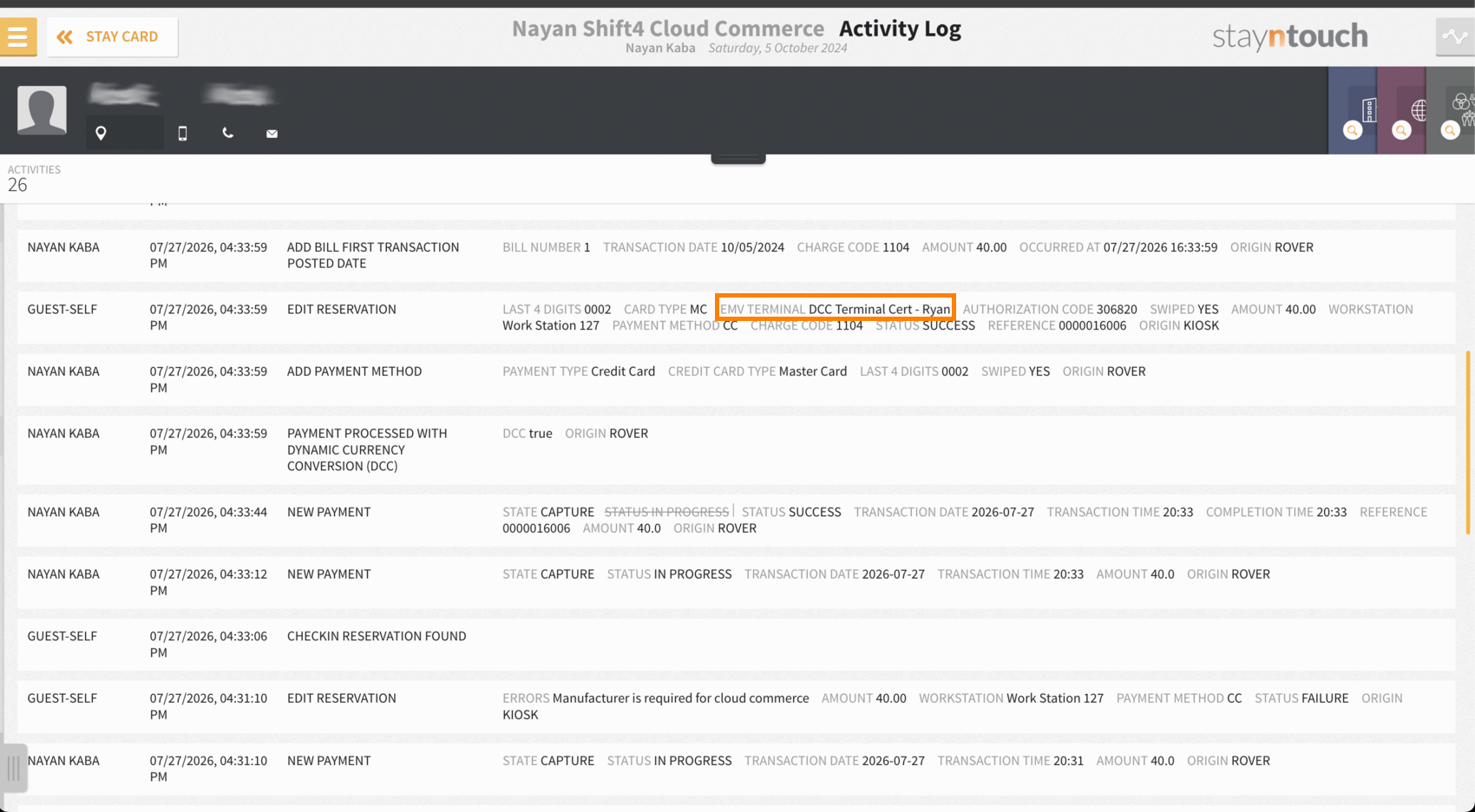
Shift4 payments made via Dynamic Currency Conversion log as such. Reservation and account activity feeds show “Payment processed with Dynamic Currency Conversion (DCC) via Shift4,” across check-in, check-out, Stayntouch Guest Mobility, and Stayntouch Guest Kiosk, giving staff a clean, consistent audit trail without any noise on non-DCC transactions.
Integrations
Visionline: Refactored on ASSA ABLOY’s Web APIs
The Visionline integration is refactored using ASSA ABLOY’s Web APIs. It supports granting access to common spaces, both generally and at the reservation level, and also supports Vostio via a protocol emulator. ASSA ABLOY has built support for wallet keys via Vostio.
Windsurfer: More Frequent Inventory Sync
Automatic inventory sync for Windsurfer integrations runs for 365 days once every 24 hours, and for 30 days every 4 hours. This is controlled by a feature toggle on the integration configuration screen and serves as a workaround until a permanent solution is in place.
Revinate: Cancellation Date & Time in the Reservation Message
Cancellation date and time are included in the reservation message sent to Revinate.
LRV Yield Adjustments for IDeaS: Fine-Tune Rates Against Last Room Value
Yield adjustments can be applied to rates against hurdle rates received from IDeaS, giving revenue teams finer control over pricing as Last Room Value shifts.
New Connect API Partners
The following new partners are available globally. Contact your Client Success Manager or Customer Support for more information.
Line | Sales & Catering
VConnect (Vostio) | Access Management
Namastay Booking Engine | IBE
Bounte | Lost & Found