Stayntouch PMS
Release Notes (v6.05)
Effective:
- 30 March 2026 (3pm EST) for customers using https://app.eu1.stayntouch.com/
- 2 April 2026 (6am EST) for customers using https://app.us1.stayntouch.com/
- 7 April 2026 (6am EST) for customers using https://app.us2.stayntouch.com/
TABLE OF CONTENTS
- Group Action Templates
- Action Manager Improvements
- Rate-Based Automated Actions
- Automated Actions Applied At Booking For Rates With Pre-Configured Actions
- Room Assignment Screen Enhancements
- Custom Export: Opt-In (News and Promo) Field
- Digital Registration Card: Purpose Of Stay Display
- Persistent Room Diary Filters
- Integrations
- For Developers
- Stayntouch IBE

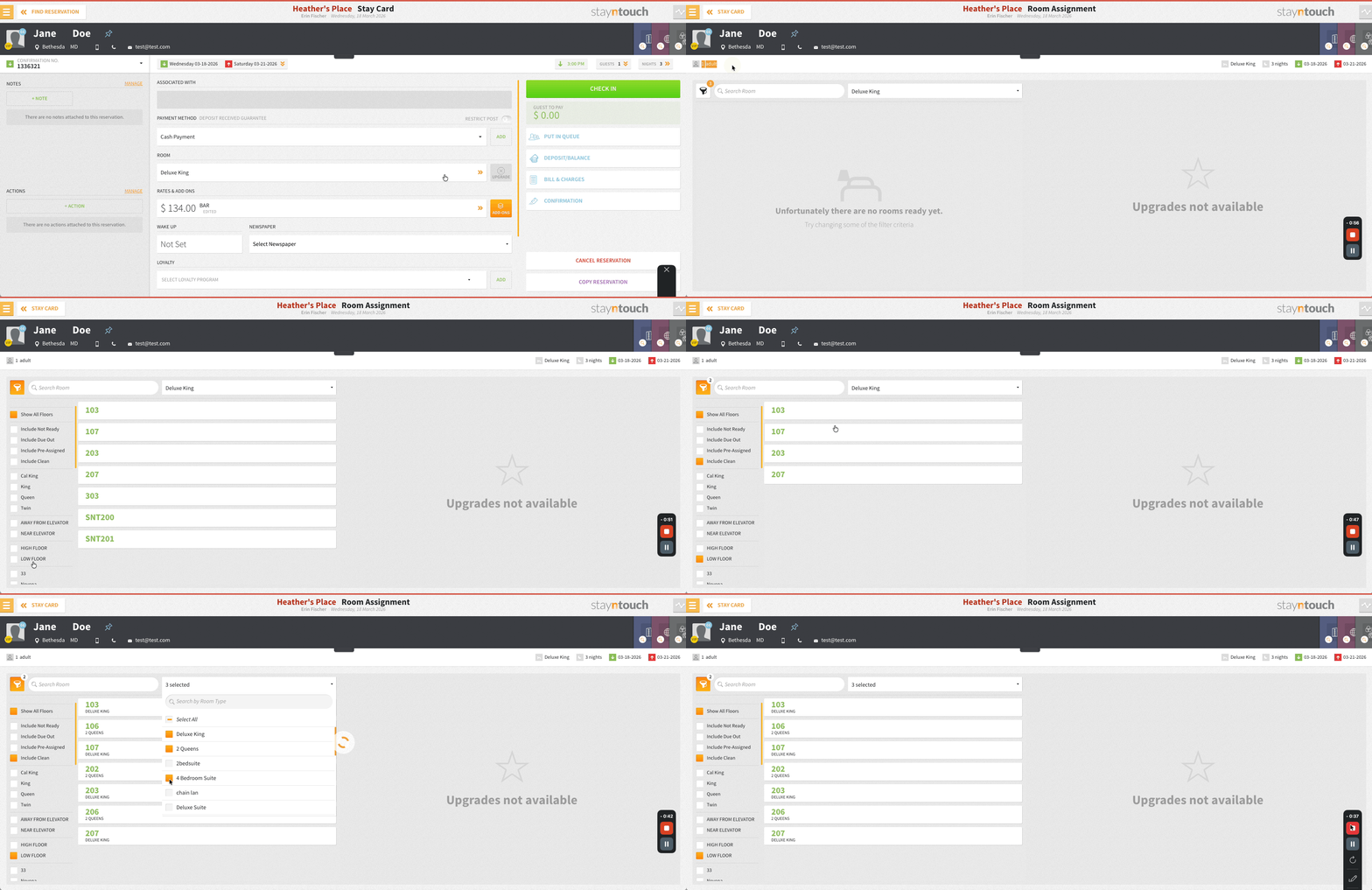
- The Room Assignment screen has been updated with occupancy details displayed using icons, helping front desk users make faster decisions. It also includes multi-select room type filtering and a filter count indicator for easier navigation.
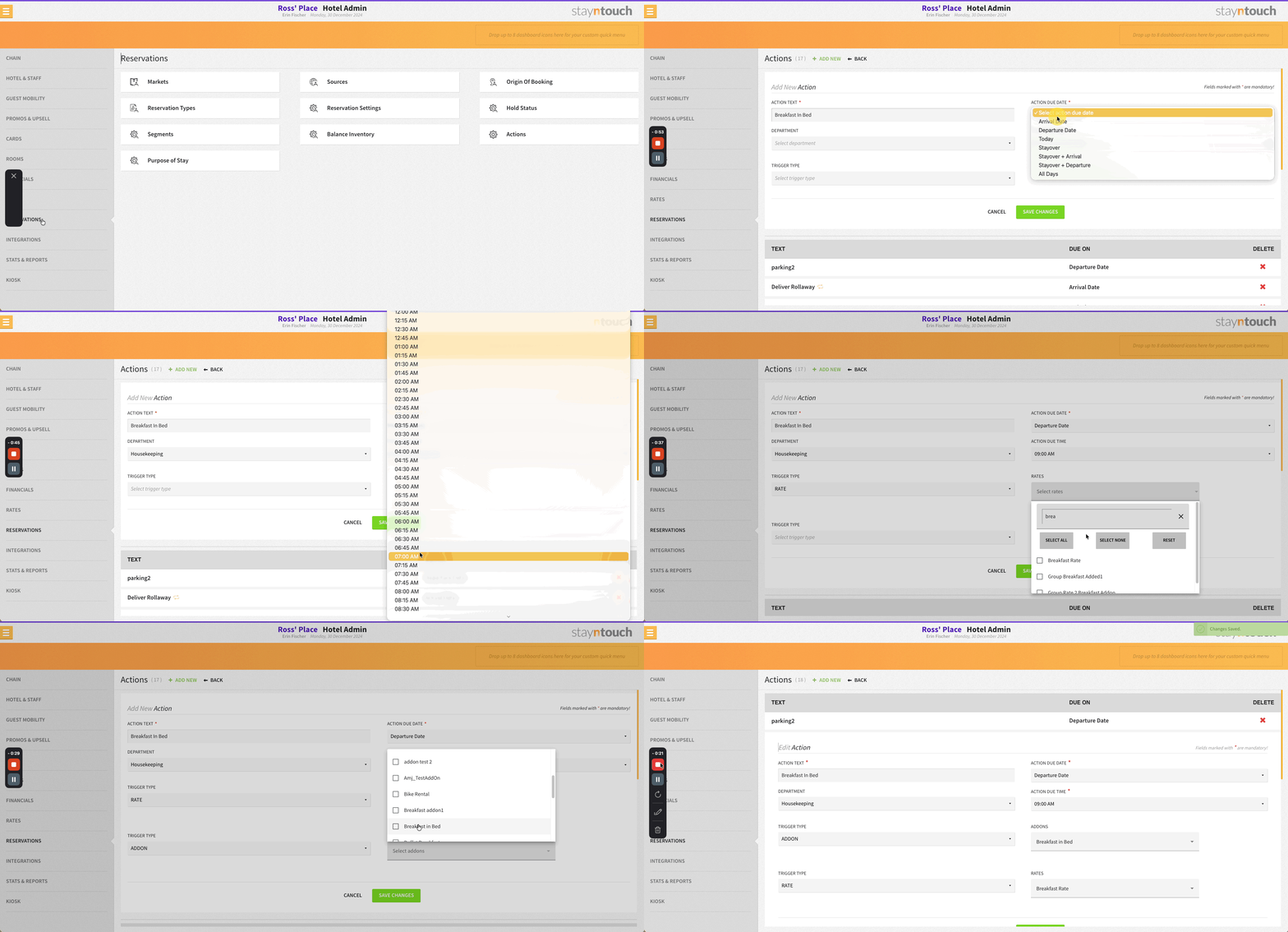
- Automated actions can be configured based on selected rates, with support for search, multi-select, additional conditions, and add-ons. When using a rate trigger, a Due Time must also be set for the automated action.
- CRS bookings linked to groups with missing or invalid rate codes will use the group’s default rate, ensuring all reservations have a valid rate assigned.
Group Action Templates
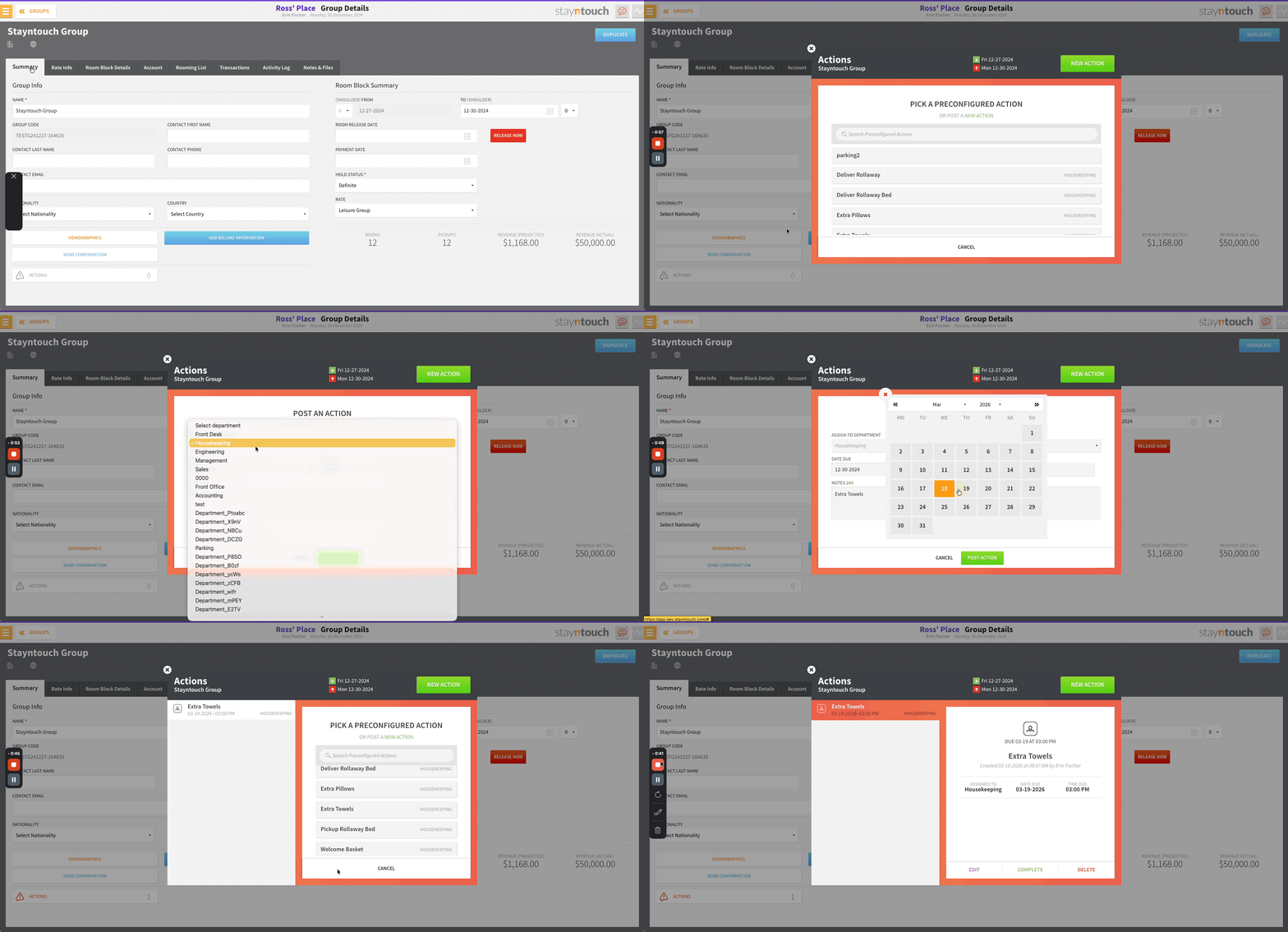
Pre-configured action templates are available from the Actions option in the group Summary tab.
- Select a template to auto-populate the action details
- Edit any template before saving, or create an action from scratch
- New icons in the group popup provide quicker navigation to common group functions
Action Manager Improvements
The Action Manager has been redesigned for better usability and task management.
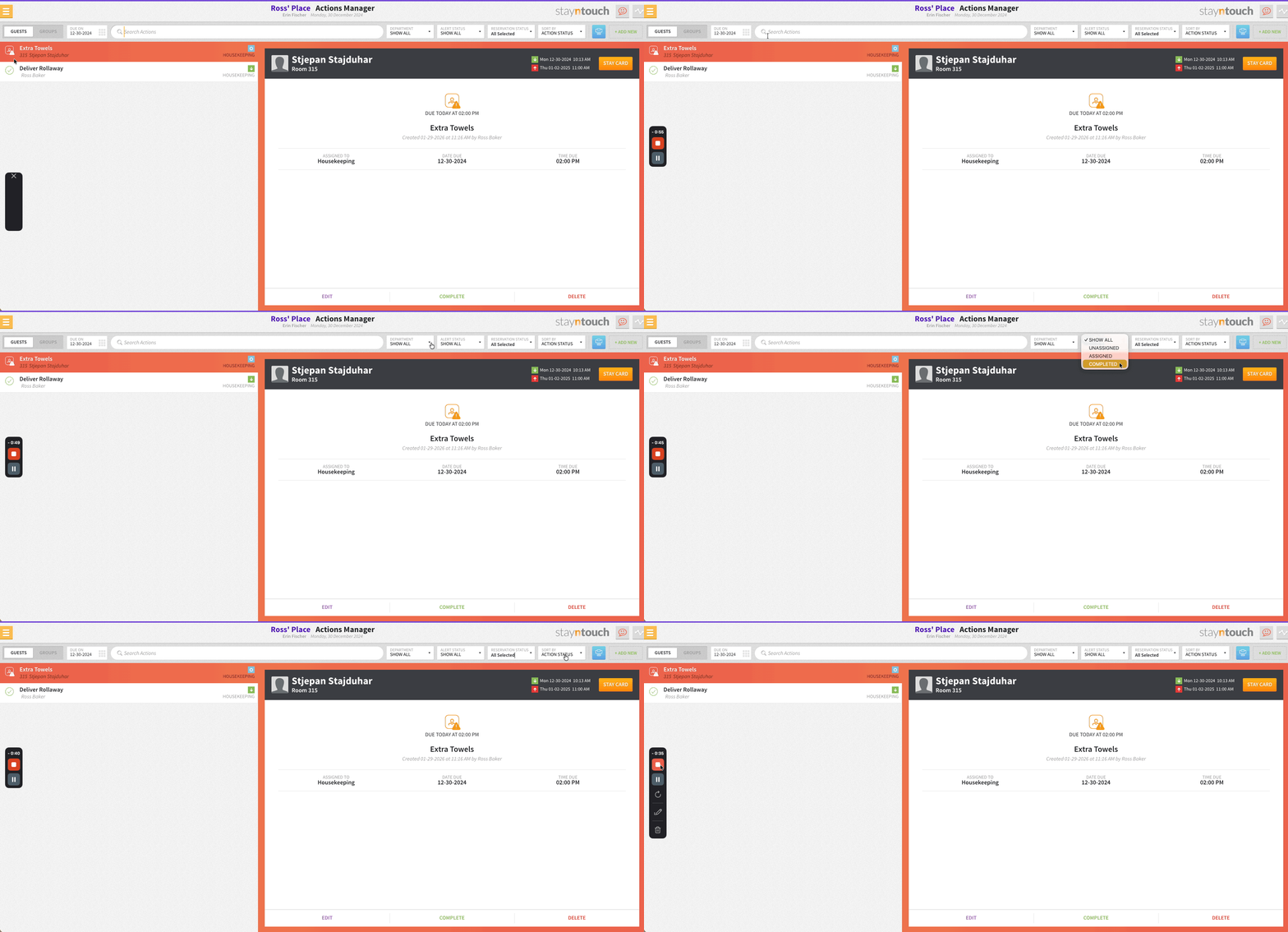
- New status icons distinguish between overdue, due today, not due, and done actions, with assigned and unassigned states for each
- Status badges display labels for Automated Actions, Reservation Status, and Group Status
- Filters are available for Room, Department, Alert, and Reservation Status
- Date or Department filter selections auto-populate when creating new actions
- Sorting options include Room, Name, and Action Status, with urgent and unassigned actions prioritized
- Preconfigured action templates are searchable and auto-filter based on the active department
Rate-Based Automated Actions
Automated actions can be triggered based on rates. From Settings > Reservations > Actions, select Rate as a Trigger Type and choose from active property rates using search and multi-select. Once a rate trigger is configured, an additional trigger dropdown appears to add further conditions. Add-On triggers are also supported, displaying available add-ons and their related automated actions. When using a Rate trigger, Due Time is required.
Automated Actions Applied At Booking For Rates With Pre-Configured Actions
When a reservation is created with a rate that has configured automated actions, the actions are automatically added to the reservation with the template details, assignment, and scheduling based on the stay. This applies across all booking channels. Automated actions are indicated with an “A” label for easy identification.
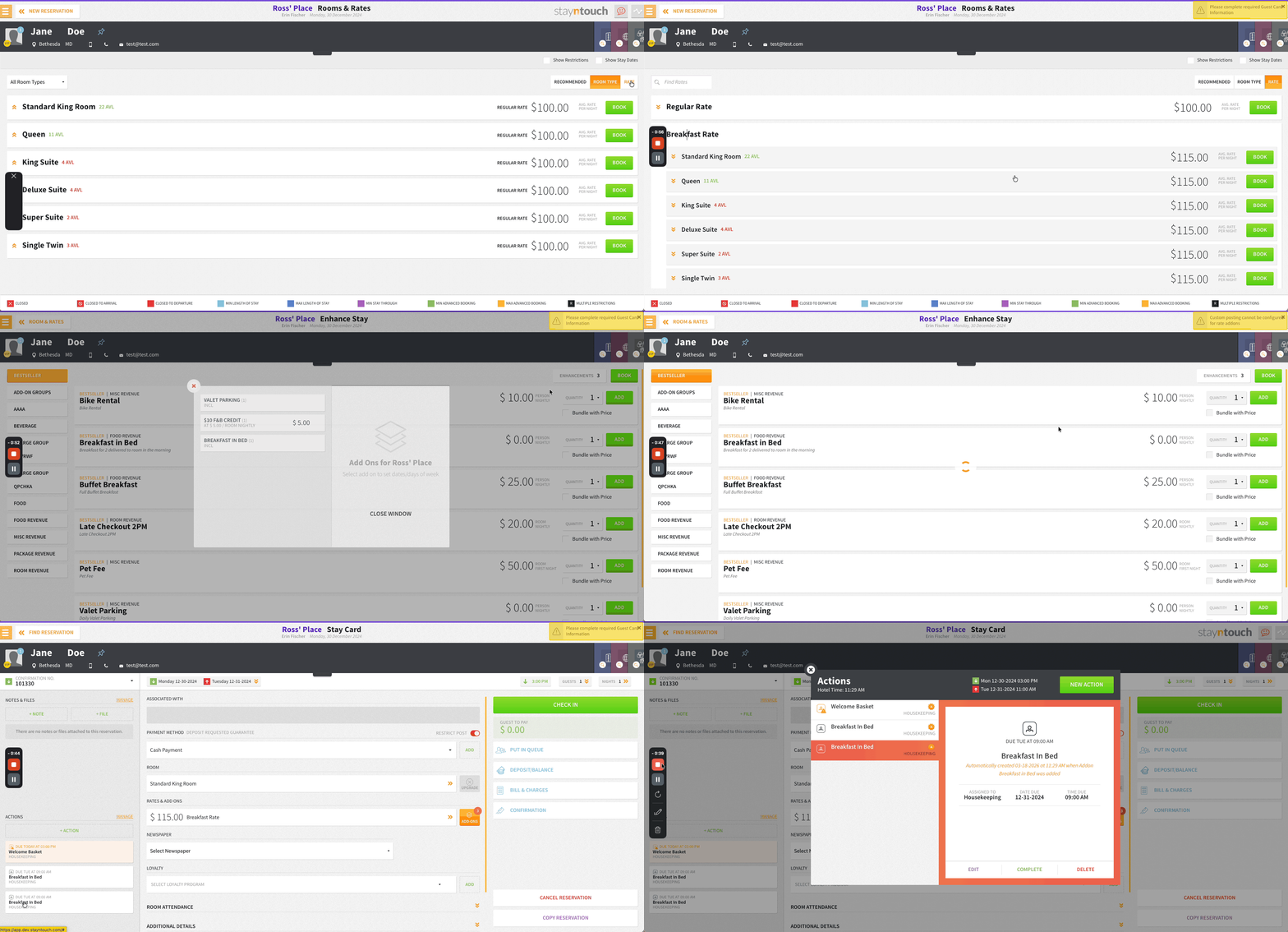
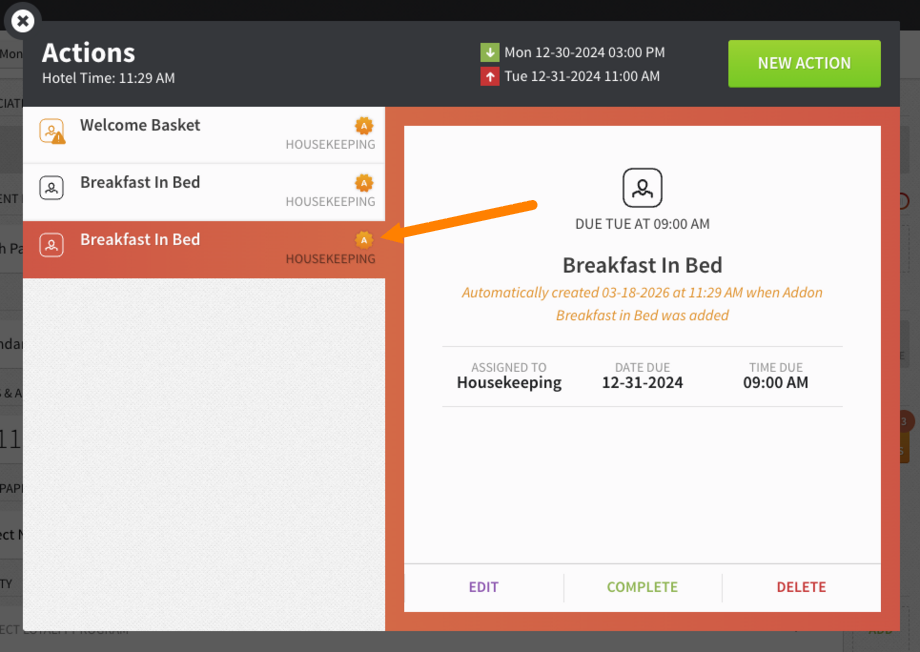
When a reservation’s rate is changed to one with configured automated actions, the system posts the relevant actions using the predefined template, assigns them to the correct department, and sets the due date based on the reservation details. These actions are marked with an “A” indicator.
Room Assignment Screen Enhancements
- Room headers display the number of adults, children, and infants, each with a dedicated icon for quick identification
- The Room Type dropdown supports multi-select (defaulting to the assigned type), allowing users to view multiple room types at once
- The Filter button displays the number of active filters, so users can easily see when filters are applied
These updates streamline room selection with clearer occupancy details and more flexible filtering.
Custom Export: Opt-In (News and Promo) Field
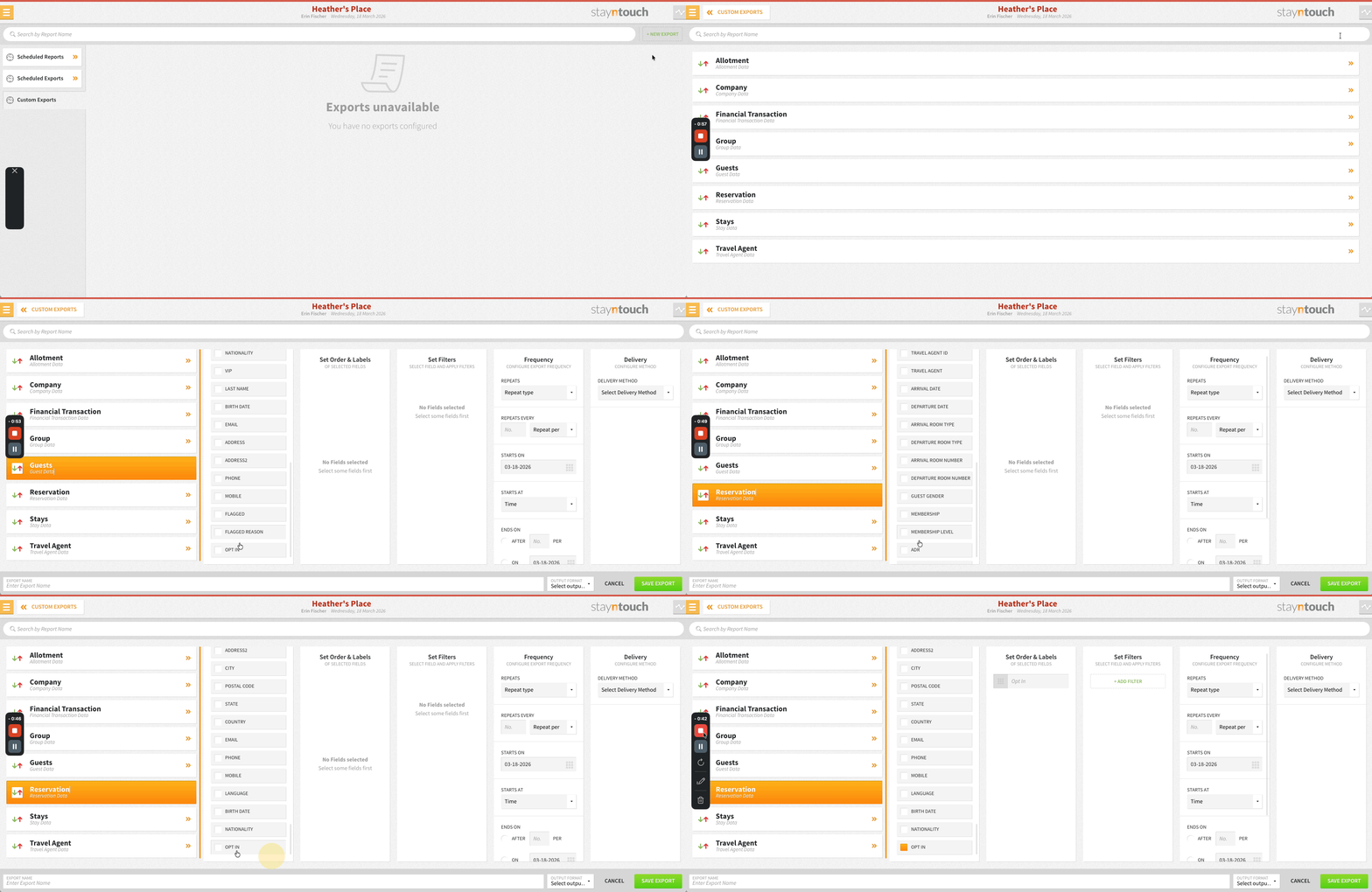
The Opt-In (News and Promo) field is available in both Guest and Reservation custom exports (Reports > Schedule a Report/Export > Custom Exports). The field can also be used as a filter with YES/NO options. Exports reflect the guest’s selection: YES if opted in, NO if not.
Digital Registration Card: Purpose Of Stay Display
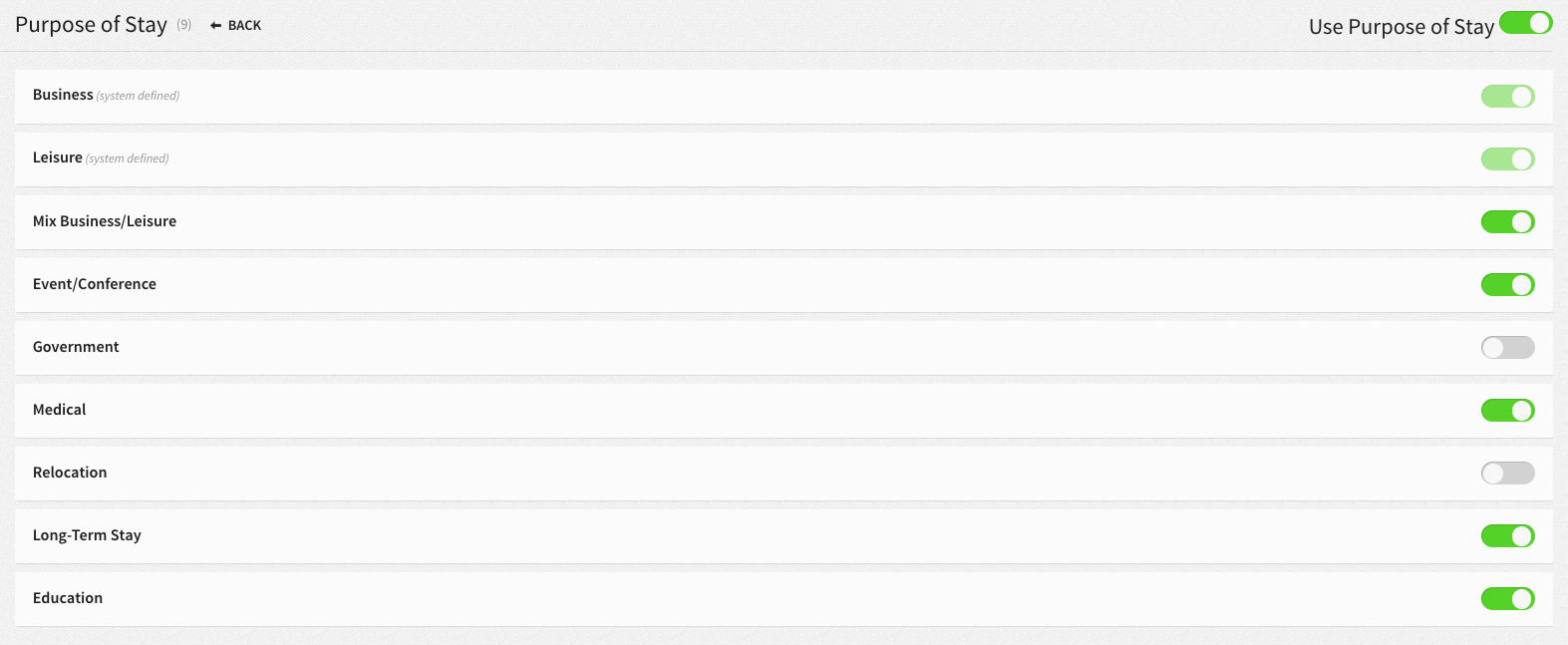
The digital registration card displays only the purposes of stay that are toggled ON in Settings > Reservations > Purpose of Stay. Previously, all purposes of stay were displayed, including those toggled OFF.
Persistent Room Diary Filters
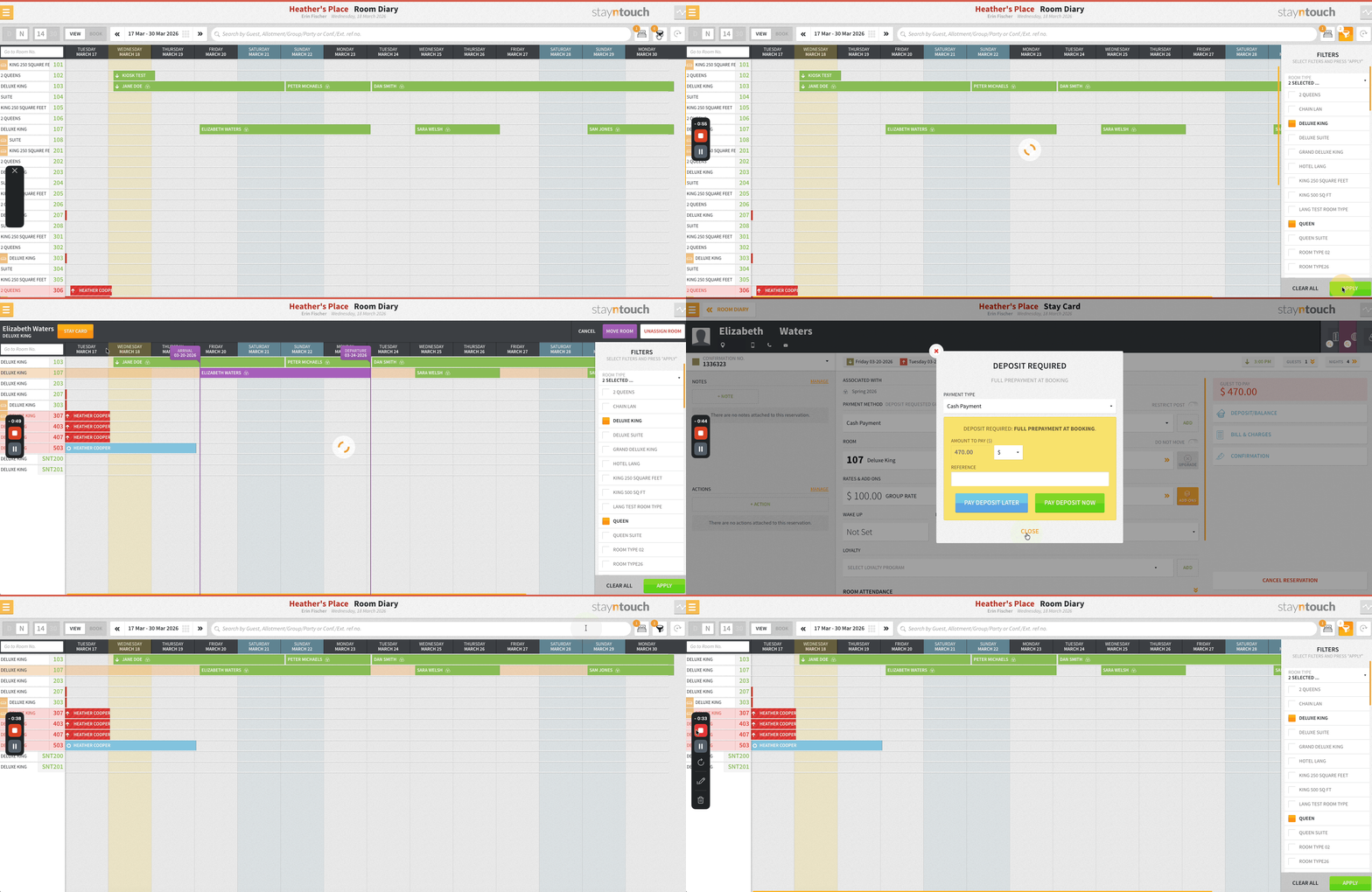
Filters in Front Desk > Room Diary remain active after viewing stay cards. Previously, filters were reset after opening a stay card, requiring users to reapply them each time.
Integrations
CRS Bookings With Allotments & Add-Ons
CRS bookings with allotments and add-ons linked correctly include external references and activity logs. Add-ons are attached as expected whether they come from the reservation, rate, or allotment header.
Rate Fallback For Group Reservations
Custom or rate code group reservations with missing or invalid rate codes now automatically use the group’s default rate instead of setting rate_id to 0. If the group’s default rate is also invalid, the system falls back to the integration’s default rate. Valid rates remain unchanged. All fallback events are logged for monitoring.
Impact:
- Prevents EOD and reporting errors caused by zeroed rates
- Supports handling of converted custom groups
- Ensures all reservations have a valid rate
Connect APIs: New Integration Partners
Stayntouch PMS integrates with the following new partners. For more information, contact your Client Success Manager or Customer Support.
SALIDO | POS | Available Globally
Loyco | Loyalty Program | Available Globally
Statler BI | Business Intelligence | Available Globally
Loyalist | CRM | Available Globally
Touch Stay | Guest Technology | Available Globally
Peppol Integration (Belgium)
Stayntouch PMS integrates with the Peppol network for properties operating in Belgium. Peppol is a standardized framework for the secure exchange of electronic invoices and procurement documents between organizations.
Invoice data is transferred from Stayntouch PMS to Peppol via SFTP, where it is converted into a Peppol-compliant electronic invoice. This ensures regulatory compliance with Belgian e-invoicing requirements and interoperability with other organizations connected to the Peppol network.
For Developers
Connect APIs: Billing Address & Secondary Email In Guest Endpoints
The GET /guests and GET /guests/{id} endpoints return a new billing_address object (id, address_line1, address_line2, city, state, postal_code, country_code) along with secondary_email for each guest. Partners can use this data for invoicing and follow-up communications.
Stayntouch IBE
Alphabetical Ordering For Extras
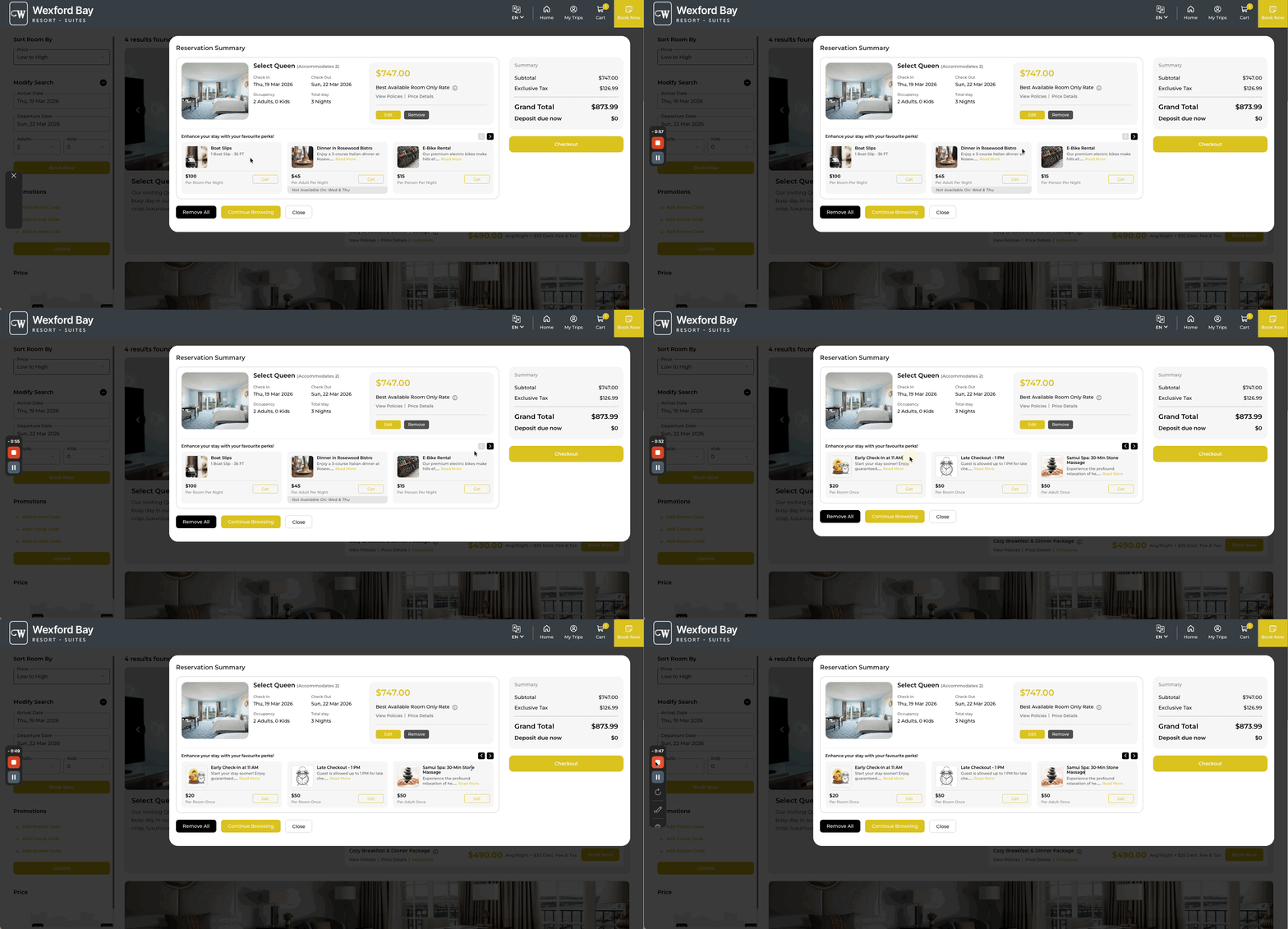
Extras (separately purchased add-ons) in Stayntouch IBE are displayed in alphabetical order based on the add-on name configured in the PMS. To control the display order, adjust the add-on names accordingly.
Multiple Deposit Calculation By Arrival Date
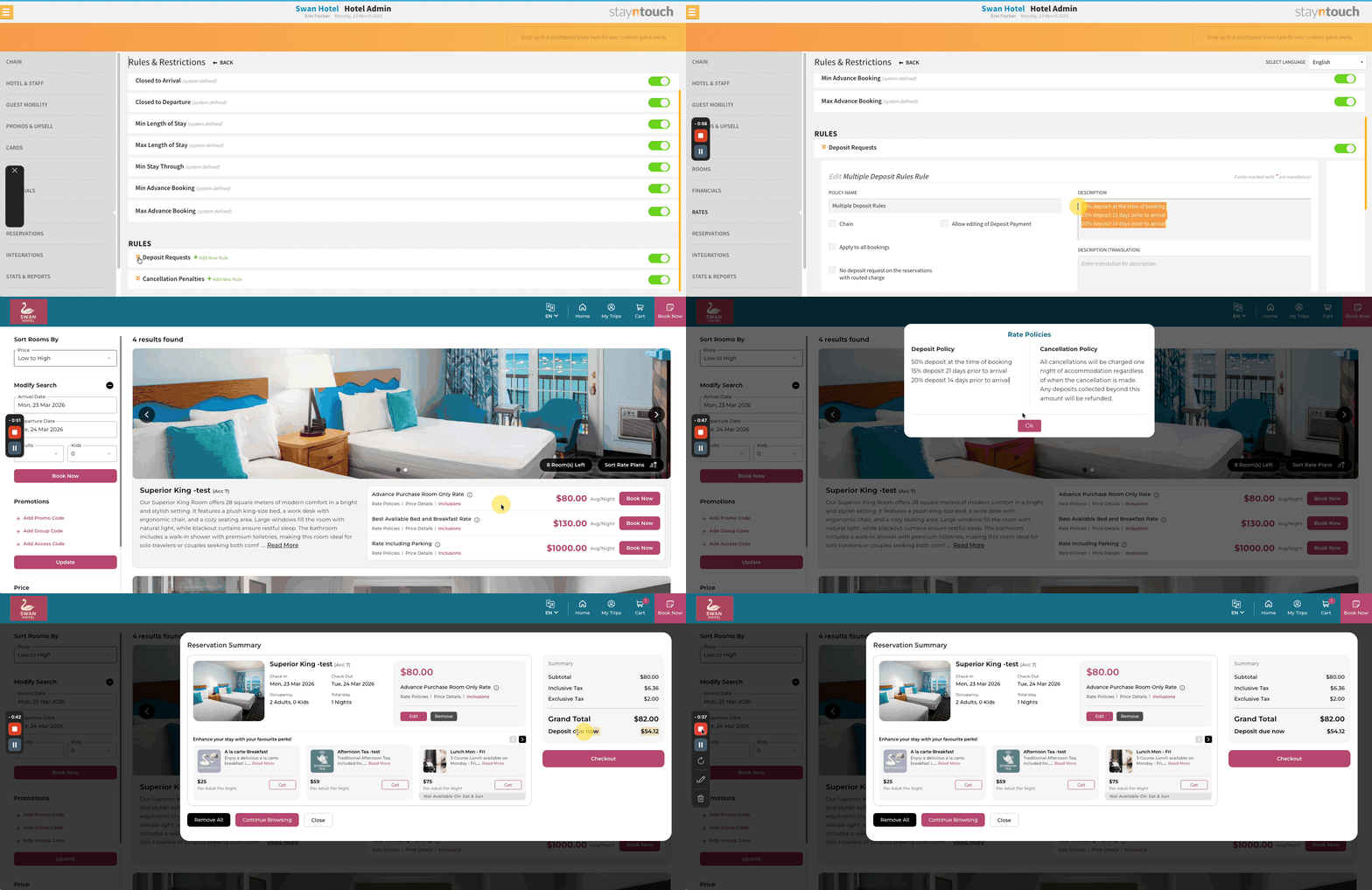
Stayntouch IBE supports deposit policies with multiple schedule rules. At the time of booking, the IBE evaluates which schedules are due based on the guest’s arrival date and calculates the total deposit accordingly. When multiple schedules apply, each is calculated on the remaining balance after the previous deposit, matching the PMS calculation logic. Hotels should ensure that deposit and cancellation policy descriptions in the PMS are clear and up to date, as the IBE reads directly from these.
Stayntouch IBE: Accurate Deposit Tracking In My Trips
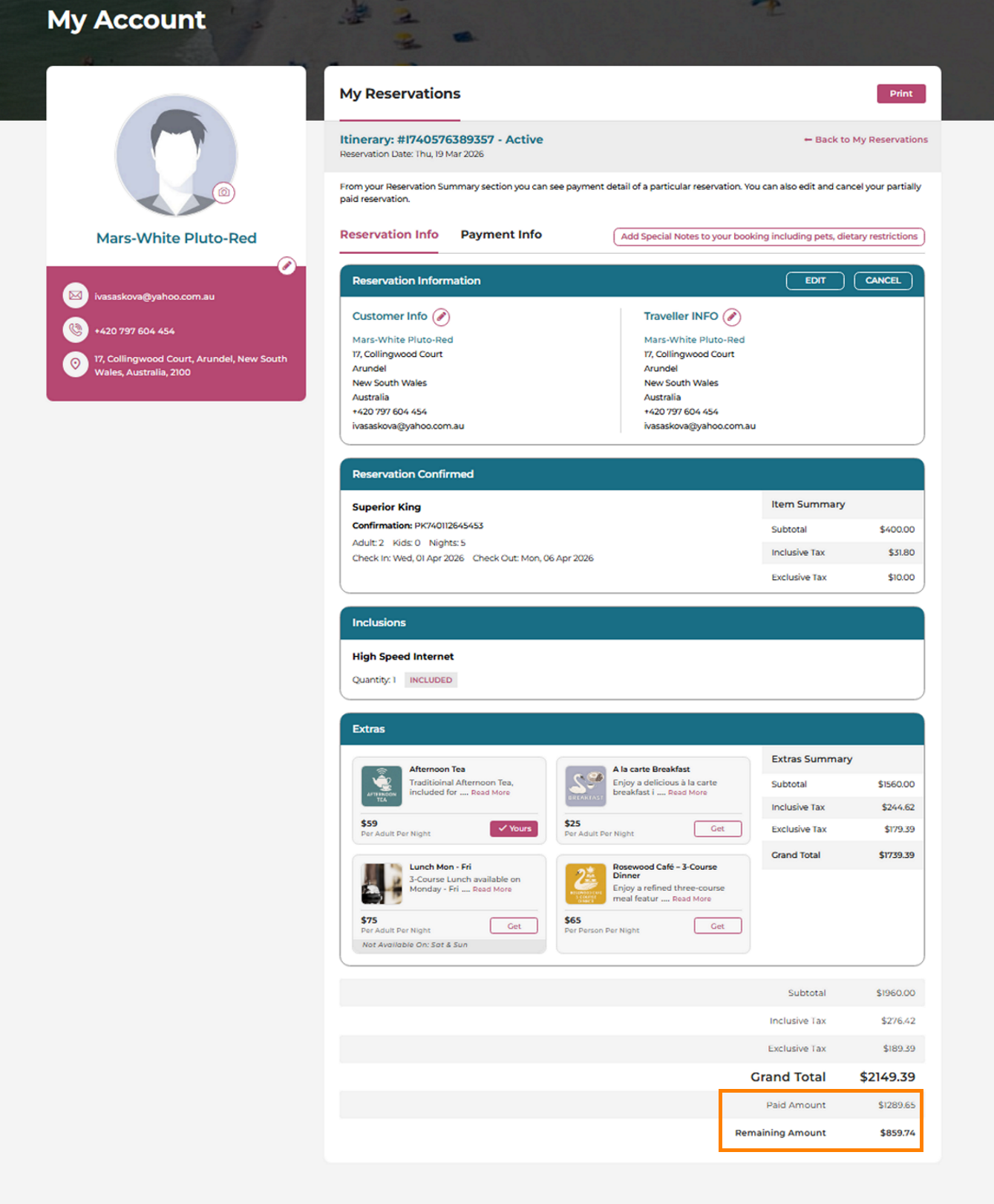
Guests can now see the exact deposit already paid on their booking, sourced directly from real-time reservation data. This ensures a clear, reliable view of both deposit paid and deposit due, fully aligned with PMS records—no matter how or when the payment was collected.