
Applies to:  Stayntouch PMS
Stayntouch PMS Toast POS: Tender Type Selection
Issue: Unable to process room charges when a customer attempts to use a specific payment method, and Toast POS displays the following error: "Payments through Stayntouch are currently unavailable."
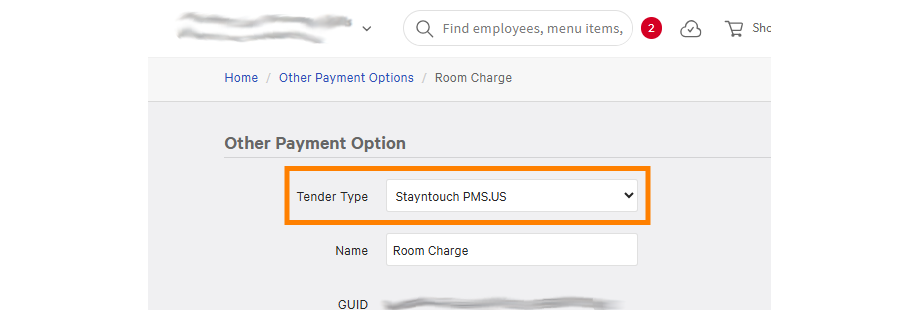
Solution: To ensure your room charge setup syncs correctly in Stayntouch PMS, you'll need to select the specific Tender Provider in Toast POS.
- Navigate to Other Payment Options > Room Charge in the Toast settings.
- Select the correct Tender Type.
Please note, this integration is available only in the US and Canada.