Stayntouch PMS
Release Notes (v6.04)
Effective:
- 3 March 2026 (6am EST) for customers using https://app.us2.stayntouch.com/
- 5 March 2026 (6am EST) for customers using https://app.us1.stayntouch.com/
- 10 March 2026 (3pm EST) for customers using https://app.eu1.stayntouch.com/

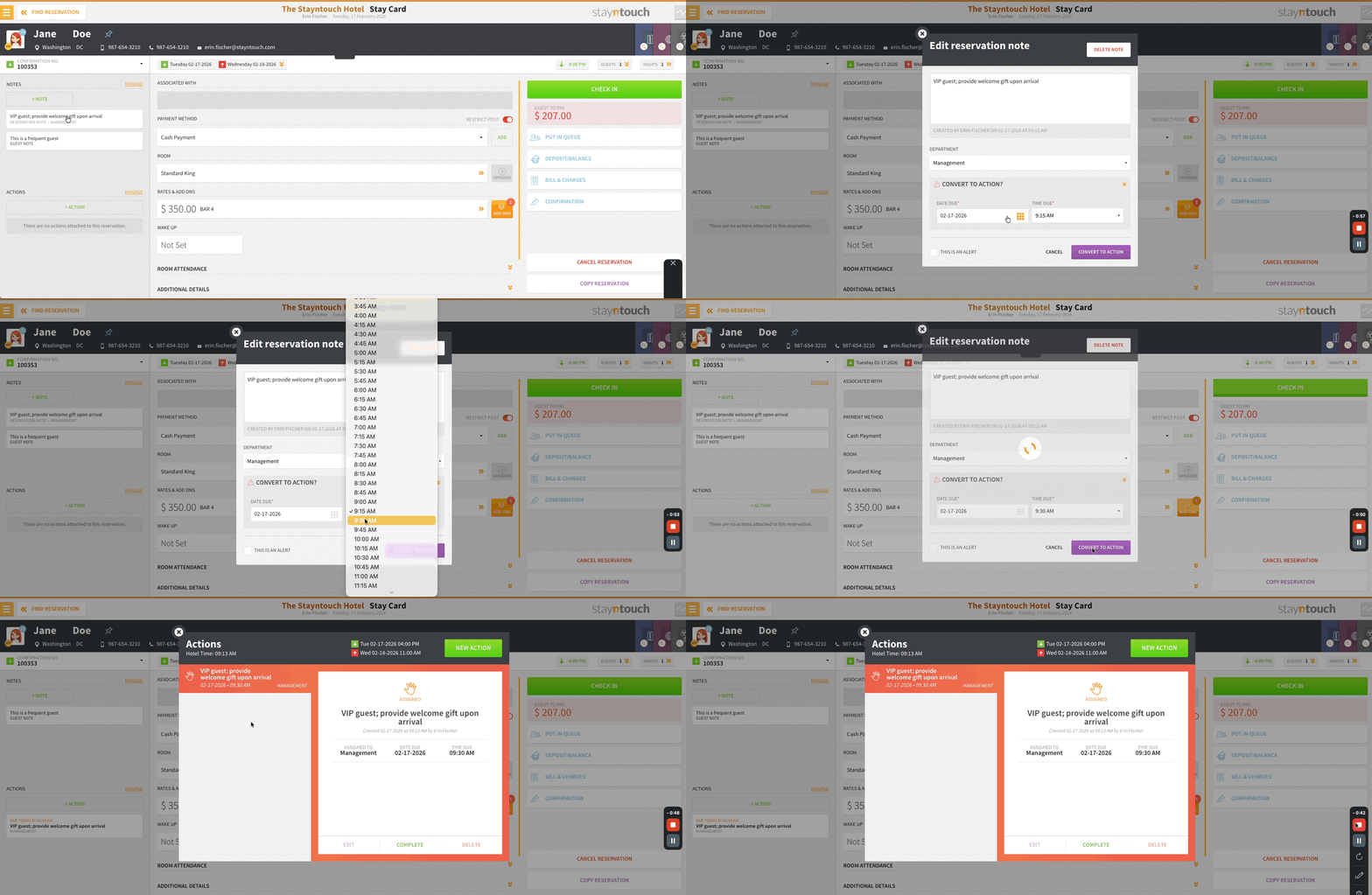
- Convert Notes to Actions: Notes can be converted into trackable tasks with due dates and times.
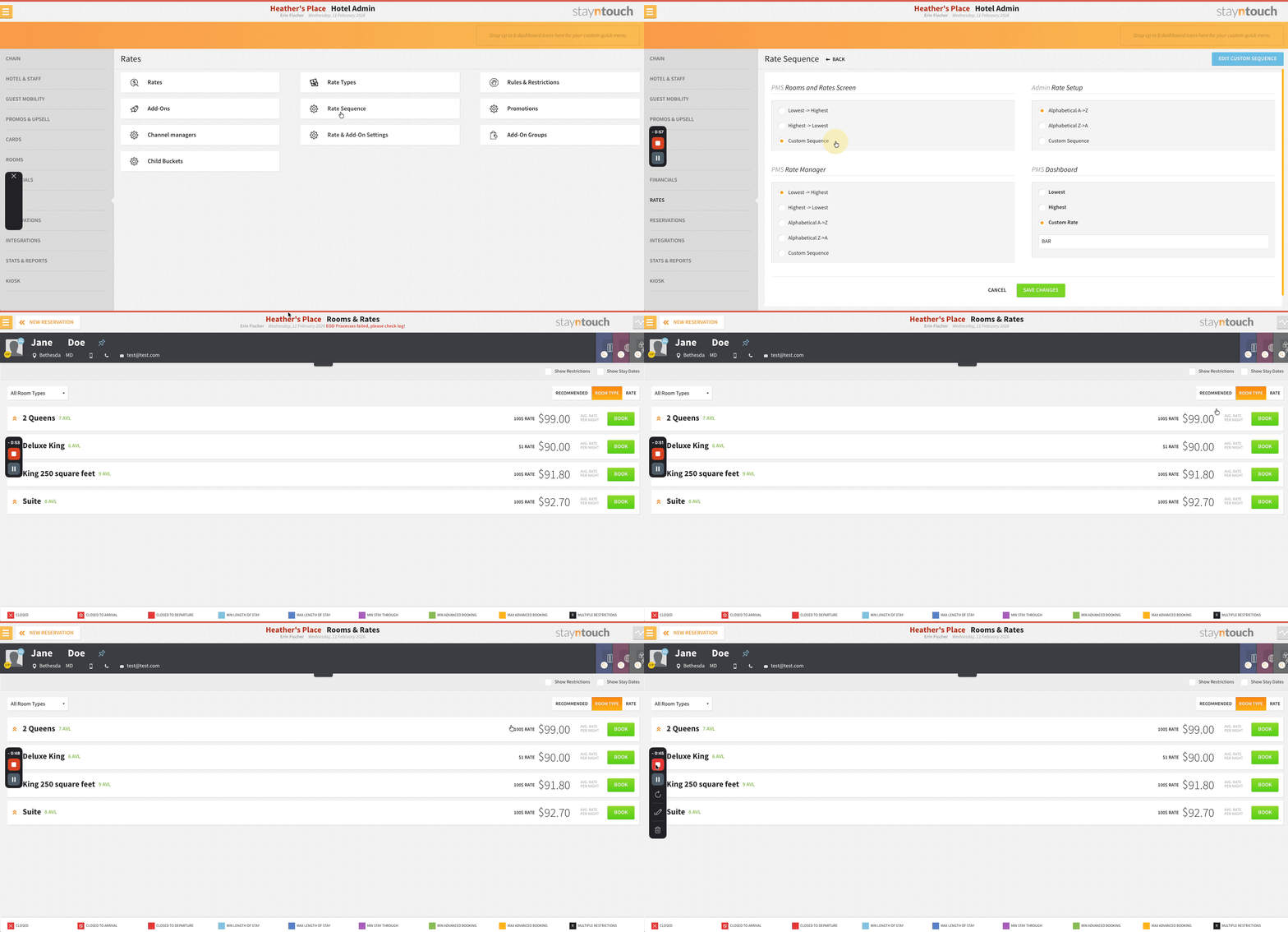
- Room Type Booking Respects Configured Sort Order: Rates display the correct rate name tied to the shown price and no longer default to Best Available Rate.
TABLE OF CONTENTS
Reservations
Turn Notes Into Actionable Tasks
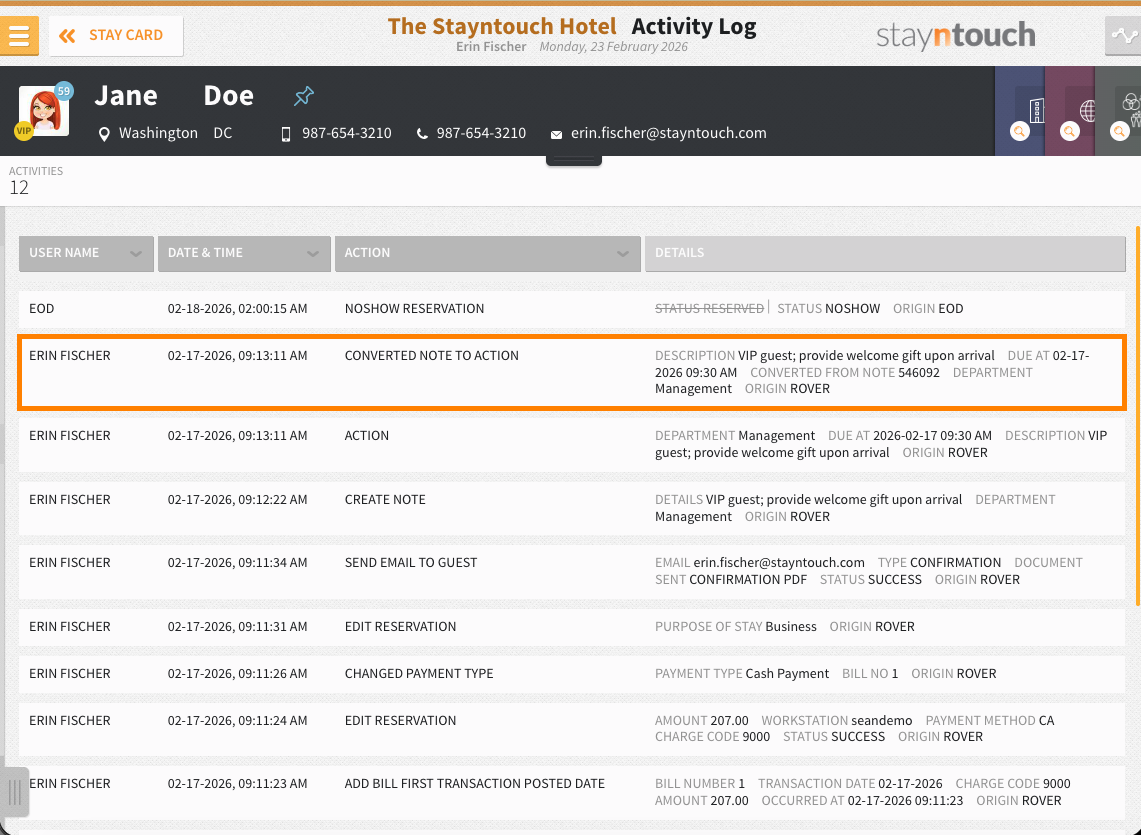
Notes can be converted into actions with due dates and times by expanding the Convert to Action? section, setting a deadline, and selecting Convert to Action. All original details and alerts are preserved, with no need to retype anything. The due date defaults to the arrival date.
Rates
Reservation Creation: Rate Name Order
Room type booking respects the sort order configured in Settings > Rate > Rate Sequence > PMS Room and Rates Screen (Lowest > Highest, Highest > Lowest, or Custom Sequence). Rates display the correct rate name tied to the shown price and no longer default to Best Available Rate.
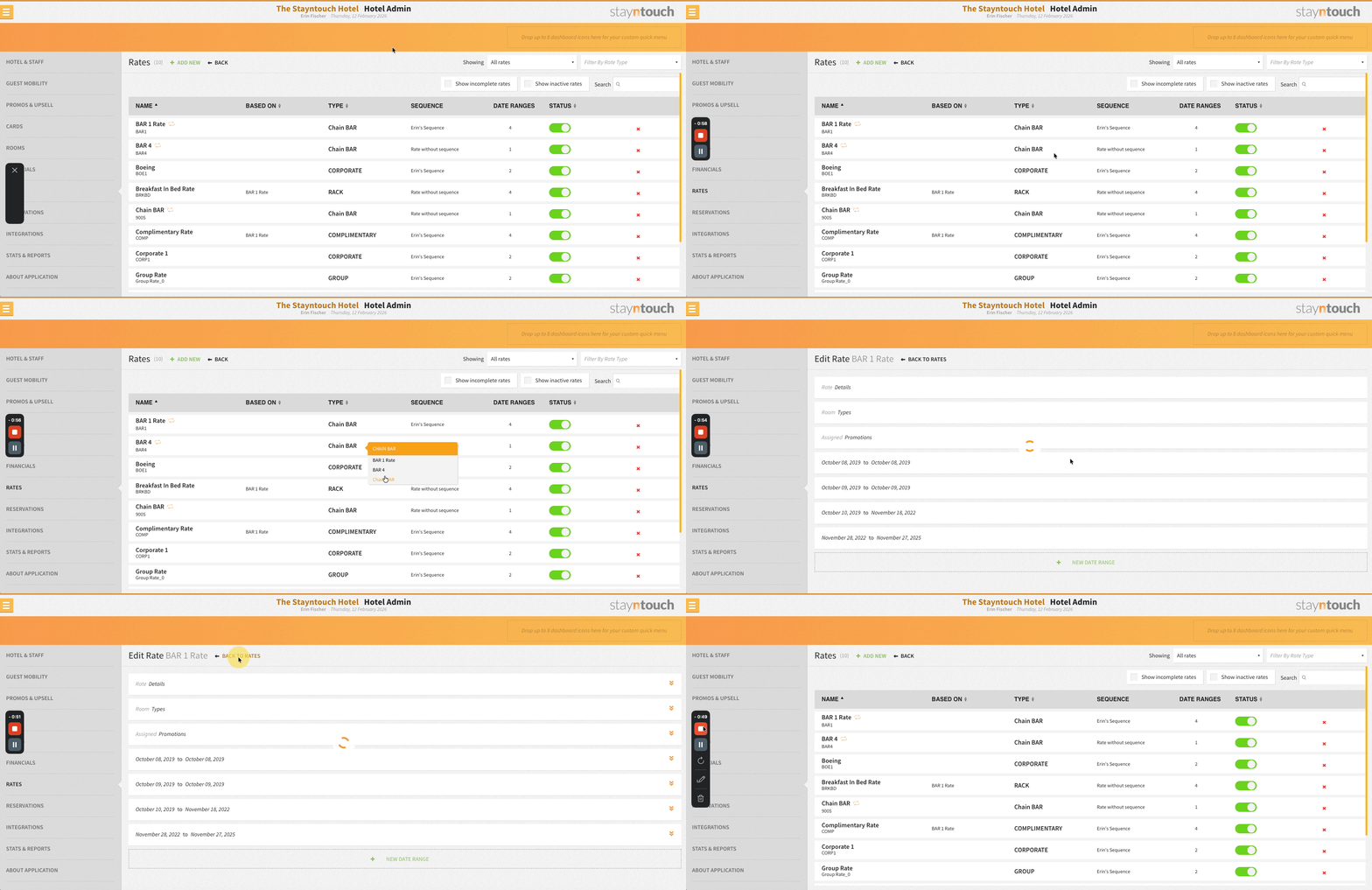
Faster Rate Navigation
From the Rates screen (Settings > Rates > Rates), hovering over the Type value reveals all rates under that rate type. Select any rate to navigate directly to it and use the back button to return.
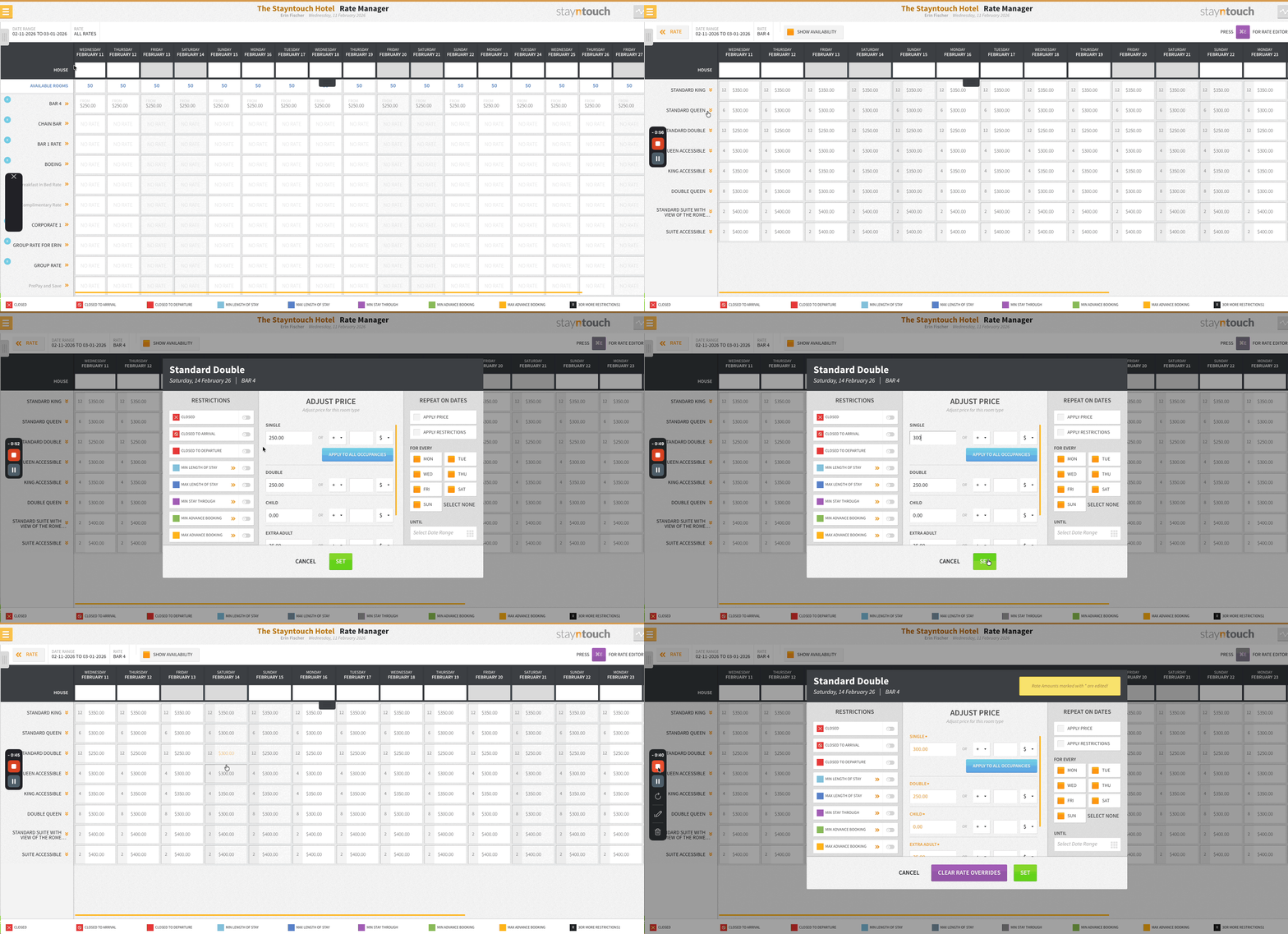
Stayntouch Rate Strategy: Maintain Rate Overrides In Rate Manager
Rates manually overridden in Revenue Management > Rate Manager are no longer affected by subsequent Stayntouch Rate Strategy updates. When a rate is overridden, it is locked at the set value and remains unchanged even when a new strategy is published as a result of occupancy threshold changes.
Invoices
Suppressed Rate View On Invoices
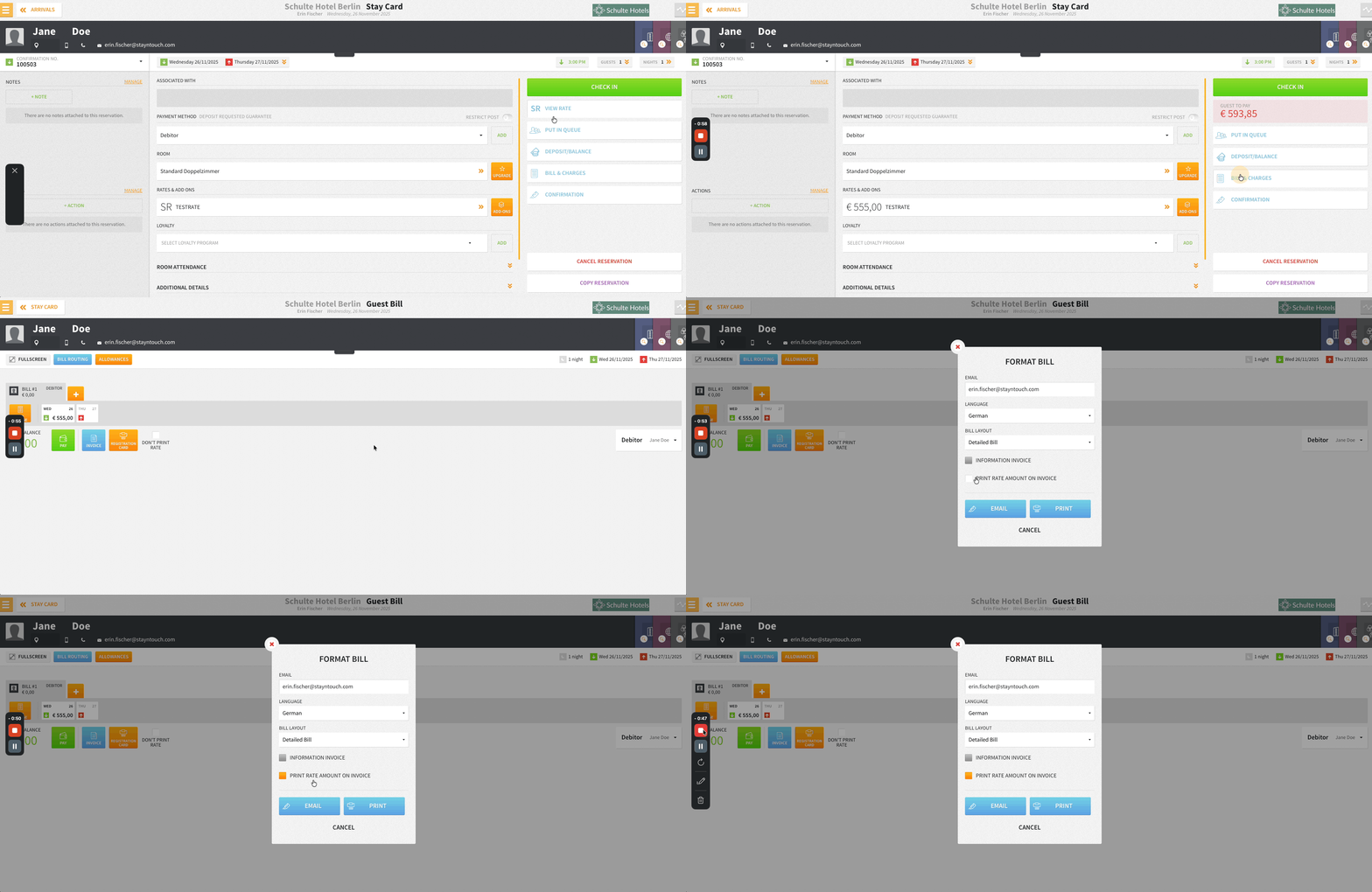
Suppressed rate (SR) details can be printed or emailed on invoices using the new Print rate amount on invoice checkbox in the Print/Email Invoice popup.
Available only when:
- The reservation is an SR reservation
- The invoice is manually printed or emailed (not automated)
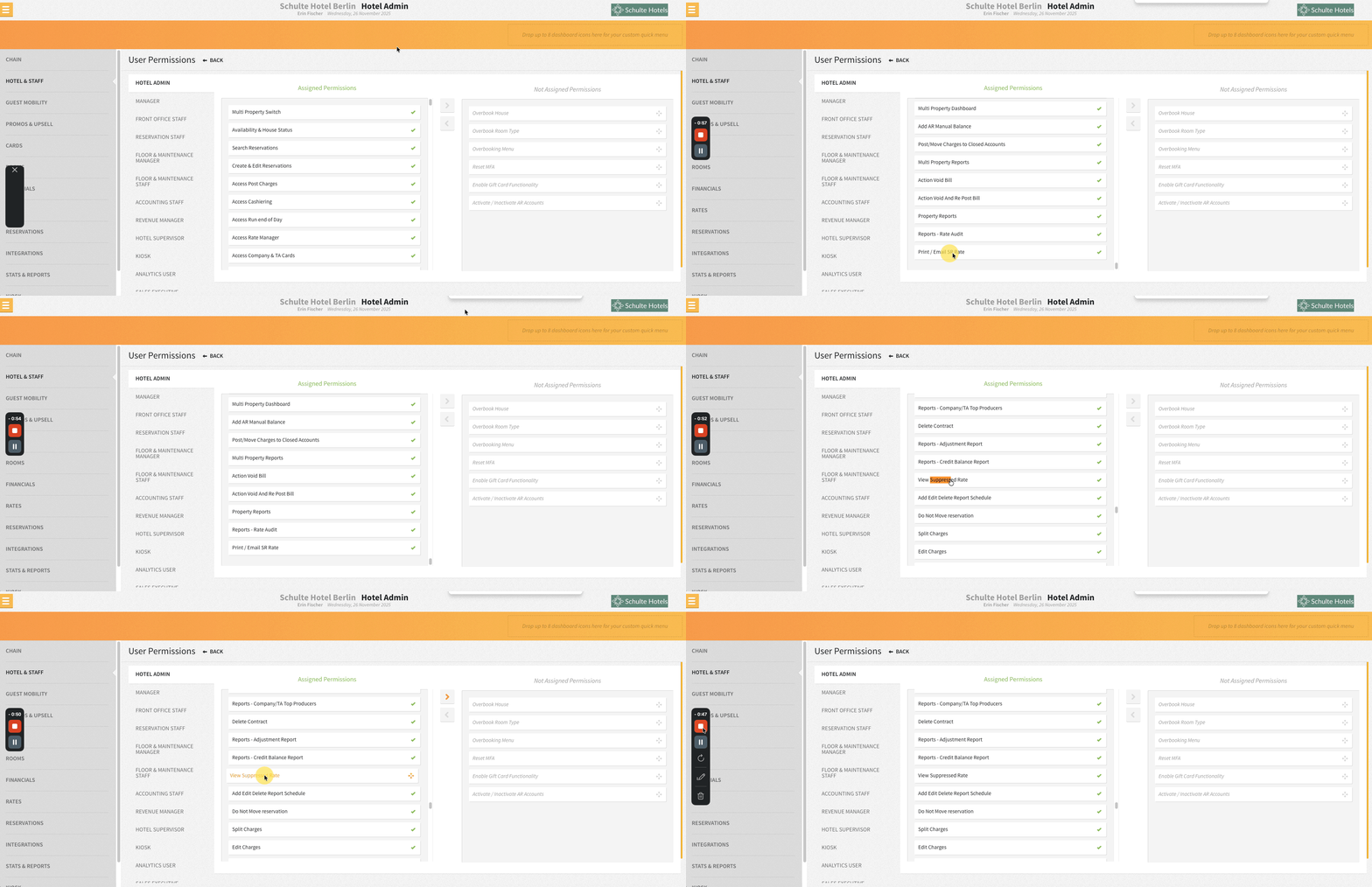
- The user has both View Suppressed Rate and Print/Email SR Rate permissions assigned in Settings > Hotel & Staff > Permissions
The Print/Email SR Rate permission is not assigned to any user group by default. The option is not available for non-SR reservations or routed bills.
Multi-Factor Authentication
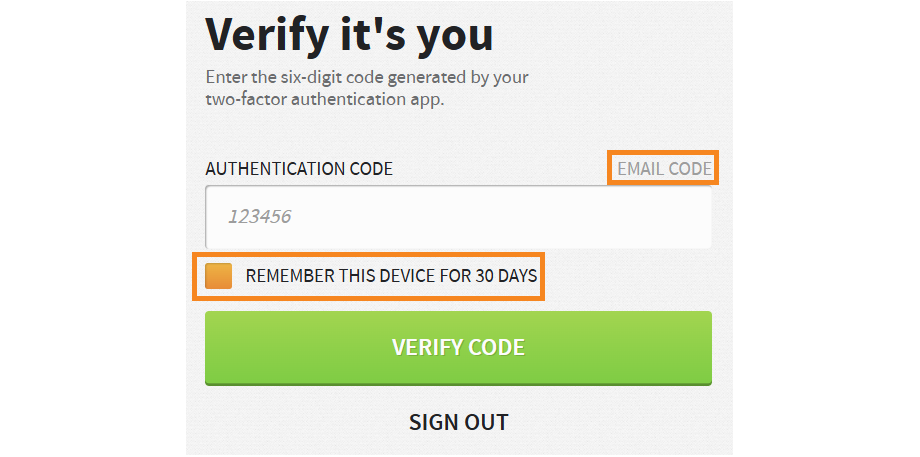
Streamlined MFA: Remember Trusted Devices For 30 Days (Email OTP)
When using Email Code as the MFA method, selecting Remember This Device For 30 Days keeps the OTP valid for 30 days on that device, removing the need to enter a code on every login.
Reports
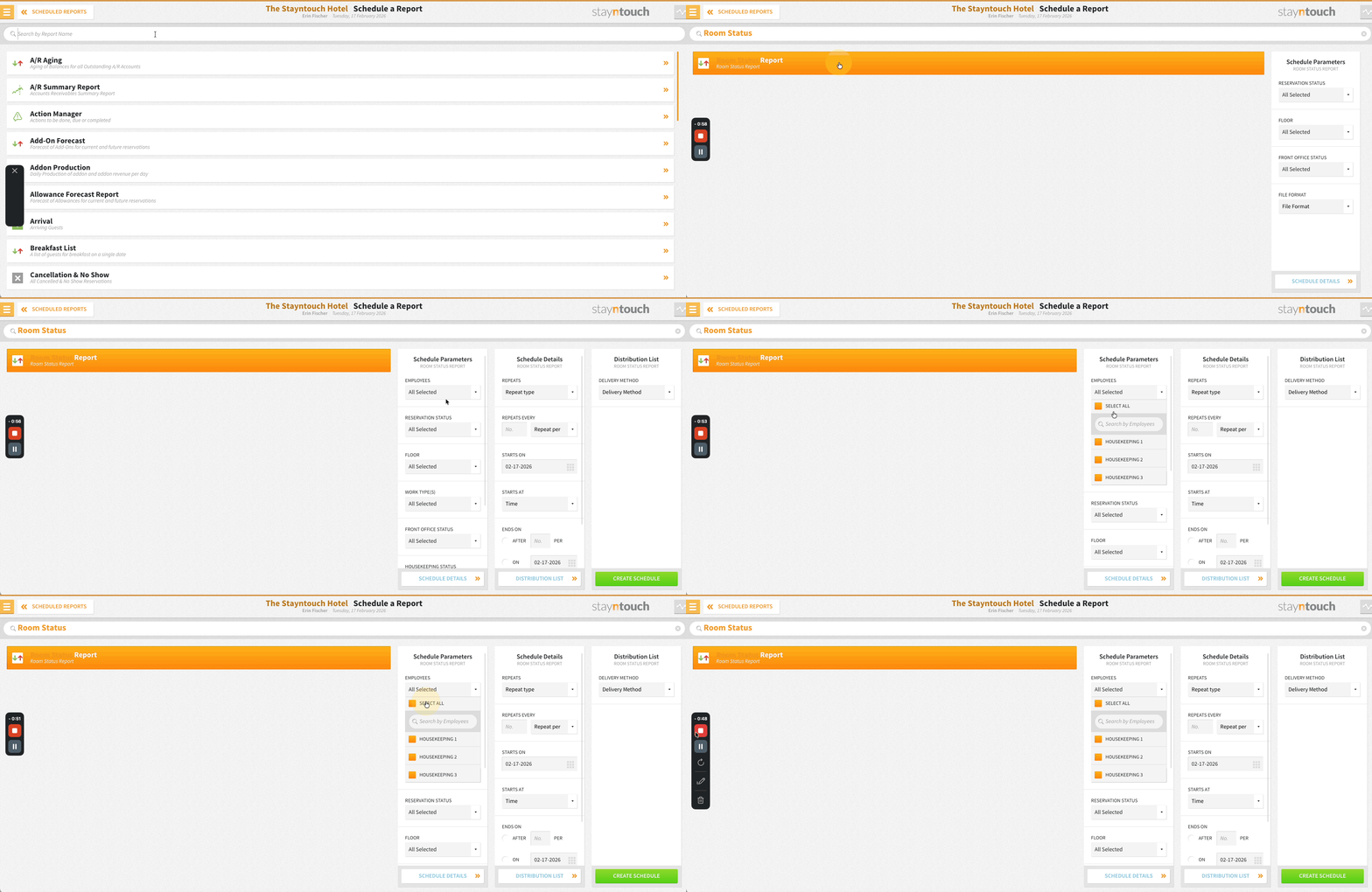
Room Status Scheduled Report: "Select All" Behavior
Select All/Select None behavior in the Room Status scheduled report has been updated. Choosing Select All ensures all employees appear on the report regardless of what is selected in the dropdown. This ensures no rooms are omitted from the report regardless of the employee dropdown configuration.
Integrations
Tourist Tax Adjustment For iHotelier Reservations
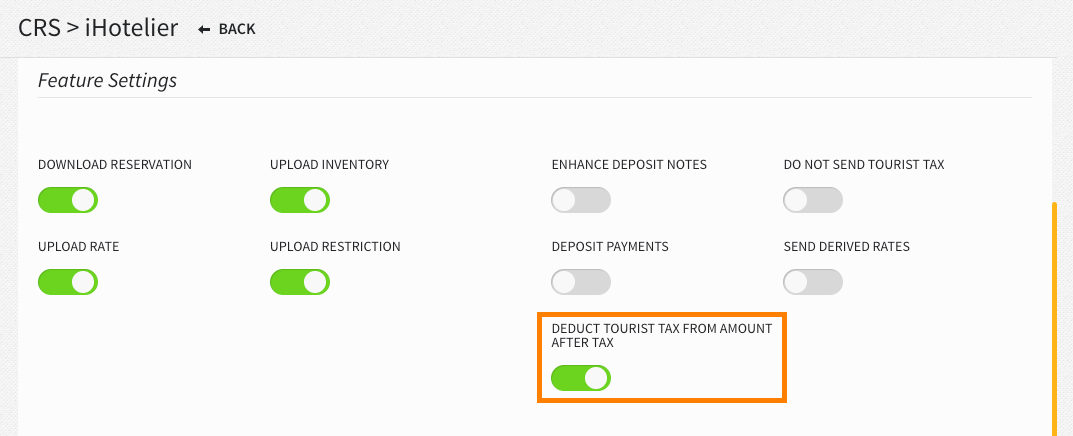
A new Deduct Tourist Tax From Amount After Tax toggle in Settings > Integrations > Central Reservation System > iHotelier automatically deducts Tourist Tax (City Tax) from the AmountAfterTax in inbound reservation messages from Travelclick/iHotelier. This can be activated when iHotelier is configured with taxes set to Not In Rate and taxes are posted in the PMS only.
The deduction is applied per day, including multi-rate stays, and applies to both Create and Modify reservation flows. This ensures accurate revenue amounts in the PMS when VAT/Tax is inclusive and Tourist Tax is configured as exclusive.
Connect APIs: New Integration Partners
Stayntouch PMS integrates with the following new partners. For more information, contact your Client Success Manager or Customer Support.
LaderaAI | Business Intelligence | Available Globally
Directful | CRM | Available Globally
Nebula POS | POS | Available Globally
For Developers
Connect APIs: Return Purpose Of Stay Code In Reservations Endpoints
purpose_of_stay_code is returned across reservations endpoints (GET /reservations, /summary, /{id}, /due_in, /checked_in) when the PMS Purpose of Stay feature is active. This returns the reservation’s assigned label (e.g., “Business”), an empty string if none is assigned, or is omitted entirely if the feature is inactive.
Stayntouch IBE
Extras: Separately Purchased Add-Ons
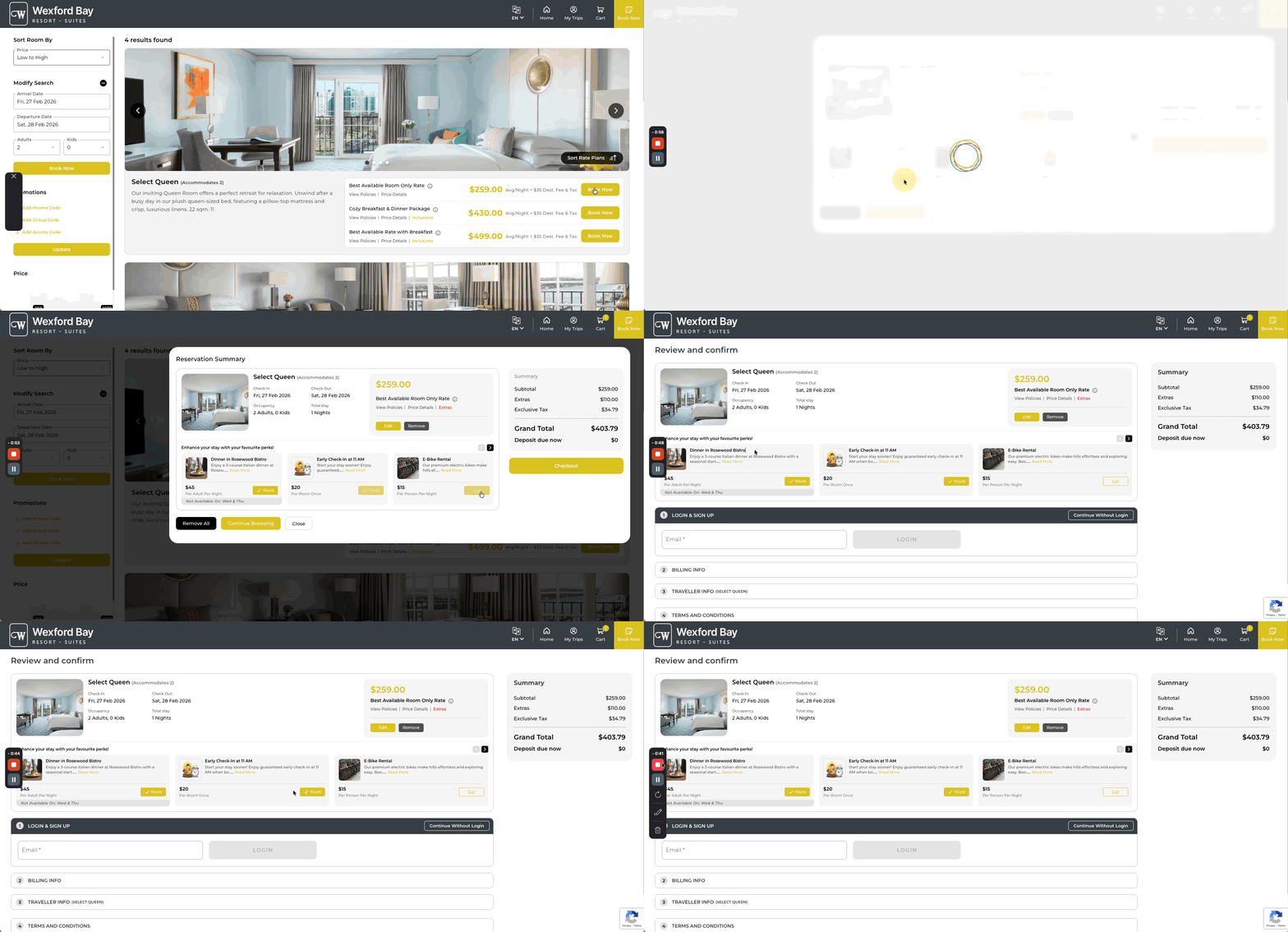
Hotels can offer guests the ability to purchase add-ons directly during the booking journey in Stayntouch IBE. This long-anticipated feature enhances the guest experience, drives conversion, and generates incremental revenue opportunities.
- Add-ons marked as Online in Settings > Rates > Add-Ons are automatically displayed as Extras in the IBE.
- Setup reads directly from existing PMS configuration, requiring no duplicate work.
- Add-on name, description, and images are critical to the guest-facing display and overall experience.
Please contact Customer Support to activate this feature. They will guide you through the complete setup, including naming, descriptions, images, and the Online flag configuration.