Applies to:  Stayntouch PMS
Stayntouch PMS 
[NEW!] Flexible Auto Charge Scheduling
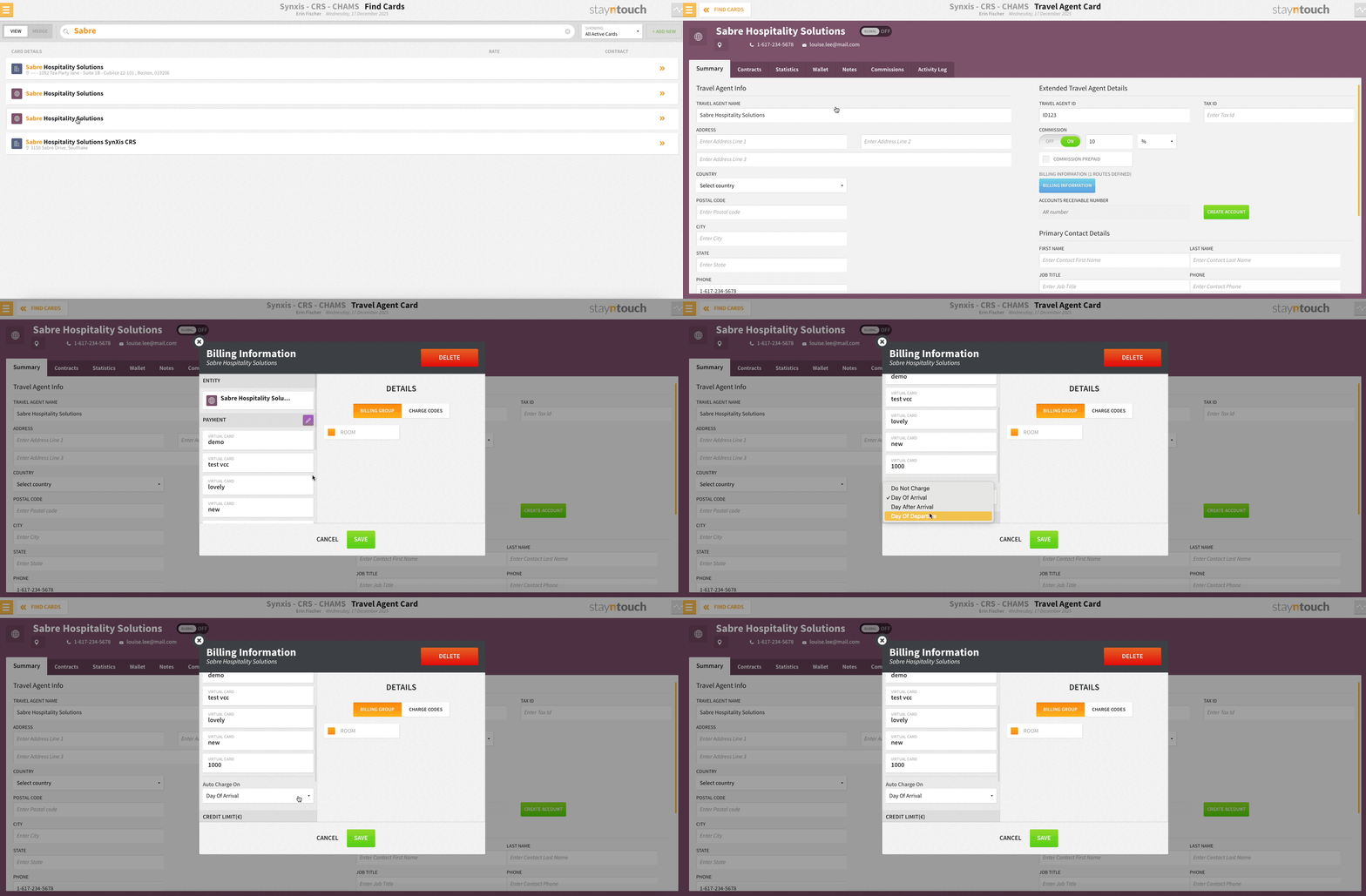
Choose exactly when routed charges are collected with new trigger options via Revenue Management > Company & TA Cards > Select Card > Summary tab > BILLING INFORMATION. From the Auto Charge On dropdown, you can now also select Day of Arrival, Day After Arrival, or Day of Departure to align payment collection with your property’s policies and guest experience strategy.