
 Stayntouch PMS
[IN PILOT] Automated Actions
Hotel Admin users can now automate actions via Settings > Reservations > Actions > + ADD NEW when specific add-ons are added to reservations. New ACTION DUE DATE options give full control over timing: Stayover, Stayover + Arrival, Stayover + Departure, and All Days. Easily configure automation with the new AUTOMATE ACTION dropdown, select add-ons via a searchable multi-select list, and save rules with persistence. Actions will post automatically based on your configured schedule.
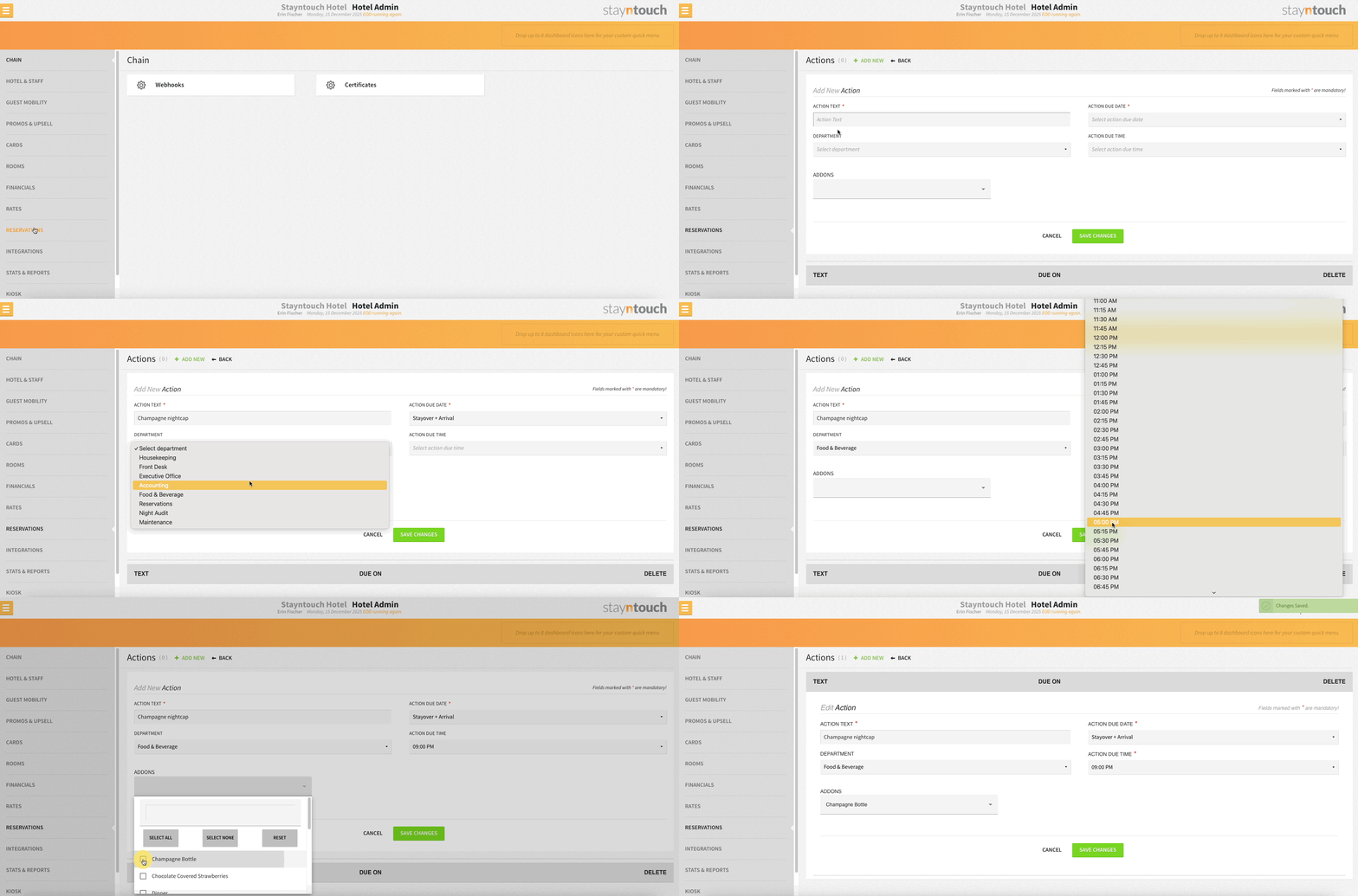
This functionality must be enabled by Stayntouch Admin, so please contact Customer Support to enable it for your property. Once the pilot is complete, this functionality will be enabled for all properties.
Automated Add-On Actions
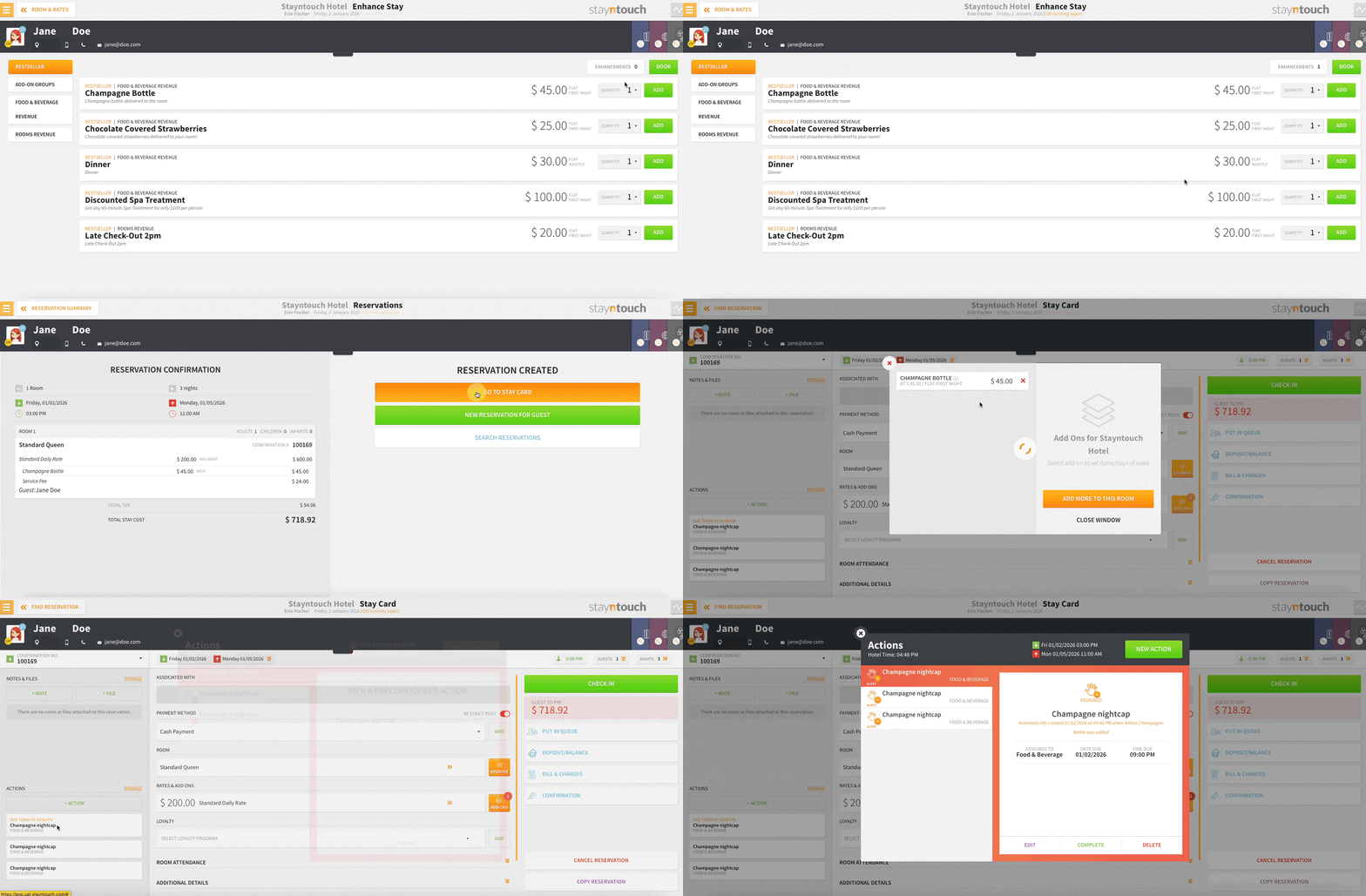
When adding configured add-ons to a reservation—whether manually, as a rate, or for a group—the associated action is now automatically posted using the pre-set template, assigned to the correct department, and due date calculated based on reservation settings. No more manual steps!
Easily Spot Automated Actions
Action icons now display an “A” and a timestamp label, making it clear which actions were automatically created. Indicators appear across the Actions Manager, stay cards, and group popups, and update dynamically if actions are manually edited—all while retaining full action functionality.