
Applies to:  Stayntouch PMS
Stayntouch PMS Toast Room Charge Error – Tender Type Setup
Issue: When attempting to process a Room Charge in Toast, the user receives an error immediately after selecting the payment type.
Cause: This error occurs when the Room Charge tender type in Toast does not match the site’s configured PMS server.
Resolution: Verify that the Room Charge tender type in Toast is set correctly based on the PMS server the site is using:
- Sites using https://app.us1.stayntouch.com/: Tender type must be set to Stayntouch
- Sites using https://pms.us.stayntouch.com/: Tender type must be set to Stayntouch PMS.US
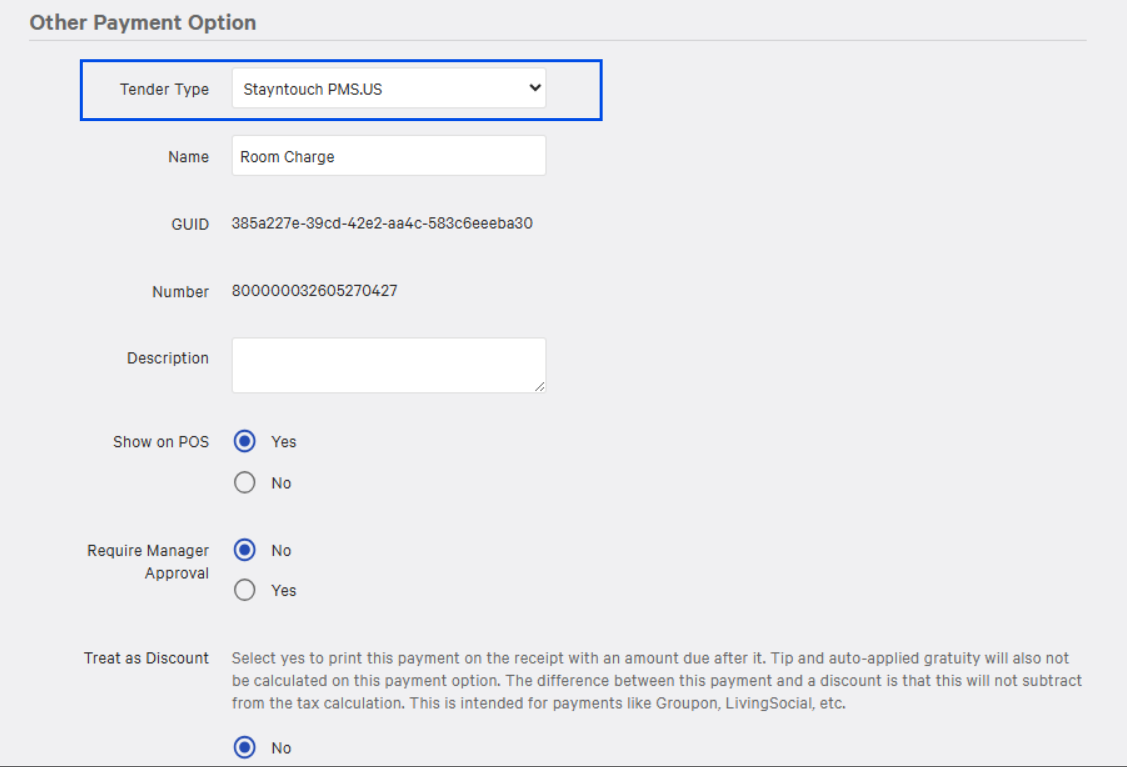



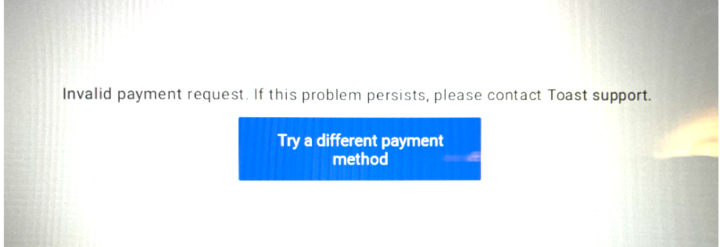
Once the tender type matches the PMS server, the Room Charge payment option should function correctly without errors.
Recommendation: If the issue persists after updating the tender type, confirm the site’s PMS environment and re-sync Toast with the PMS configuration.