
 Stayntouch PMS
[NEW!] Access Actions Faster From The Stay Card
TABLE OF CONTENTS
Action Configuration
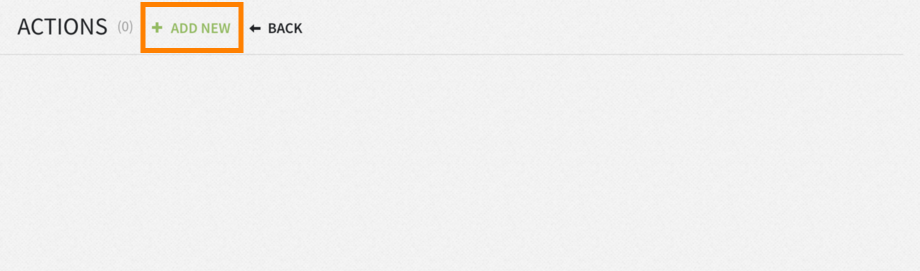
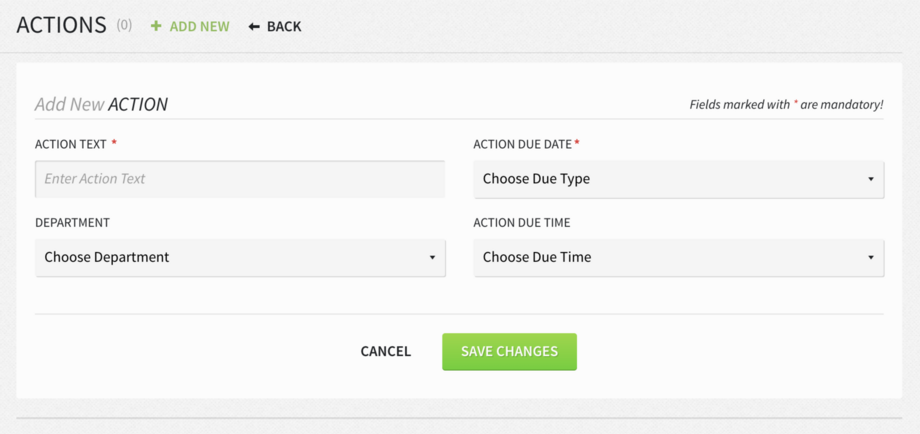
You can now create, edit, and delete actions that can be added to the list of pre-configured actions from Settings > Reservations > Actions. To add an action, click + ADD NEW and configure the following:
- ACTION TEXT (Required): Name the action.
- ACTION DUE DATE (Required): Select to make the action due on the Arrival Date, Departure Date, or Today.
- DEPARTMENT (Optional): Select a department.
- ACTION DUE TIME (Optional): Select an action due time (shown in 15-minute increments).

Add Pre-Configured Actions From The Stay Card
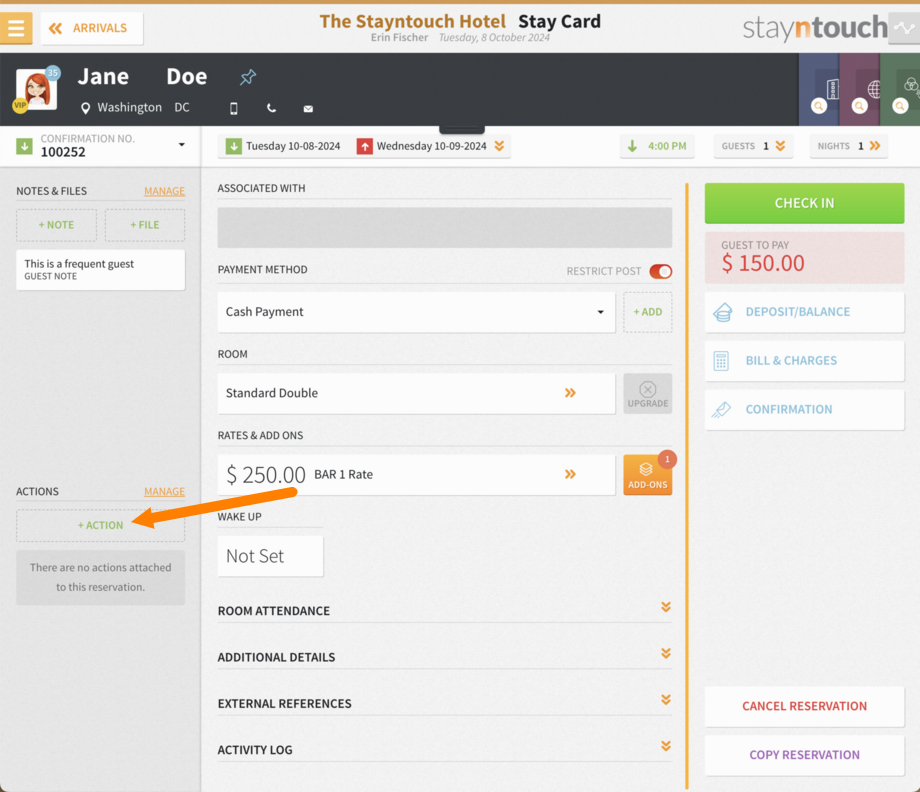
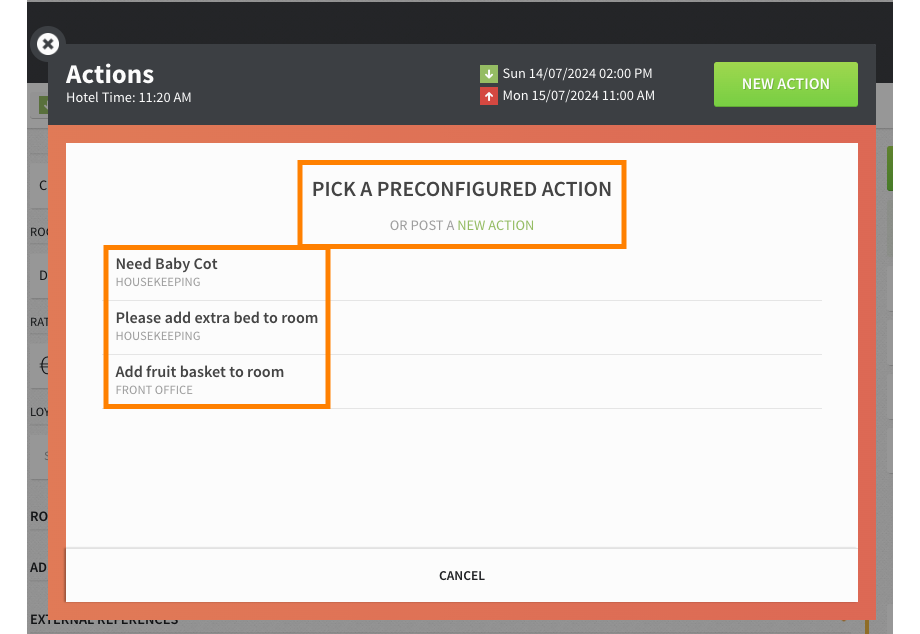
You can now add pre-configured actions to a reservation. From the stay card, you’ll now see a list of pre-configured actions when adding an action from the stay card. Pre-configured action texts are listed with the department, if configured. If no pre-configured actions are active, the Actions Manager will remain the same as before.
You can also choose OR POST A NEW ACTION, and if selected, you’ll be directed to the post an action screen with no pre-configured actions. You can navigate back to the pre-configured actions list by selecting OR PICK A PRE-CONFIGURED ONE.
To exit the actions popup window, select CANCEL.
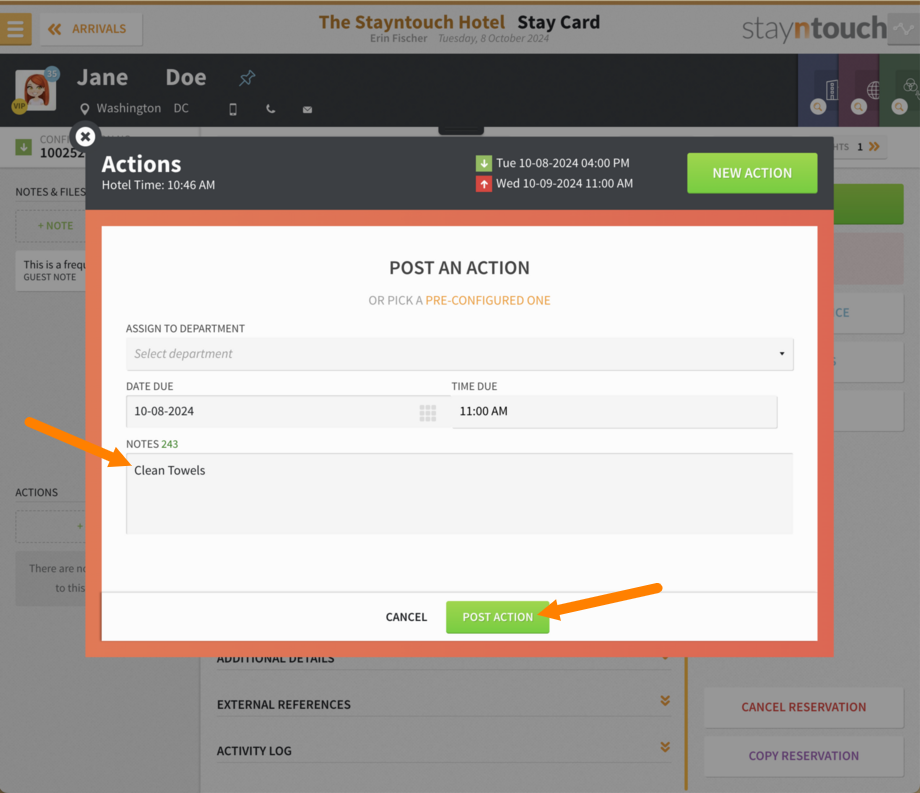
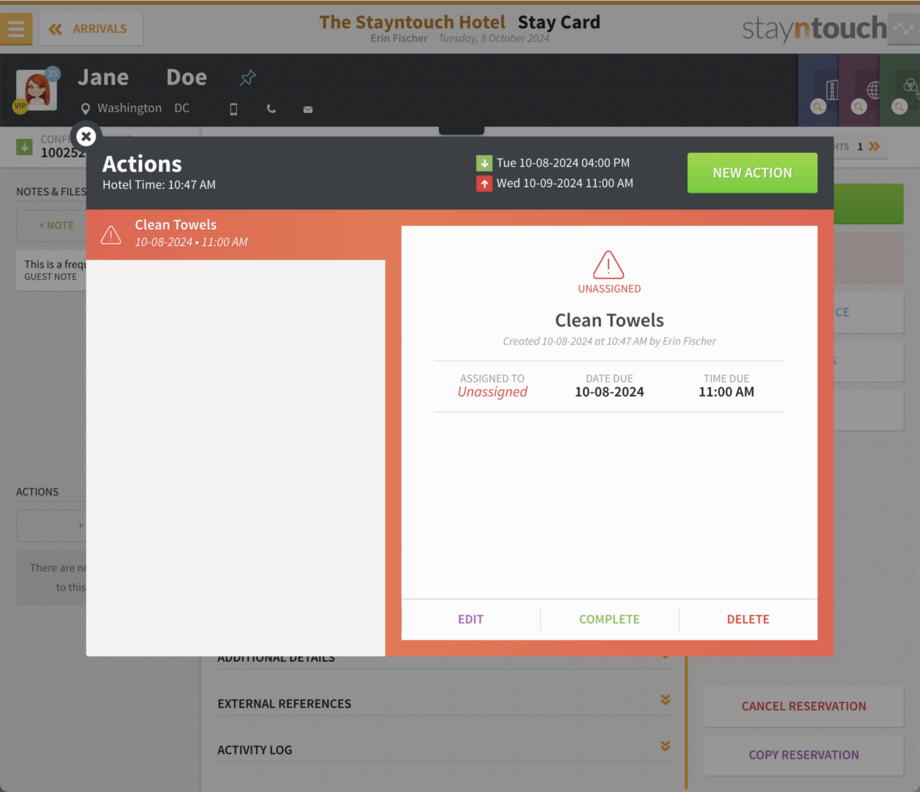
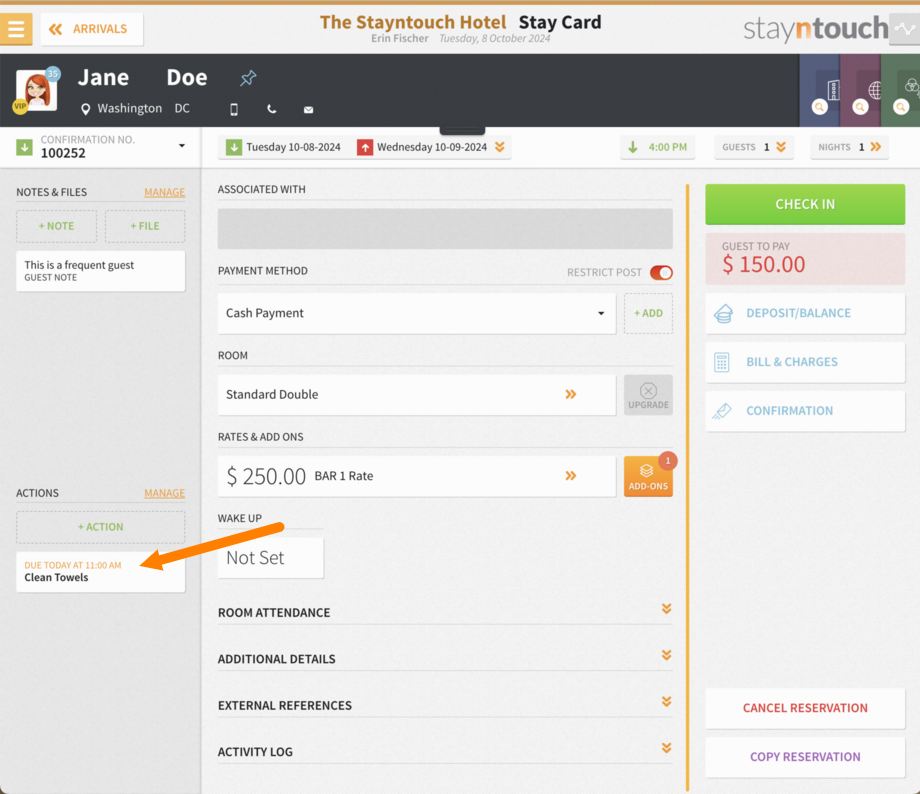
When choosing a pre-configured action, please note the following:
- When selected, you’ll be directed to the post an action popup window.
- Department, if configured, is automatically selected.
- You can edit the department.
- Due date is selected based on the action setting.
- If the due date is in the past, today’s date will be selected.
- You can edit the due date.
- If due time is selected, time is automatically changed.
- You can edit due time.
- If due time is not selected, current time, to the next 15 minutes, is selected.
- An action note is automatically added.
- You can edit an action note.
- You can post an action to the stay card.