
 Stayntouch PMS
[NEW!] POS Check Management
Connect API partners can now provide instant access to detailed POS receipts when guests need copies. View and print POS checks, so you never lose a restaurant receipt again!
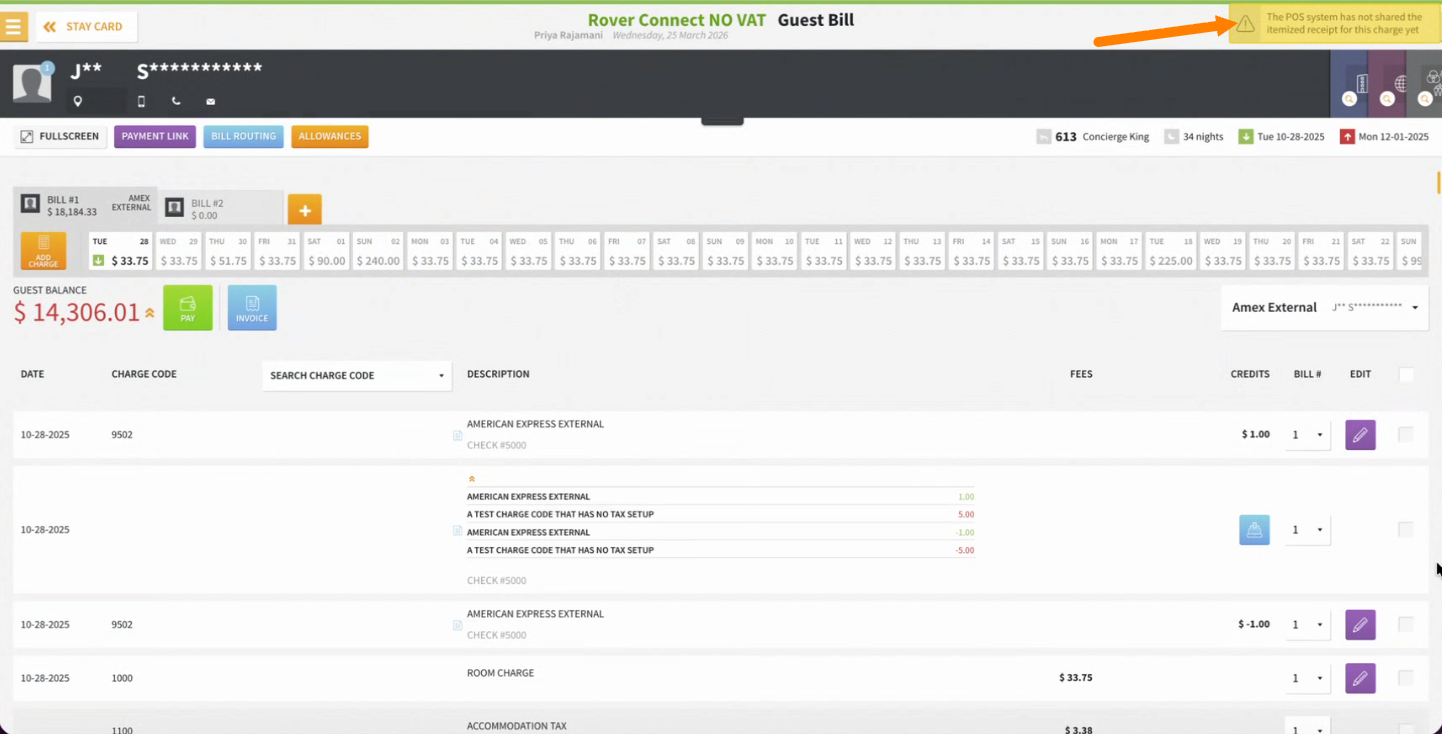
What's New:
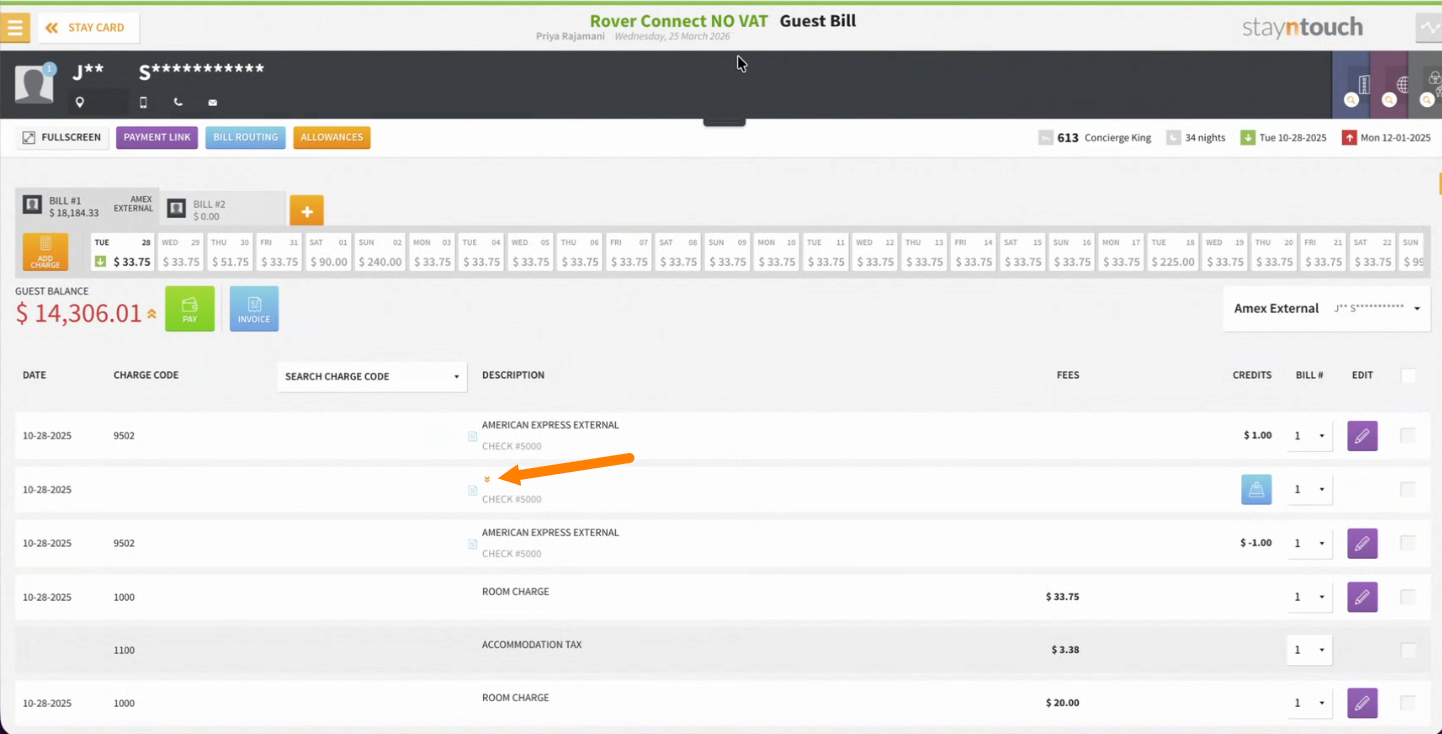
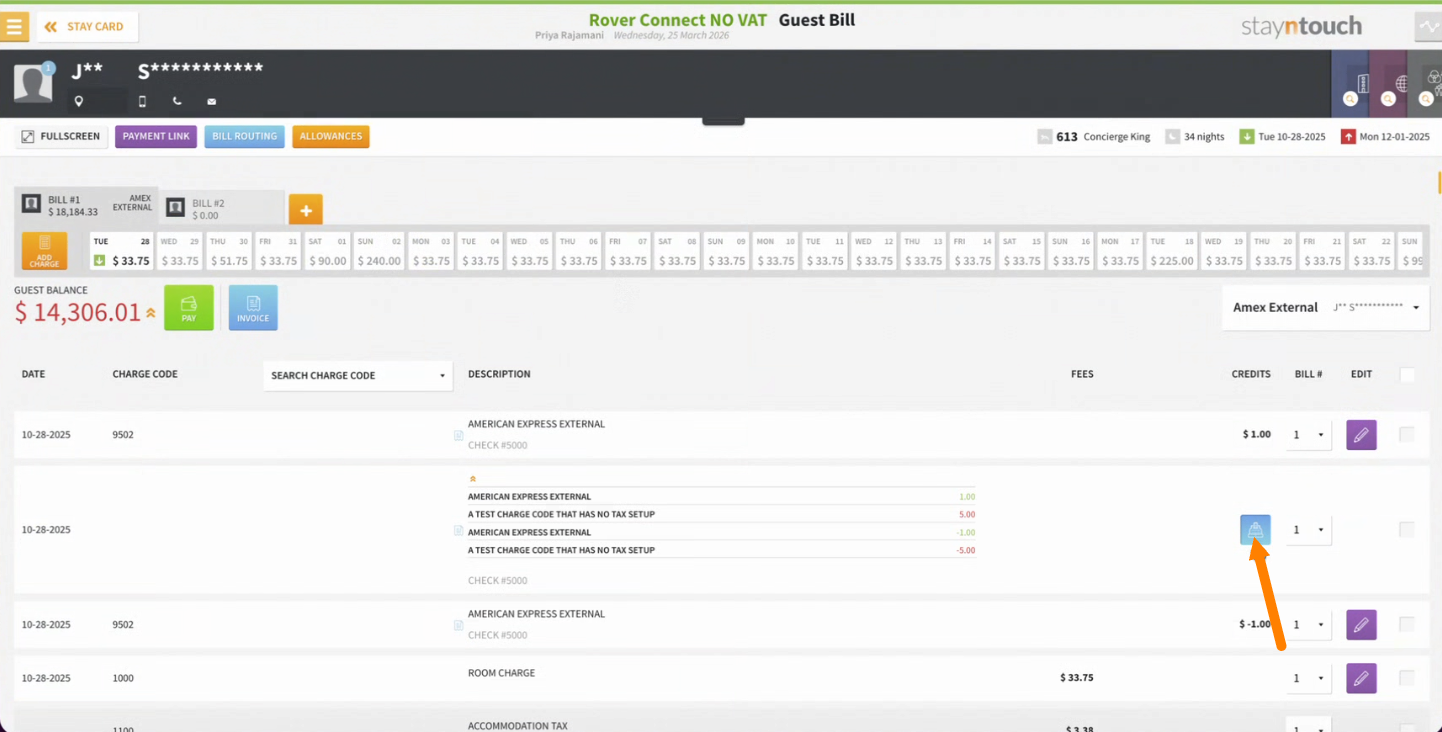
- View POS Check button appears on all POS transactions
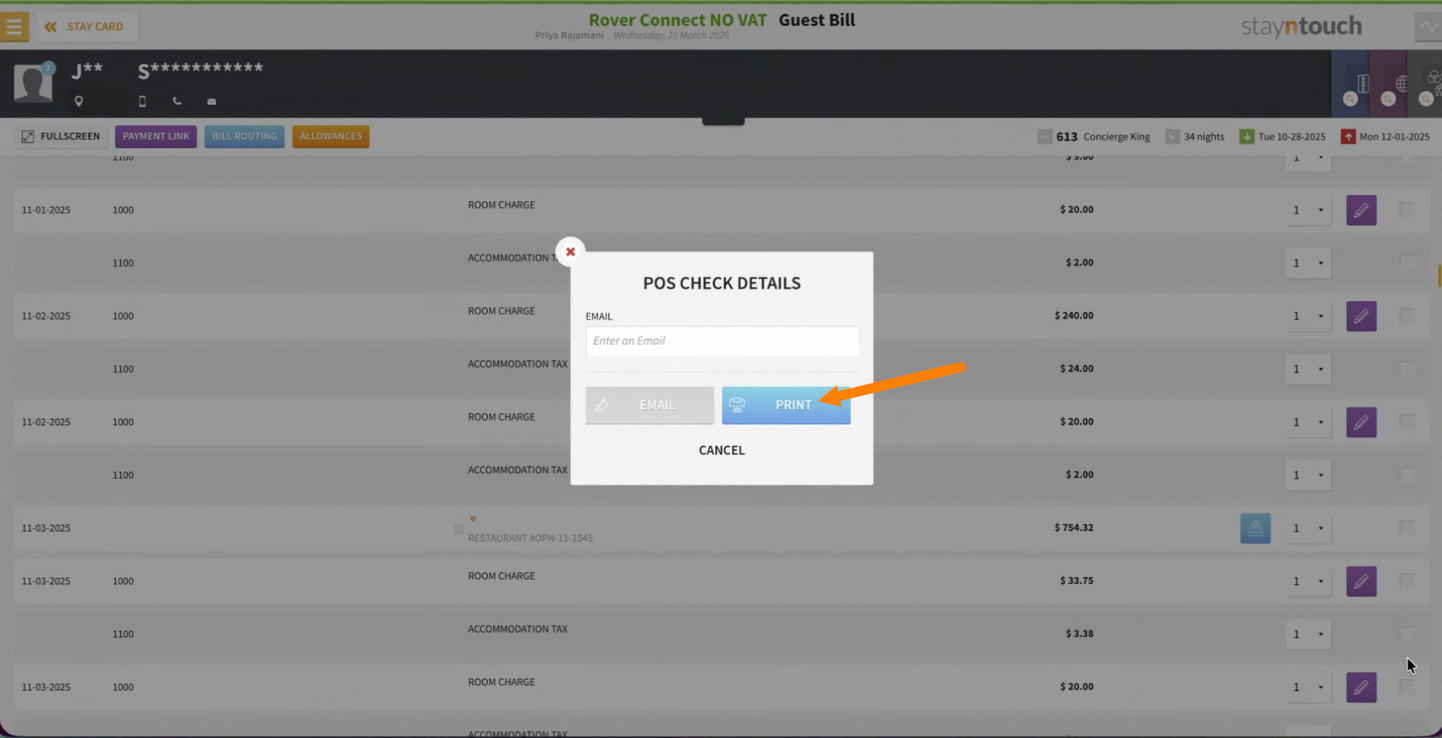
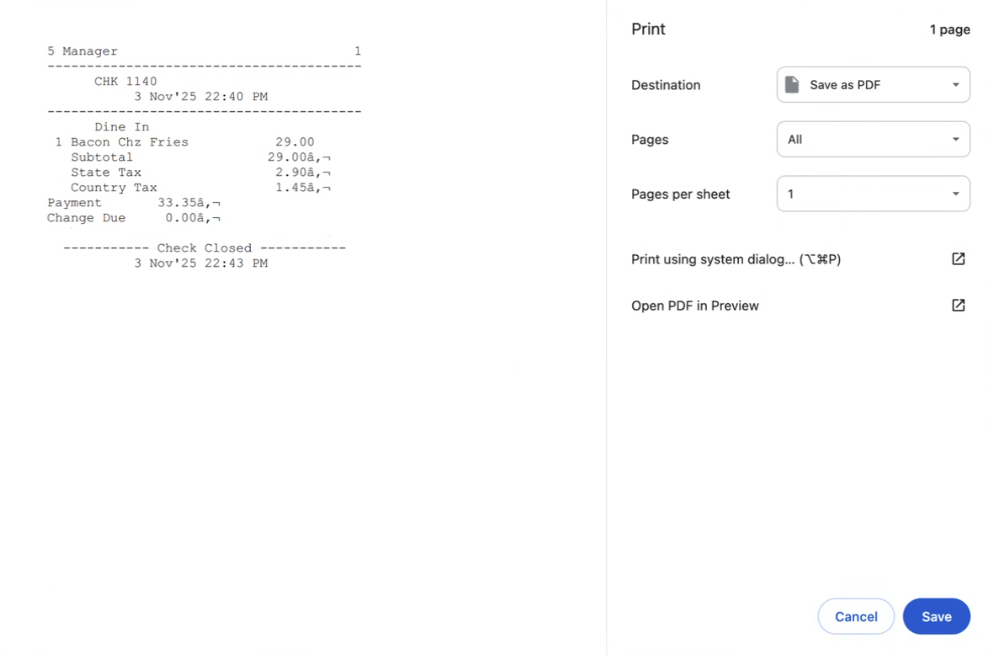
- Instant PDF access—view, print, or email receipts immediately
- Email directly to guests using existing email templates
- Always available—receipts stay accessible even if charges are moved between bills
How to Use: Navigate to Guest Bills or Posting Accounts > Find POS transaction > Click View POS Check
What You'll See:
- If receipt is available: PDF viewer with print/email options
- If not available: Clear message explaining the situation
Note for Lightspeed K-Series Integration: As part of the process for Lightspeed K-Series integration, Stayntouch Onboarding or Support must complete the following steps before Omniboost can activate the functionality.
In Stayntouch Admin, navigate to Configuration > Features > Enable or disable features > Print/Email POS Check and enable this toggle for the property.
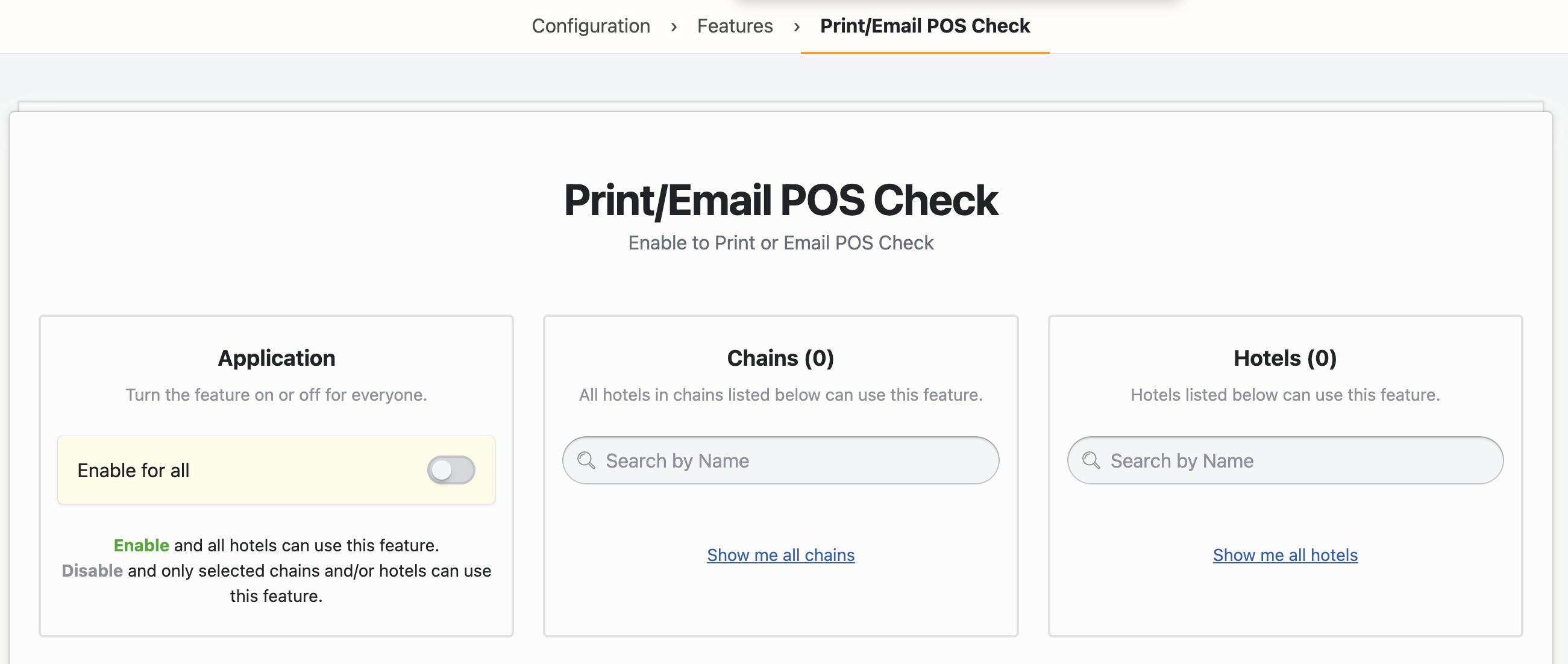
Once enabled, an icon will appear within bills for third-party postings made through Connect APIs. This icon allows users to preview and print the POS check.
Technical Details:
API Endpoint: GET /api/bills/pos_check?date={YYYY-MM-DD}&reference_number={ref}
Affected Screens: Guest Bills Screen, Posting Accounts Bills Screen
Response Types: 200 (PDF), 404 (Not Found)