Applies to:  Stayntouch PMS
Stayntouch PMS Rooms Queued Report
OVERVIEW
The Rooms Queued Report counts the expected arrivals that were put in queue over a date range. In practice, it shows how often the front desk had to queue a guest because their room wasn’t ready on arrival.
REPORT FILTERS
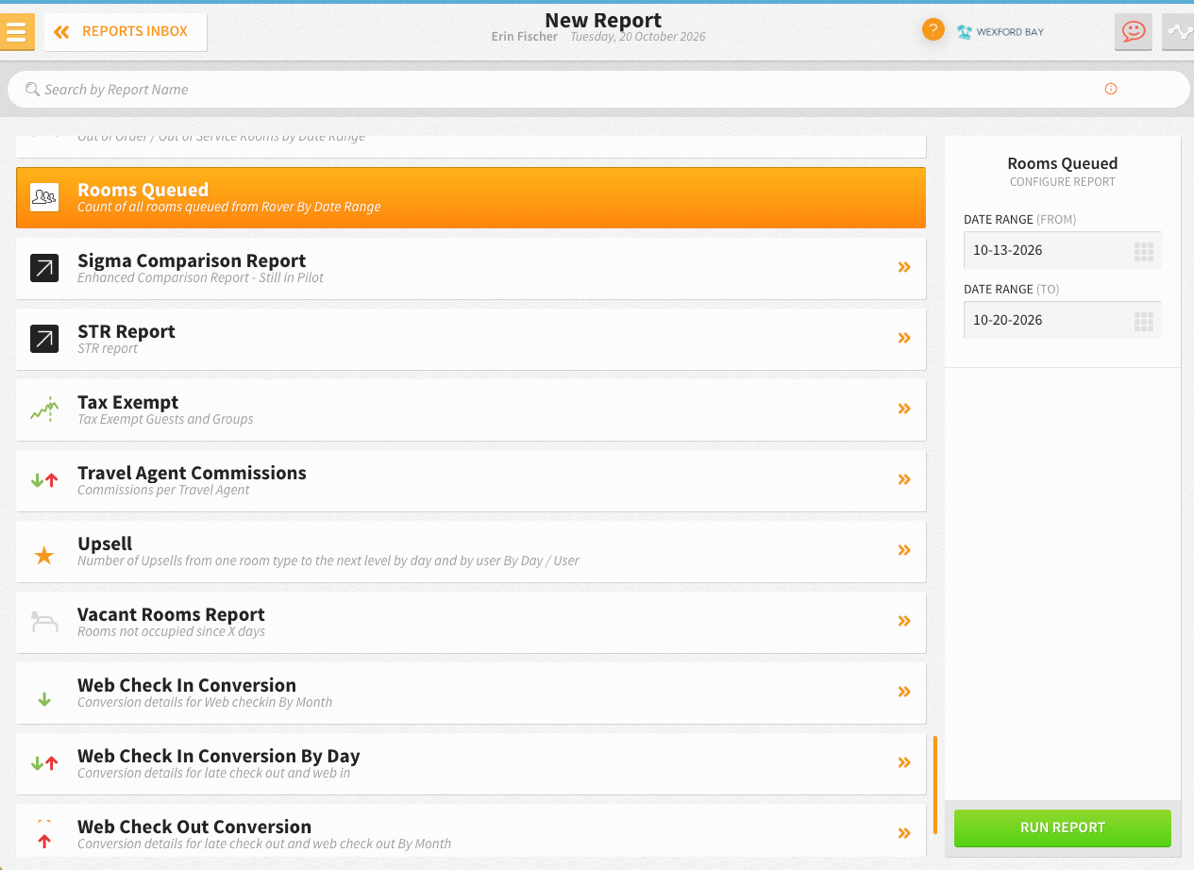
- DATE RANGE (FROM/TO): Select the desired date range. By default, it covers the previous week up to today.
REPORT OUTPUT
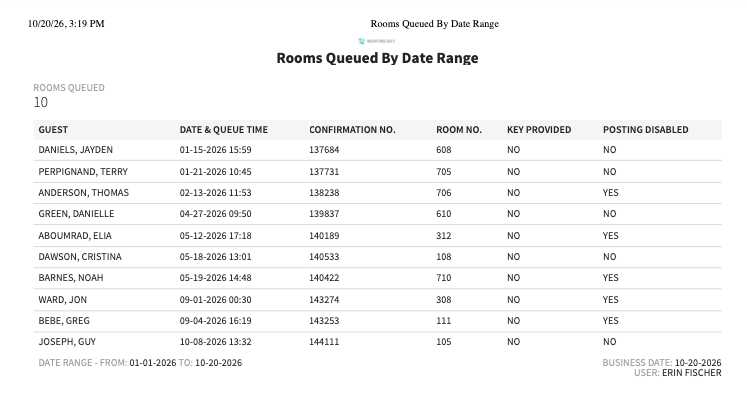
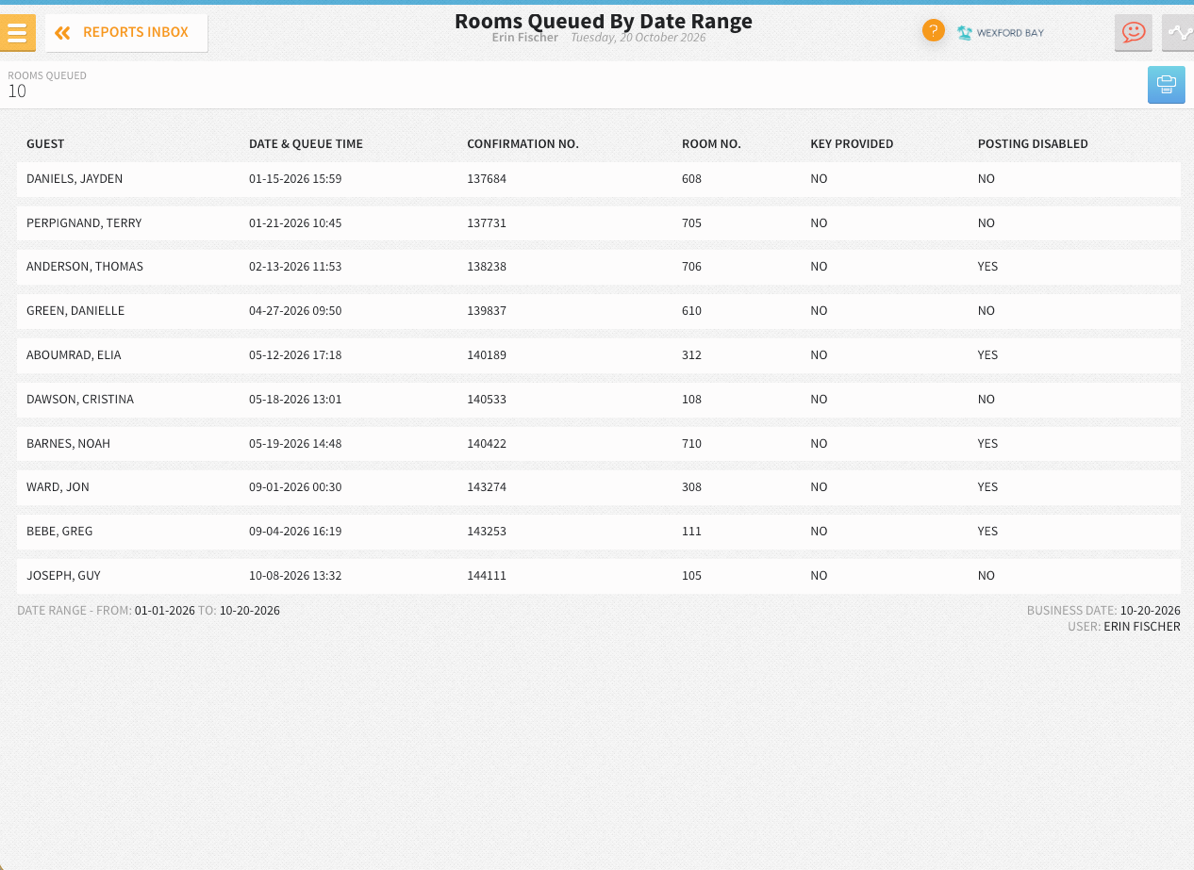
The Rooms Queued Report can be printed, and it will appear in the Reports Inbox as pictured in the section below. You will see the following fields on the report:
- GUEST
- DATE & QUEUE TIME
- CONFIRMATION NO.
- ROOM NO.
- KEY PROVIDED: Yes or No
- POSTING DISABLED: Yes or No
REPORTS INBOX
PRINT REPORT