
Custom Reports
1 Comment
Hi Andrew,
I don't believe that is currently an option. A few thoughts on how you could get this data:
- Navigate to Financials > Journal > Revenue > update to your desired date range > click on the little tab in the top middle > change the layout to "EXPANDED - CODES" > print or save as PDF via the blue print button in the top right hand corner
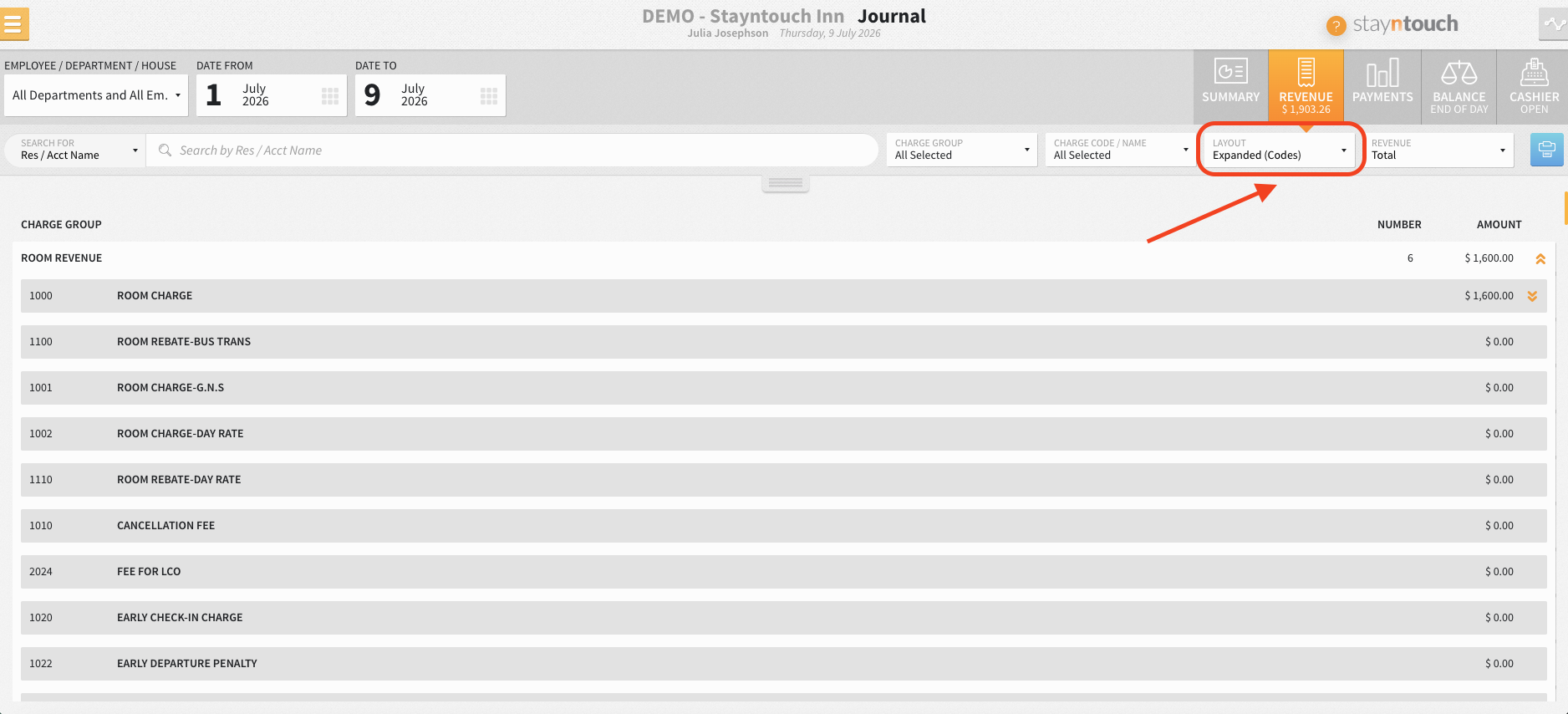
- Have you tried reviewing the Comparison report? That details these in a summarized view but is only for 1 day at a time (with MTD and YTD columns)
- Try exporting the detailed data via a custom export and using a pivot table in Excel to summarize.
I will leave this feature request open, but hope either of those suggestions helps you in the meantime.
Best,
Julia
Hello,
Can a custom report be made that is the information in the Financial Transaction - Revenue report but is a summary of all the charge groups and charge codes instead of it being detailed?